
- Install latest stable version of Android Studio
 |
|---|
| Android Studio |
-
Install the Flutter and Dart plugins
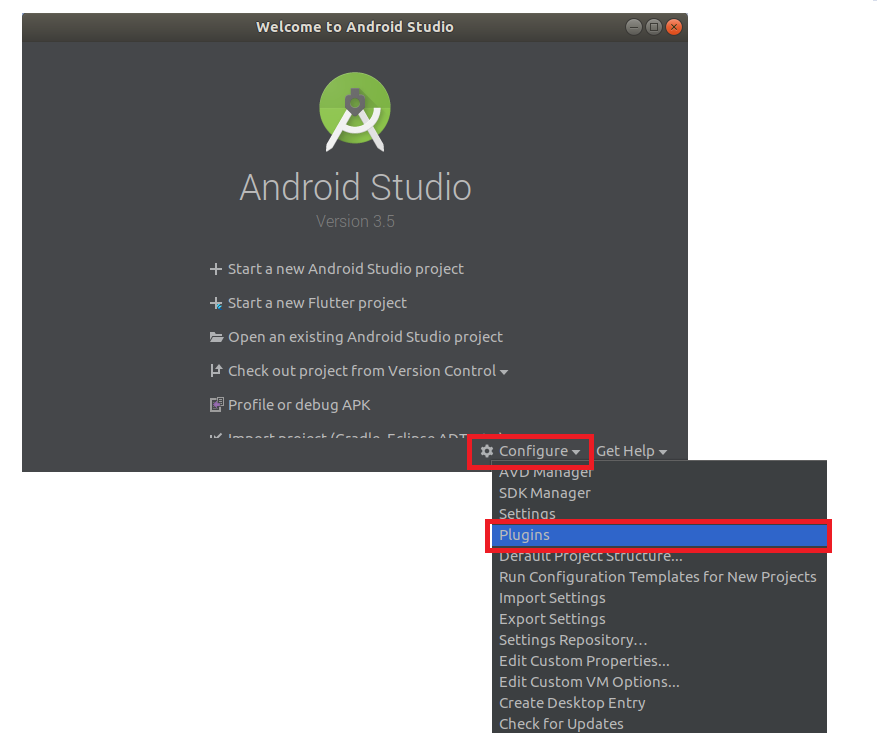
- In Android Studio, Open “Plugin Preferences”
- (Preferences > Plugins on macOS, File > Settings(Configure) > Plugins on Windows & Linux)
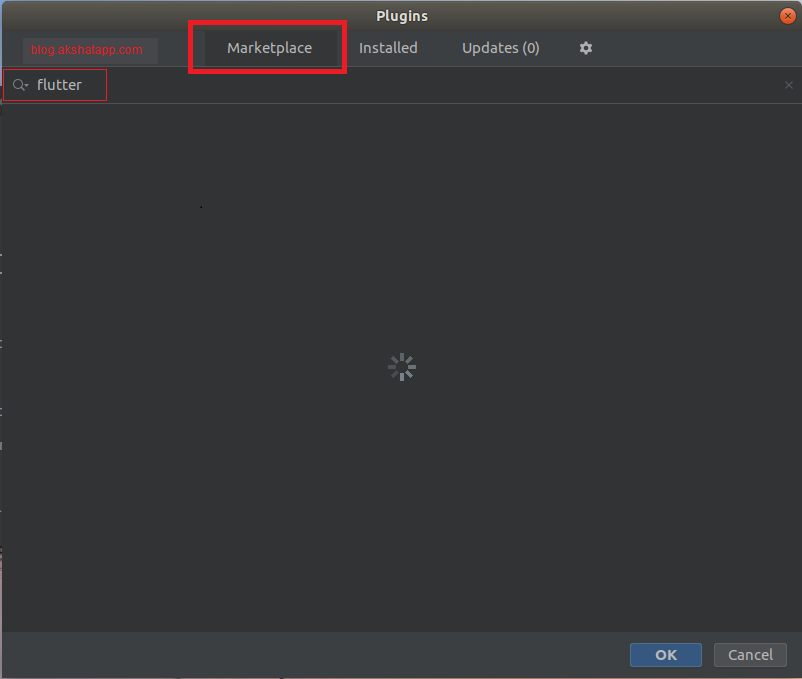
- Select Marketplace, search for “flutter” and click “Install” on the flutter plugin.
- Click Yes when prompted to install the Dart plugin
- Click Restart when prompted
 |
|---|
| Android Studio Plugins |
 |
|---|
| Android Studio Marketplace |
Validate your flutter setup using “flutter doctor command”.
Once flutter sdk and your android studio editor is up and running, To Create a new flutter project from the flutter starter app template follow the below steps
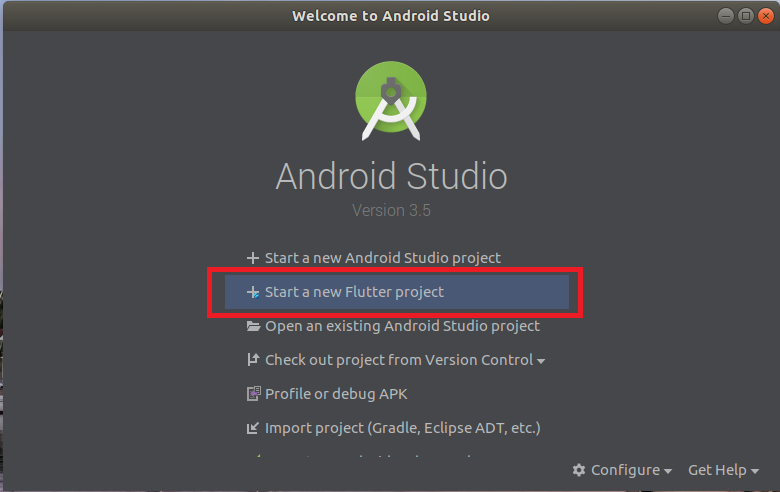
step 1 : Click on “Start a New Flutter Project”
 |
|---|
| Android Studio - New Flutter Project |
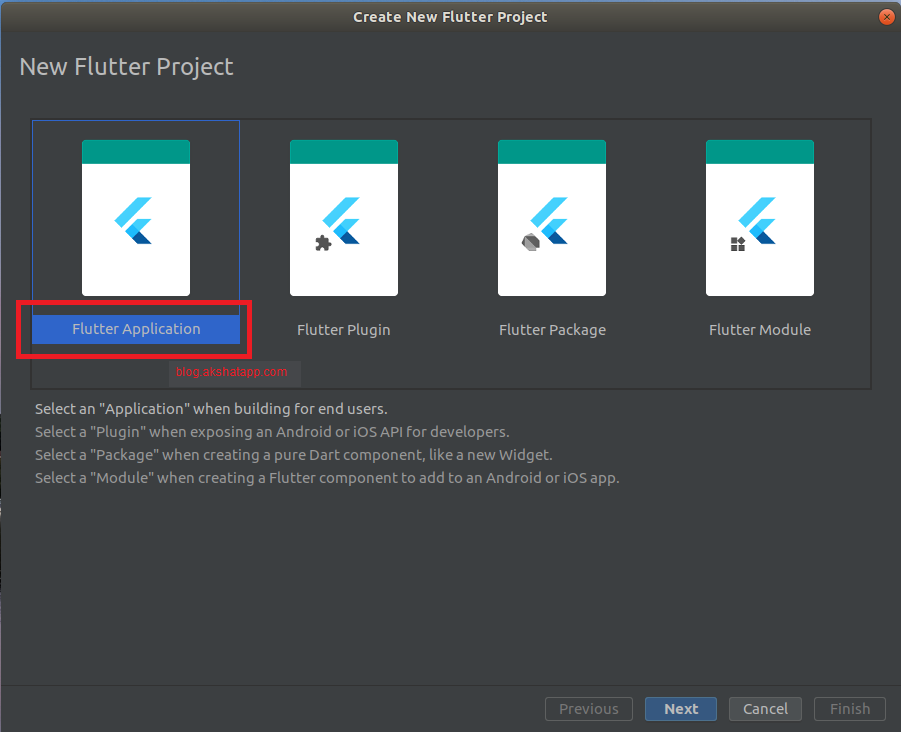
step 2 : Select Flutter Application, click Next
 |
|---|
| Android Studio - Flutter Application |
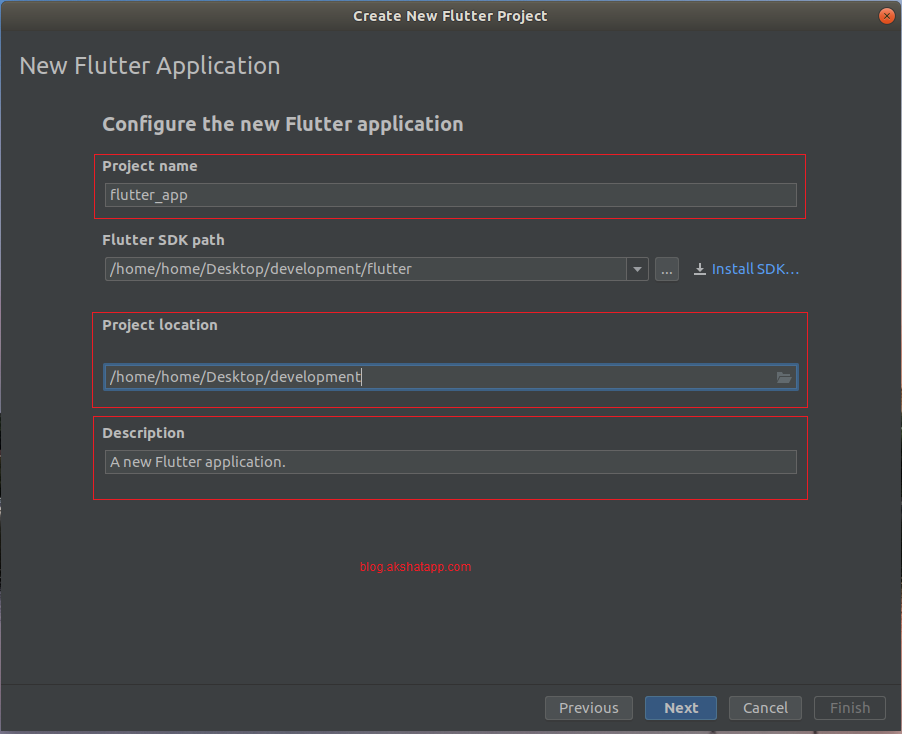
step 3 : Configure Flutter Application
- Enter your desired Project Name - For this demo, App Name : flutter_app
- Select your Project Location
- Enter your Project Description
Note : Make sure that the flutter sdk path is correct.
 |
|---|
| Configure Flutter Application |
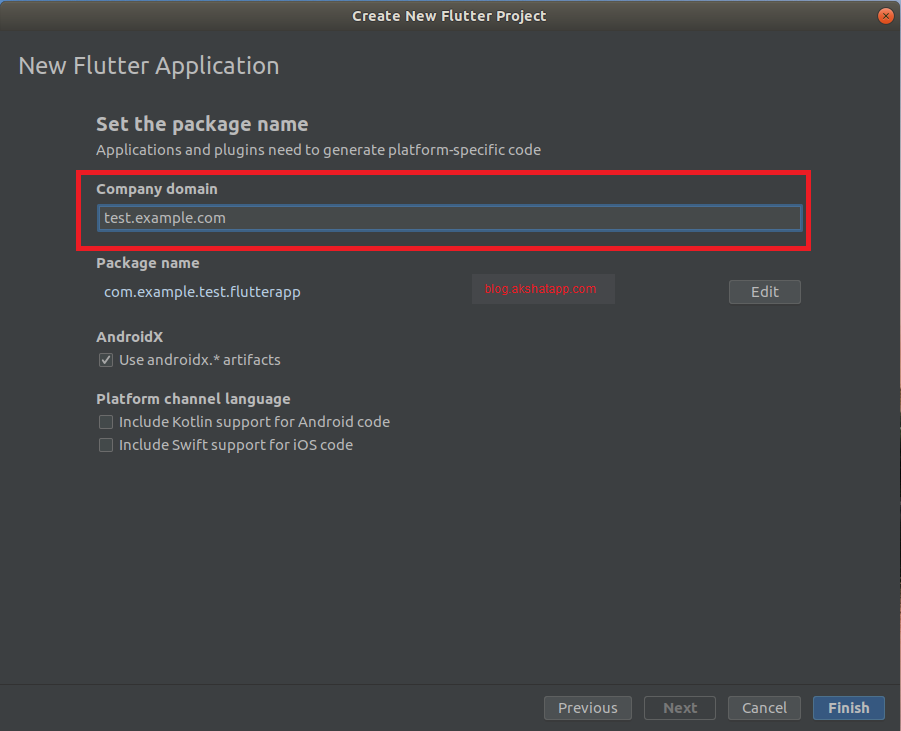
step 4 : Set Package name - Set the company domain (if you want to publish this app to play store)
Company Domain - enter your organization domain name, for example,
- test.example.com
- yourdomain.com
Package Name Format = “Organization Domain Name in Reverse Order” + “AppName”.
for example, com.example.test.flutterapp
Click Finish.
 |
|---|
| Set Package Name |
step 5 : Your flutter project is ready !
Wait for a couple of seconds and let android studio create the required files and folders in your project location.
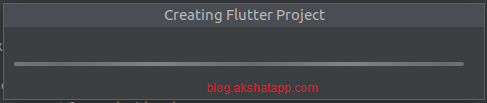 |
|---|
| Android Studio - Creating Flutter Project |
Android Studio will automatically load your flutter starter template app project.
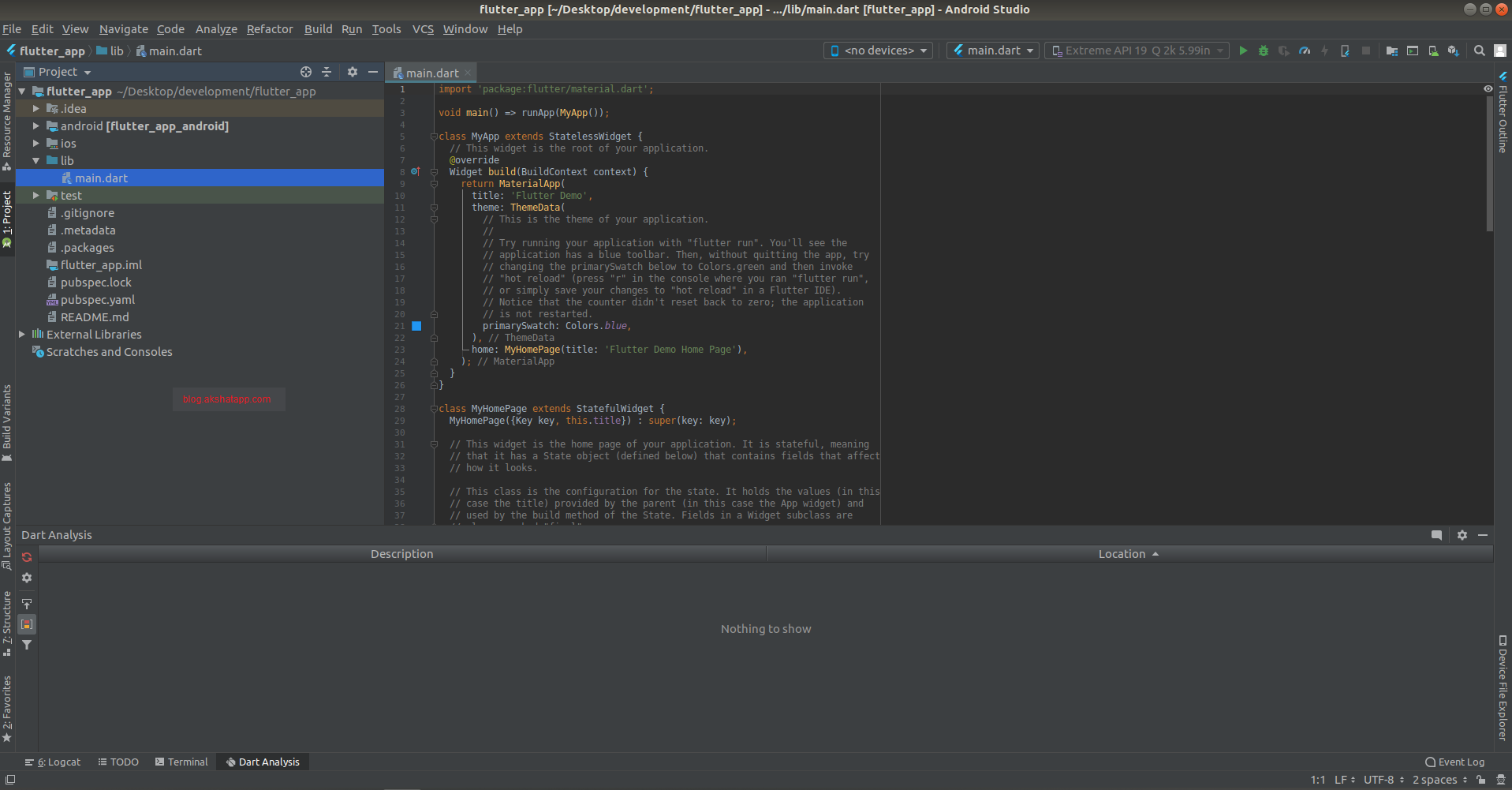 |
|---|
| Android Studio - Flutter App Android |
Frequently Asked Questions
Share This Post

Join our newsletter!
Get the latest developer guides, tutorials, and tips delivered straight to your inbox.