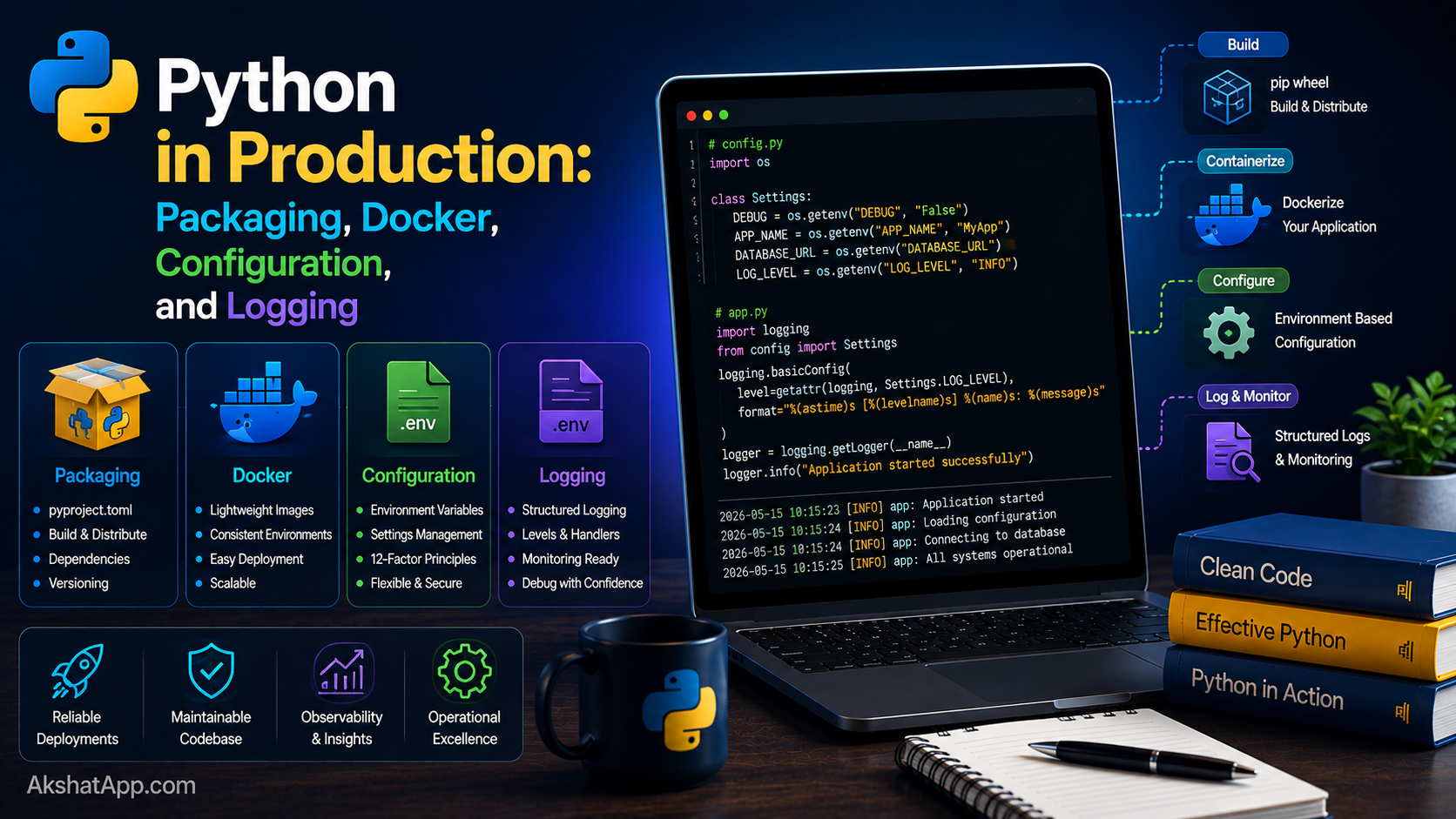
Every version of the unit converter across this entire series has been run one way: uv run main.py, from inside the exact project folder, on the exact machine it was written on. That is fine for learning. It is not how software actually reaches anyone else — a colleague, a server, a user who has never heard of uv and has no intention of cloning source code to run a program.
This post closes that gap. It covers packaging the project properly with pyproject.toml so it can be installed as a real command, moving every hardcoded value (the history file location, the API timeout, the history size limit from Post #9’s final exercise) into environment-based configuration, containerizing the entire thing with Docker so it runs identically regardless of what is or is not installed on the host machine, and setting up logging the way Post #12 introduced but never fully deployed. By the end, the unit converter is genuinely production-ready — not just correct, but deployable.
The Mental Model: Working Code vs. Deployable Software
Code that runs correctly on your machine, using values you happened to hardcode while writing it, is not the same thing as software someone else can install, configure for their own situation, and run reliably without your involvement. The gap between the two is entirely what this post addresses: a proper package definition instead of “just run this file,” configuration that adapts to wherever it is deployed instead of assumptions baked into the source, a container that eliminates “what version of Python do you have installed” as a question entirely, and logging that lets you understand what happened after the fact, on a machine you may never have direct access to.
Proper Packaging With pyproject.toml
Every uv init since Post #1 has generated a minimal pyproject.toml. Here is what a genuinely complete one looks like for the unit converter:
[project]
name = "unit-converter"
version = "1.0.0"
description = "A CLI unit converter with live currency conversion support"
requires-python = ">=3.13"
dependencies = [
    "requests>=2.31.0",
    "python-dotenv>=1.0.0",
]

[project.optional-dependencies]
dev = [
    "pytest>=8.0.0",
    "pytest-cov>=5.0.0",
]

[project.scripts]
unit-converter = "unit_converter.main:main"

[build-system]
requires = ["hatchling"]
build-backend = "hatchling.build"
dependencies pins minimum versions rather than leaving them unspecified — requests>=2.31.0 rather than just requests, ensuring anyone installing the project gets a version at least as recent as what it was actually tested against, rather than whatever happens to be latest (or, worse, whatever happens to already be installed) at install time.
[project.scripts] is what turns this from “a folder of Python files someone has to know how to run” into an actual installable command:
uv build
uv pip install dist/unit_converter-1.0.0-py3-none-any.whl

# Now, from anywhere, no "uv run" needed:
unit-converter
Anyone installing this package gets a genuine unit-converter command on their system’s PATH — the same way pytest or black or any other installed Python tool works, no different in kind from tools this series has used throughout.
Project Structure for a Real Package
unit-converter/
├── pyproject.toml
├── uv.lock
├── .env.example
├── .gitignore
├── src/
│   └── unit_converter/
│       ├── __init__.py
│       ├── config.py
│       ├── conversions.py
│       ├── currency.py
│       └── main.py
└── tests/
    ├── test_conversions.py
    └── test_currency.py
This is the src/ layout — a widely-used convention where package code lives inside src/package_name/ rather than directly in the project root. This small structural choice prevents an entire category of subtle import bugs (accidentally importing an installed version of your own package instead of the local development copy) that becomes relevant specifically once a project is being properly packaged and installed, rather than only ever run directly from its own folder.
Configuration: Moving Every Hardcoded Value Out of the Source
Post #10 established the principle directly: secrets belong in environment variables, never hardcoded. That same principle extends to every configurable value, not just secrets.
# src/unit_converter/config.py
import os
from pathlib import Path
from dotenv import load_dotenv

load_dotenv()


class Config:
    HISTORY_FILE = Path(os.environ.get("HISTORY_FILE", "conversion_history.json"))
    MAX_HISTORY_ENTRIES = int(os.environ.get("MAX_HISTORY_ENTRIES", "50"))
    CURRENCY_API_TIMEOUT = int(os.environ.get("CURRENCY_API_TIMEOUT", "10"))
    LOG_LEVEL = os.environ.get("LOG_LEVEL", "INFO")
# .env.example — committed to the repo as documentation of available settings
HISTORY_FILE=conversion_history.json
MAX_HISTORY_ENTRIES=50
CURRENCY_API_TIMEOUT=10
LOG_LEVEL=INFO# .env — the actual local values, NEVER committed (this exact file goes in .gitignore)
cp .env.example .env
# then edit .env with real values for your specific setupEvery value here previously lived hardcoded directly in the source: the history file path from Post #9, the retry timeout from Post #10, and — directly resolving Post #9’s final open exercise — a configurable MAX_HISTORY_ENTRIES limit. Centralizing them in one Config class, sourced from environment variables with sensible defaults, means the exact same code runs correctly whether deployed on a developer’s laptop, a colleague’s machine with different preferences, or inside the Docker container covered next — without a single line of source code needing to change between those situations.
# Using Config throughout the codebase, instead of hardcoded literals
from unit_converter.config import Config

def save_history(history: list[dict]) -> None:
    trimmed = history[-Config.MAX_HISTORY_ENTRIES:]
    with open(Config.HISTORY_FILE, "w", encoding="utf-8") as f:
        json.dump(trimmed, f, indent=2)
Docker: Running Identically, Anywhere
A Docker container packages the application together with its exact runtime environment — the specific Python version, the exact dependencies, everything needed to run it — into one portable unit that behaves identically regardless of what is or is not installed on the host machine.
# Dockerfile
FROM python:3.13-slim

# Install uv
COPY --from=ghcr.io/astral-sh/uv:latest /uv /usr/local/bin/uv

WORKDIR /app

# Copy dependency files first — enables Docker's layer caching:
# if only source code changes, this expensive install step is skipped on rebuild
COPY pyproject.toml uv.lock ./
RUN uv sync --frozen --no-dev

# Now copy the actual application code
COPY src/ src/

# Run as a non-root user for security
RUN useradd --create-home appuser
USER appuser

ENTRYPOINT ["uv", "run", "unit-converter"]
# .dockerignore — files that should never be copied into the image
.git
.venv
__pycache__
*.pyc
.env
conversion_history.json
tests/Layer caching, explained: Docker builds an image in layers, and caches each one — if the files a layer depends on have not changed since the last build, Docker reuses the cached result instead of re-running that step. Copying pyproject.toml and uv.lock first, installing dependencies, and only then copying the actual source code means editing a .py file and rebuilding does not require reinstalling every dependency from scratch — only the final, fast “copy source code” layer needs to rerun. Getting this ordering right is a small change that produces genuinely faster rebuild times on any project with a non-trivial number of dependencies.
# Build and run
docker build -t unit-converter .
docker run -it --env-file .env unit-converter
--env-file .env passes the local configuration file’s contents into the container as environment variables — the exact same Config class from earlier reads them identically whether running directly on your machine or inside this container, because it was written from the start to read configuration from the environment rather than assuming any particular deployment context.
Production Logging, Fully Deployed
Post #12 introduced logging conceptually. Here it is configured properly for an actual deployed application:
# src/unit_converter/logging_setup.py
import logging
from unit_converter.config import Config


def setup_logging() -> None:
    logging.basicConfig(
        level=getattr(logging, Config.LOG_LEVEL.upper(), logging.INFO),
        format="%(asctime)s [%(levelname)s] %(name)s: %(message)s",
        handlers=[
            logging.StreamHandler(),  # always visible in console/container logs
        ],
    )
# main.py
import logging
from unit_converter.logging_setup import setup_logging
setup_logging()
logger = logging.getLogger(__name__)
def main():
logger.info("Unit converter starting")
try:
# ... application logic ...
pass
except Exception:
logger.exception("Unhandled error in main loop") # logs the full traceback
raise
finally:
logger.info("Unit converter shutting down")Config.LOG_LEVEL, sourced from the environment exactly like every other setting in this post, means a deployed container can run with LOG_LEVEL=WARNING for quiet, routine operation, while the exact same image, given LOG_LEVEL=DEBUG at startup, produces detailed diagnostic output — without rebuilding anything, exactly the log-level filtering advantage Post #12 described in the abstract, now genuinely wired into a deployable configuration. logger.exception(...), called specifically inside an except block, automatically includes the full traceback in the log output — the production equivalent of the pdb-based interactive debugging from Post #12, for situations where no one is watching in real time and the only record of what went wrong is whatever got logged.
Real-World Use Cases
Sharing tools with a team: A properly packaged CLI tool, installed via uv pip install or similar, is something a colleague can genuinely use without understanding or caring how it was built — exactly the gap this post closes.
Deploying to a server: A containerized application, with configuration entirely externalized to environment variables, can be deployed to any server, any cloud provider, any orchestration platform, without modification — the container behaves identically everywhere it runs.
Consistent environments across a team: uv.lock, generated automatically and committed to version control, ensures every developer, and the production deployment itself, uses the exact same dependency versions — eliminating an entire category of “it works on my machine” bugs.
Debugging production issues after the fact: Properly configured logging, as covered in this post, is frequently the only available record of what a deployed application actually did when something goes wrong on a machine you cannot directly observe in real time.
Common Mistakes and Gotchas
⚠️ Mistake 1: Hardcoding configuration instead of using environment variables
Every value that might reasonably differ between a developer’s machine, a colleague’s setup, and a production deployment — file paths, timeouts, feature flags — belongs in Config, sourced from the environment, exactly as this post demonstrates.
⚠️ Mistake 2: Not pinning dependency versions
Leaving dependencies = ["requests"] without any version constraint means installations at different times can silently pull different versions, occasionally introducing behavior changes or breaking compatibility — requests>=2.31.0 (or an exact pin for maximum reproducibility) prevents this.
⚠️ Mistake 3: Missing or incomplete .dockerignore
Without one, COPY . . inside a Dockerfile copies everything in the project directory into the image — including .git history, local __pycache__ files, and potentially sensitive local .env files — bloating the image size and, in the .env case, creating a genuine security risk by baking secrets directly into a container image.
⚠️ Mistake 4: Logging sensitive data accidentally
logger.debug(f"Making API request with headers: {headers}") # might log an API key directly!Be deliberate about what gets logged — API keys, passwords, and personal user data should never appear in log output, which is often less carefully access-controlled than the application’s actual data storage.
⚠️ Mistake 5: Running a container’s main process as root
The Dockerfile above explicitly creates and switches to a non-root appuser — running as root inside a container is a real, well-known security anti-pattern, since a container compromise combined with root privileges inside it is meaningfully more dangerous than the same compromise under a restricted user account.
Performance Note
Docker containers, correctly built with proper layer caching as shown in this post, add negligible runtime overhead compared to running the same application directly — the performance concern with containerization is almost entirely about build and deployment speed (getting layer caching right, as covered above) rather than execution speed once running. The genuinely important performance lesson from this post is indirect: externalized, environment-based configuration (rather than hardcoded values requiring a code change and redeploy to adjust) means operational tuning — adjusting a timeout, changing a log level to investigate an issue — happens in seconds via configuration, not through a full rebuild-and-redeploy cycle.
Quick Reference
# pyproject.toml essentials
[project]
name = "your-package"
version = "1.0.0"
requires-python = ">=3.13"
dependencies = ["requests>=2.31.0"]

[project.scripts]
your-command = "your_package.main:main"
# Environment-based config pattern
import os
from dotenv import load_dotenv
load_dotenv()
class Config:
SOME_VALUE = os.environ.get("SOME_VALUE", "default")
SOME_INT = int(os.environ.get("SOME_INT", "10"))# Dockerfile essentials
FROM python:3.13-slim
COPY --from=ghcr.io/astral-sh/uv:latest /uv /usr/local/bin/uv
WORKDIR /app
COPY pyproject.toml uv.lock ./
RUN uv sync --frozen --no-dev
COPY src/ src/
USER appuser
ENTRYPOINT ["uv", "run", "your-command"]# Production logging
logging.basicConfig(
level=getattr(logging, Config.LOG_LEVEL.upper()),
format="%(asctime)s [%(levelname)s] %(name)s: %(message)s",
)
logger.exception("message") # logs full traceback, inside except blocksExercises
Exercise 1 — Direct application
Take any single-file script from earlier in this series (the is_prime checker from Post #4 is a good candidate) and package it properly with a pyproject.toml, giving it a [project.scripts] entry point so it becomes an installable command.
Exercise 2 — Slight variation
Move at least three hardcoded values from the unit converter (the history filename, the currency API timeout, the history entry limit) into a Config class sourced from environment variables, with sensible defaults matching their current hardcoded values.
Exercise 3 — Real-world combination
Write a complete Dockerfile for the unit converter following this post’s pattern, build it locally with docker build, and run it — verifying it correctly picks up a custom LOG_LEVEL passed via --env-file or -e LOG_LEVEL=DEBUG.
Exercise 4 — Open-ended challenge
The Config class in this post reads every value fresh from os.environ at class definition time via load_dotenv(). Research (or experiment with) what would need to change for the application to support reloading configuration without restarting the process entirely — is this something the current design supports, and if not, what would need to be different?
FAQ
Q: Do I need Docker for every Python project, even small personal scripts? A: No — Docker earns its complexity specifically when deployment consistency genuinely matters: sharing with a team, deploying to servers, or running in environments where you cannot control what is already installed. A personal script run only on your own machine gains little from containerization.
Q: What’s the difference between .env and .env.example?
A: .env.example documents which environment variables the application expects, with placeholder or default values, and is committed to version control as documentation. .env contains the actual, potentially sensitive values for a specific deployment and must never be committed — it belongs in .gitignore, exactly as this post’s project structure shows.
Q: Why use python-dotenv instead of just setting environment variables directly in the shell?
A: For local development, .env files are more convenient than remembering to export several variables in every new terminal session. In actual production deployments (Docker, cloud platforms), environment variables are typically set directly by the deployment platform itself, and load_dotenv() simply finds no .env file to load, gracefully falling through to whatever the platform has already set.
Q: Should logging output go to a file, the console, or both?
A: In containerized deployments, logging to the console (as this post’s StreamHandler does) is generally preferred — container orchestration platforms are typically built to capture console output directly, making a separate log file redundant and occasionally hard to access. Non-containerized, long-running local applications more often benefit from file-based logging for later inspection.
Summary and Next Steps
The unit converter is now genuinely deployable: a proper pyproject.toml with a real installable command, every previously hardcoded value moved into environment-based configuration with sensible defaults, a Dockerfile with correct layer caching and non-root execution, and production logging that adapts its verbosity without any code changes. The gap between “code that works on my machine” and “software someone else can install, configure, and run” — the gap this post opened with — is closed.
Your next step: Complete Exercise 3 — building and running the actual Docker container — since watching the unit converter run identically inside a container as it does directly on your machine is the most concrete possible confirmation that the configuration externalization throughout this post actually achieved its goal.
The final post in this series looks at what’s new in Python itself heading into 2026 and beyond, and the modern tooling ecosystem (uv, ruff, and others) that this series has used throughout — bringing the full 20-post journey to a close.
Code tested with Python 3.13. Last updated: June 2026.
Share This Post

Join our newsletter!
Get the latest developer guides, tutorials, and tips delivered straight to your inbox.



