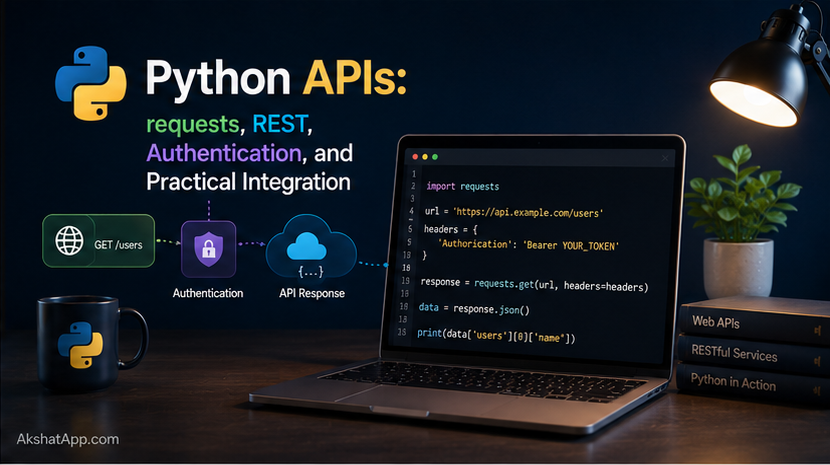
Every example built across this series so far has been entirely self-contained — the unit converter does its own arithmetic with hardcoded conversion rates, the bank account tracks its own numbers, nothing has ever reached outside the program itself. Real software constantly talks to the outside world: fetching live data, sending information to a server, checking whether a payment succeeded. That communication happens over HTTP, the same protocol your browser uses to load every webpage, and Python’s requests library is the standard, idiomatic way to make those calls.
This post covers making HTTP requests, understanding REST — the convention most web APIs follow — handling authentication properly and securely, and parsing whatever comes back, using exactly the JSON skills built in Post #9. By the end, the unit converter gains something no hardcoded conversion rate ever could: a live currency conversion feature, pulling real exchange rates from an actual API.
The Mental Model: Client, Server, Request, Response
Every interaction covered in this post follows the same basic shape: your Python program (the client) sends a request to some server somewhere on the internet, and that server sends back a response. This is the exact same model your web browser uses to load this very page — a request goes out, a response comes back, containing either HTML for a browser to render or, for the APIs in this post, structured data (almost always JSON) for your program to parse.
REST (Representational State Transfer) is not a technology but a widely-followed convention for organizing this communication — using standard HTTP methods (GET to retrieve data, POST to create something, PUT/PATCH to update, DELETE to remove) against predictable URLs. Not every API strictly follows REST, but the overwhelming majority of APIs you will encounter do, closely enough that understanding this convention makes learning any new API dramatically faster.
Installing requests
uv add requestsrequests is not part of Python’s standard library — it is a third-party package, installed exactly the way Post #8 covered, and it has been the de facto standard for HTTP in Python for so long that referring to “the Python HTTP library” without qualification almost always means this one.
Your First GET Request
import requests

response = requests.get("https://api.frankfurter.dev/v1/latest")
print(response.status_code)  # 200
print(response.json())        # the parsed JSON response, as a Python dict
requests.get(url) sends an HTTP GET request — the method used for retrieving data without changing anything on the server — and returns a Response object. .status_code tells you what happened; .json() parses the response body directly into a Python dictionary or list, using exactly the same underlying logic as json.loads() from Post #9.
Understanding Status Codes
| Range | Meaning | Common examples |
|---|---|---|
| 2xx | Success | 200 OK, 201 Created |
| 3xx | Redirection | 301 Moved Permanently |
| 4xx | Client error — you did something wrong | 400 Bad Request, 401 Unauthorized, 404 Not Found |
| 5xx | Server error — something went wrong on their end | 500 Internal Server Error, 503 Service Unavailable |
Checking the status code before trusting a response’s content is not optional — a 404 or 500 response often still returns a body, but that body is an error message, not the data you were expecting, and blindly calling .json() on it can succeed while giving you completely wrong data to work with.
Query Parameters
url = "https://api.frankfurter.dev/v1/latest"
params = {"base": "USD", "symbols": "EUR"}

response = requests.get(url, params=params)
# Actual URL sent: https://api.frankfurter.dev/v1/latest?base=USD&symbols=EUR
Passing a params dictionary is the idiomatic way to build a URL with query parameters — requests handles the correct formatting and character encoding automatically, which matters more than it sounds once parameter values contain spaces, special characters, or need escaping.
POST Requests: Sending Data
response = requests.post(
    "https://api.example.com/users",
    json={"name": "Alex", "email": "alex@example.com"}
)
print(response.status_code)  # typically 201 Created, for a successful POST
print(response.json())
Passing json={...} automatically serializes your Python dictionary to a JSON string and sets the correct Content-Type header — this is the standard way modern APIs expect data to arrive, and it directly parallels json.dumps() from Post #9, applied to an outgoing HTTP request instead of a file.
Headers and Authentication
Most real APIs require some form of authentication — proving your program is allowed to access the data or perform the action being requested. The two most common patterns:
API Key in a Header (Most Common)
api_key = "your-actual-key-here"  # never hardcode this — see below
headers = {"Authorization": f"Bearer {api_key}"}

response = requests.get("https://api.example.com/data", headers=headers)
The "Bearer" prefix is a widely-used convention — not a strict requirement — for indicating the type of token being supplied. Different APIs sometimes use slightly different header names or formats; always check the specific API’s documentation for the exact expected format.
⚠️ Never Hardcode API Keys in Your Source Code
# NEVER DO THIS — the key ends up in your git history permanently,
# visible to anyone who ever sees this code, forever
api_key = "sk_live_abc123xyz789"

# Correct — read the key from an environment variable
import os
api_key = os.environ.get("API_KEY")
if api_key is None:
    raise RuntimeError("API_KEY environment variable is not set")
# Set the environment variable before running your script
export API_KEY="sk_live_abc123xyz789" # macOS/Linux
$env:API_KEY="sk_live_abc123xyz789" # Windows PowerShell
uv run main.pyFor local development, the python-dotenv package (uv add python-dotenv) lets you keep secrets in a .env file — which must be added to .gitignore and never committed to version control — and load them automatically:
from dotenv import load_dotenv
import os

load_dotenv()  # reads .env in the current directory
api_key = os.environ.get("API_KEY")
This is not a stylistic preference — accidentally committed API keys are one of the most common and most damaging real-world security incidents in software development, and the practice of reading secrets from environment variables rather than hardcoding them is a genuine professional standard, not an optional nicety.
Handling Network Errors Properly
Network calls fail in ways your own code never does — a server could be down, your connection could drop, a request could simply take too long. This is exactly the exception handling territory from Post #7, applied to a new category of failure.
import requests

try:
    response = requests.get(
        "https://api.frankfurter.dev/v1/latest",
        params={"base": "USD", "symbols": "EUR"},
        timeout=10,  # give up after 10 seconds — never omit this
    )
    response.raise_for_status()  # raises an exception for 4xx/5xx status codes
    data = response.json()

except requests.exceptions.Timeout:
    print("The request took too long and was cancelled.")
except requests.exceptions.ConnectionError:
    print("Could not connect — check your internet connection.")
except requests.exceptions.HTTPError as e:
    print(f"The server responded with an error: {e}")
except requests.exceptions.RequestException as e:
    print(f"Request failed: {e}")
Always set a timeout. Without one, requests will wait indefinitely for a server that may never respond, effectively freezing your program with no indication anything is wrong. response.raise_for_status() is the idiomatic way to convert a “successful connection, unsuccessful result” (like a 404) into an actual Python exception, so it flows through the same try/except handling as connection failures instead of requiring a separate manual status-code check every time.
Adding Live Currency Conversion to the Unit Converter
Every conversion rate used so far has been a hardcoded constant — accurate for miles-to-kilometers (a fixed physical relationship), but currency exchange rates change constantly. This is exactly the kind of data that belongs behind a live API call rather than a fixed number baked into the code.
import requests


def get_exchange_rate(from_currency: str, to_currency: str) -> float:
    """Fetch the current exchange rate between two currencies."""
    url = "https://api.frankfurter.dev/v1/latest"
    params = {"base": from_currency.upper(), "symbols": to_currency.upper()}

    try:
        response = requests.get(url, params=params, timeout=10)
        response.raise_for_status()
        data = response.json()
        return data["rates"][to_currency.upper()]
    except requests.exceptions.RequestException as e:
        raise RuntimeError(f"Could not fetch exchange rate: {e}") from e
    except KeyError:
        raise RuntimeError(f"Unsupported currency: {to_currency}")


def convert_currency(amount: float, from_currency: str, to_currency: str) -> float:
    rate = get_exchange_rate(from_currency, to_currency)
    return amount * rate
# Using it in the converter's main loop
if choice == "6": # new menu option: live currency conversion
from_curr = input("From currency (e.g. USD): ")
to_curr = input("To currency (e.g. EUR): ")
amount = get_float("Amount: ")
try:
result = convert_currency(amount, from_curr, to_curr)
print(f"{amount} {from_curr.upper()} = {result:.2f} {to_curr.upper()}")
except RuntimeError as e:
print(f"Conversion failed: {e}")Notice the exception handling structure directly: get_exchange_rate catches the low-level requests exceptions and re-raises them as a single, simpler RuntimeError with a clear message — the calling code in main() only needs to know about one exception type, RuntimeError, rather than needing to understand every specific way a network request can fail. This is a deliberate design choice, using the exception chaining (from e) covered in Post #7 to preserve the original cause while presenting a cleaner interface to the rest of the program.
Sessions: Reusing Connections for Multiple Requests
session = requests.Session()
session.headers.update({"Authorization": f"Bearer {api_key}"})

response1 = session.get("https://api.example.com/users/1")
response2 = session.get("https://api.example.com/users/2")
# both requests reuse the same underlying connection and shared headers
When making several requests to the same API — especially ones sharing authentication headers — a Session object avoids re-establishing a new connection for every single call and lets you set shared headers once instead of repeating them on every request. For a single one-off request, plain requests.get() is perfectly fine; for anything calling the same API repeatedly, a session is the more efficient and less repetitive choice.
Real-World Use Cases
Live data that changes constantly: Exchange rates, weather, stock prices, and shipping status are all things that must come from a live source — no hardcoded value stays accurate for long, exactly the lesson the currency conversion feature demonstrates directly.
Integrating with third-party services: Payment processing, email delivery, SMS notifications, and file storage are almost always implemented by calling someone else’s API rather than building that infrastructure yourself — this is precisely the pattern this post teaches, at whatever scale.
Building your own API clients: Every AI model API covered elsewhere on this blog — Claude, GPT, Gemini, Ollama’s local API — is called using exactly this requests-based pattern under the hood, whether directly or through a wrapper library that does the same thing with a friendlier interface.
Webhooks and automation: Scripts that check a service periodically, or respond to an incoming request, both rely on the same request/response fundamentals covered here.
Common Mistakes and Gotchas
⚠️ Mistake 1: Not checking the status code, or not using raise_for_status()
Calling .json() on a 404 or 500 response often still “succeeds” technically — you get back whatever error body the server sent — but the data is not what you expected, and code that assumes success will produce confusing downstream errors or silently wrong results.
⚠️ Mistake 2: Omitting timeout
A request with no timeout can hang indefinitely if the server never responds, freezing your entire program with no indication of why. Always specify a reasonable timeout — 10 seconds is a common, sensible default for most APIs.
⚠️ Mistake 3: Hardcoding API keys directly in source code
Covered in depth above — this is a genuine, common, and damaging security mistake in real production incidents, not a theoretical concern. Environment variables (with .env files kept out of version control) are the standard fix.
⚠️ Mistake 4: Not handling network failures at all
# Fragile — crashes the entire program if the network hiccups even briefly
data = requests.get(url).json()
Wrapping network calls in proper exception handling, as shown throughout this post, is what separates a robust integration from one that crashes the moment a request fails for any reason, however transient.
⚠️ Mistake 5: Confusing query parameters with the request body
params (used with GET requests, appended to the URL) and json/data (used with POST/PUT requests, sent in the request body) serve genuinely different purposes and are not interchangeable — sending data as params on a POST request that expects a JSON body typically fails silently or produces unexpected results, rather than raising an obvious error.
Performance Note
Each HTTP request carries real latency — the time for your request to reach the server, be processed, and travel back — typically measured in tens to hundreds of milliseconds even for fast, nearby servers, dramatically more than any local computation covered so far in this series. Code that makes many sequential API calls in a loop can become the slowest part of an otherwise fast program purely due to accumulated network latency; Post #16’s coverage of concurrency (specifically asyncio) directly addresses making many API calls efficiently in parallel rather than one at a time, a technique worth knowing exists even before you need it.
Quick Reference
import requests

# GET request
response = requests.get(url, params={"key": "value"}, timeout=10)
response.status_code    # 200, 404, 500, etc.
response.json()          # parsed JSON as a dict/list
response.text             # raw response body as a string
response.raise_for_status()  # raises HTTPError for 4xx/5xx

# POST request
response = requests.post(url, json={"key": "value"}, timeout=10)

# Authentication header
headers = {"Authorization": f"Bearer {api_key}"}
response = requests.get(url, headers=headers, timeout=10)

# Error handling
try:
    response = requests.get(url, timeout=10)
    response.raise_for_status()
except requests.exceptions.Timeout:
    ...
except requests.exceptions.ConnectionError:
    ...
except requests.exceptions.HTTPError:
    ...
except requests.exceptions.RequestException:
    ...  # catches any of the above, plus other request-related failures

# Sessions (multiple requests, shared config)
session = requests.Session()
session.headers.update({"Authorization": f"Bearer {api_key}"})
session.get(url1)
session.get(url2)
# Environment variables, never hardcoded secrets
export API_KEY="your-key-here"import os
api_key = os.environ.get("API_KEY")Exercises
Exercise 1 — Direct application
Write a function get_random_fact() -> str that calls a public, no-authentication-required API of your choice (many trivia/fact APIs exist for exactly this kind of practice) and returns a single fact as a string, with proper timeout and error handling.
Exercise 2 — Slight variation
Extend get_exchange_rate() from this post to accept a list of target currencies at once, returning a dictionary mapping each currency code to its rate, using a single API call rather than one call per currency. Hint: look at what the symbols parameter accepts.
Exercise 3 — Real-world combination
Write a function that fetches data from an API, and if the request fails, retries up to 3 times with a short pause between attempts before finally giving up and raising an exception. Hint: this combines the while/for loop patterns from Post #3 with the exception handling from Post #7 and this post’s network error handling.
Exercise 4 — Open-ended challenge
The convert_currency() function in this post makes a fresh API call every single time it is used, even if the same currency pair was just requested seconds ago. Design (in comments, not necessarily working code) a simple caching strategy that avoids repeated calls for the same currency pair within a short time window — what data structure from Post #5 would be a natural fit for this, and what would you need to store alongside each cached rate?
FAQ
Q: What’s the difference between requests and urllib, which is also mentioned in some older tutorials?
A: urllib is part of Python’s standard library and can make HTTP requests without installing anything — but its interface is considerably more verbose and less convenient. requests, despite being a third-party package, has been the de facto standard for so long that it is effectively treated as if it were part of the standard library by the wider Python community.
Q: How do I know what headers or authentication format a specific API expects? A: Every well-maintained API publishes documentation specifying exactly this — the required headers, the authentication scheme, the expected request and response formats. There is no way to guess this reliably; always start with the specific API’s own documentation.
Q: Is it safe to put an API key in a params dictionary instead of a header?
A: Some APIs support this, but it is generally less secure — query parameters often end up logged in server access logs, browser history, and referrer headers, in ways request headers typically do not. Prefer headers for authentication whenever an API supports it.
Q: What does response.json() do if the response isn’t actually valid JSON?
A: It raises a json.JSONDecodeError (or a requests-specific subclass of it). This is exactly why checking response.status_code or using raise_for_status() before calling .json() matters — an error page returned as HTML, for instance, will fail to parse as JSON entirely.
Summary and Next Steps
You can now make GET and POST requests, work with query parameters and JSON request/response bodies, authenticate securely using headers and environment variables rather than hardcoded secrets, and handle the specific ways network calls fail using proper exception handling. The unit converter now includes a genuinely live feature — real-time currency conversion — that no hardcoded constant could ever provide.
Your next step: Complete Exercise 3 — building retry logic for a failing request — since resilience to transient network failures is one of the most practically valuable skills covered in this entire post, and the pattern you build here (attempt, catch, wait, retry, eventually give up) reappears constantly in real production code calling external services.
The next post shifts focus entirely: how do you actually know your code works correctly, beyond running it manually and eyeballing the output? Automated testing is the answer, and it is what finally makes it possible to confidently change code — including the currency conversion function just built — without fear of silently breaking something else.
Code tested with Python 3.13. Last updated: June 2026.
Share This Post

Join our newsletter!
Get the latest developer guides, tutorials, and tips delivered straight to your inbox.



