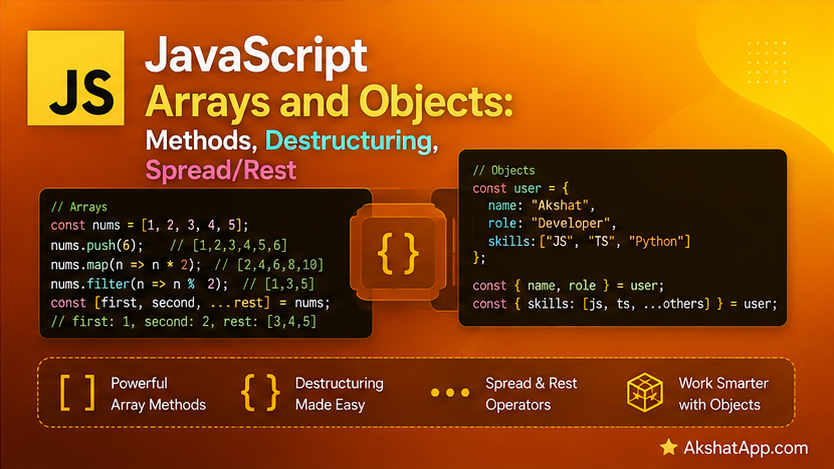
Every version of the task tracker so far has used arrays and objects without ever covering them properly — tasks.push(...), task.description, this.tasks.length have all appeared without a real explanation of what an array actually offers beyond push and indexing, or what makes an object more than a collection of named values.
This post covers both properly: the handful of array methods that appear in essentially every real JavaScript codebase (map, filter, reduce, find, and their relatives), destructuring — a feature that eliminates a huge amount of repetitive property-access code once you see the pattern — and the spread and rest operators, including the shallow-copy behavior that catches virtually every JavaScript developer exactly once, usually in production.
The Mental Model: Objects Are the Universal Container, Arrays Are a Specialized Object
A JavaScript object is a collection of key-value pairs — directly analogous to a Python dictionary covered elsewhere on this blog. An array is, underneath, a specialized kind of object — one where the keys are sequential numeric indices (0, 1, 2, …) and which comes with a large set of purpose-built methods for working with ordered sequences. Understanding this relationship explains why typeof [] returns "object" (covered in Post #2) — arrays genuinely are objects, just objects with a particular shape and a rich, dedicated API layered on top.
Object Fundamentals, Properly Covered
const task = {
    description: "Learn JavaScript",
    completed: false,
    priority: "high",
};

// Dot notation — the common case
task.description;          // "Learn JavaScript"
task.completed = true;      // reassigning a property

// Bracket notation — required when the property name is dynamic or not a valid identifier
const key = "priority";
task[key];                    // "high"
task["due date"] = "Friday";   // bracket notation required — space makes dot notation invalid
Bracket notation is not just an alternative syntax — it is required whenever the property name is stored in a variable (task[key]) or contains characters that would be invalid in dot notation (spaces, starting with a number, and similar). This distinction matters directly once objects are built dynamically from data, covered in the real-world use cases section below.
Essential Array Methods
JavaScript’s array methods are the direct equivalent of the map/filter/reduce functions covered in this blog’s Python series — with one important structural difference worth stating explicitly: in JavaScript, these are methods called on the array itself (numbers.map(...)), not standalone functions taking the array as an argument (map(func, numbers), as in Python).
const numbers = [1, 2, 3, 4, 5];

// map — transform every item, returns a NEW array, same length
const doubled = numbers.map((n) => n * 2);
console.log(doubled); // [2, 4, 6, 8, 10]

// filter — keep matching items, returns a NEW array, possibly shorter
const evens = numbers.filter((n) => n % 2 === 0);
console.log(evens); // [2, 4]

// reduce — combine every item into a single value
const sum = numbers.reduce((total, n) => total + n, 0);
console.log(sum); // 15

// find — the FIRST item matching a condition, or undefined if none match
const firstEven = numbers.find((n) => n % 2 === 0);
console.log(firstEven); // 2

// findIndex — like find, but returns the index instead of the value
const firstEvenIndex = numbers.findIndex((n) => n % 2 === 0);
console.log(firstEvenIndex); // 1

// some — true if AT LEAST ONE item matches
const hasEven = numbers.some((n) => n % 2 === 0);
console.log(hasEven); // true

// every — true only if ALL items match
const allPositive = numbers.every((n) => n > 0);
console.log(allPositive); // true

// includes — simple membership check for a specific value
console.log(numbers.includes(3)); // true
forEach vs. map: A Distinction Worth Being Precise About
const numbers = [1, 2, 3];

const result1 = numbers.forEach((n) => n * 2);
console.log(result1); // undefined — forEach ALWAYS returns undefined

const result2 = numbers.map((n) => n * 2);
console.log(result2); // [2, 4, 6] — map returns a genuine new array
forEach runs a function once per item purely for its side effects (printing, pushing to a different array, modifying external state) and always returns undefined — using its return value is always a bug. map is for transformation — it always returns a new array of the same length, built from applying the function to every item. The practical rule: if you need the transformed results, use map. If you are just doing something for each item without needing a new array back, use forEach.
Destructuring: Eliminating Repetitive Property Access
Array Destructuring
const coordinates = [10.5, 20.3, 5.0];

const [x, y, z] = coordinates;
console.log(x, y, z); // 10.5 20.3 5

// Skipping elements with empty slots
const [first, , third] = [1, 2, 3];
console.log(first, third); // 1 3

// Default values for missing elements
const [a, b, c = 10] = [1, 2];
console.log(c); // 10 — c wasn't in the array, so the default was used
Object Destructuring
const task = { description: "Learn JS", completed: false, priority: "high" };

const { description, completed } = task;
console.log(description, completed); // "Learn JS" false

// Renaming during destructuring
const { description: taskName } = task;
console.log(taskName); // "Learn JS" — note: 'description' itself is NOT created

// Default values for properties that might not exist
const { priority = "medium" } = task;      // task has priority, so "high" is used
const { dueDate = "none set" } = task;      // task has no dueDate, so the default is used
console.log(dueDate); // "none set"

// Nested destructuring
const user = { name: "Alex", address: { city: "Austin", zip: "78701" } };
const {
    address: { city },
} = user;
console.log(city); // "Austin"
Destructuring Directly in Function Parameters
This is one of the most common, genuinely idiomatic patterns in real JavaScript code:
function printTask({ description, completed, priority }) {
    const status = completed ? "✓" : " ";
    console.log(`[${status}] ${description} (${priority})`);
}

printTask(task); // [ ] Learn JS (high)
Rather than accepting a whole object and then accessing task.description, task.completed, and task.priority individually inside the function body, destructuring the parameter directly makes the function’s actual dependencies visible right in its signature — anyone reading function printTask({ description, completed, priority }) immediately knows exactly what shape of object this function expects, without reading the body at all.
The Spread Operator: Copying and Combining
// Spreading arrays
const arr1 = [1, 2, 3];
const arr2 = [4, 5, 6];
const combined = [...arr1, ...arr2];
console.log(combined); // [1, 2, 3, 4, 5, 6]

const copy = [...arr1];
copy.push(4);
console.log(arr1);  // [1, 2, 3] — the original is unaffected
console.log(copy);   // [1, 2, 3, 4]
// Spreading objects
const base = { name: "Alex", role: "Engineer" };
const extended = { ...base, department: "Platform" };
console.log(extended); // { name: "Alex", role: "Engineer", department: "Platform" }
// Later properties override earlier ones with the same key
const updated = { ...base, role: "Senior Engineer" };
console.log(updated); // { name: "Alex", role: "Senior Engineer" }⚠️ The Shallow Copy Gotcha
This is the single most important warning in this post, and it catches nearly every JavaScript developer at least once:
const original = { name: "Alex", address: { city: "Austin" } };
const copy = { ...original };

copy.address.city = "Denver";
console.log(original.address.city); // "Denver" — the ORIGINAL changed too!
Spread creates a shallow copy — it copies the object’s own top-level properties, but any property that is itself an object or array is copied by reference, not duplicated. copy.address and original.address point to the exact same nested object after the spread, so mutating one mutates both. This is precisely the same underlying concern this blog’s Python series covers for mutable default arguments and shared references — different language, same fundamental issue: copying a container does not automatically duplicate everything it contains.
The fix for genuinely independent nested data: either spread each nested level explicitly ({ ...original, address: { ...original.address } }), or use structuredClone() (a modern, built-in deep-clone function) for arbitrarily nested data: const copy = structuredClone(original);.
Rest in Destructuring (Related to, But Different From, Rest Parameters)
const [first, ...rest] = [1, 2, 3, 4, 5];
console.log(first); // 1
console.log(rest);   // [2, 3, 4, 5]

const { description, ...otherProperties } = task;
console.log(description);       // "Learn JS"
console.log(otherProperties);    // { completed: false, priority: "high" }
This uses the identical ... syntax as Post #3’s rest parameters in function definitions, but here it collects “everything not already destructured” into a new array or object — the same underlying “gather the rest” concept, applied in a destructuring context rather than a function-parameter context.
Refactoring the Task Tracker With These Tools
const taskManager = {
    tasks: [],

    addTask(description, priority = "medium") {
        this.tasks.push({ description, completed: false, priority });
        console.log(`Added: "${description}"`);
    },

    completeTask(index) {
        if (index < 0 || index >= this.tasks.length) {
            console.log("Invalid task number.");
            return;
        }
        this.tasks[index] = { ...this.tasks[index], completed: true };
        console.log(`Completed: "${this.tasks[index].description}"`);
    },

    listTasks() {
        console.log(`\n=== Your Tasks (${this.tasks.length}) ===`);
        this.tasks.forEach(({ description, completed, priority }, index) => {
            const status = completed ? "✓" : " ";
            console.log(`[${status}] ${index + 1}. ${description} (${priority})`);
        });
    },

    getIncompleteTasks() {
        return this.tasks.filter((task) => !task.completed);
    },

    getTasksByPriority(priority) {
        return this.tasks.filter((task) => task.priority === priority);
    },

    getCompletionStats() {
        const total = this.tasks.length;
        const completed = this.tasks.filter((task) => task.completed).length;
        return { total, completed, remaining: total - completed };
    },
};

taskManager.addTask("Learn destructuring", "high");
taskManager.addTask("Understand spread operator", "medium");
taskManager.completeTask(0);
taskManager.listTasks();

console.log(taskManager.getCompletionStats());
// { total: 2, completed: 1, remaining: 1 }
Two deliberate choices worth noting: listTasks destructures { description, completed, priority } directly in the forEach callback parameter, exactly matching the function-parameter destructuring pattern covered above. completeTask uses { ...this.tasks[index], completed: true } to build a new task object with completed set to true, rather than directly mutating the existing object (this.tasks[index].completed = true) — both work correctly here, but the spread-based version demonstrates an immutable-update pattern that becomes genuinely important once state management frameworks enter the picture in more advanced JavaScript work, where mutating objects directly can cause subtle bugs the spread-based approach avoids entirely.
Real-World Use Cases
Processing API responses: Destructuring is the standard way to pull specific fields out of a JSON API response (covered fully in Post #11) without verbose repeated property access — const { name, email, id } = response.data.user; in one line.
React and modern framework component props: Function-parameter destructuring, exactly as demonstrated with printTask, is the dominant pattern for accepting component configuration in virtually every modern JavaScript UI framework.
Immutable state updates: The spread-based completeTask pattern — building a new object rather than mutating the existing one — is the standard approach in any codebase using modern state management, precisely because it makes changes easier to track and debug.
Combining configuration objects: { ...defaultConfig, ...userConfig } is the idiomatic way to merge a set of defaults with user-provided overrides, with later spread values correctly taking precedence — a pattern that appears constantly in library and application configuration code.
Common Mistakes and Gotchas
⚠️ Mistake 1: Assuming spread creates a deep copy
Covered at length above — spread only copies the top level. Nested objects and arrays remain shared by reference. Use nested spreads or structuredClone() when genuine independence is required.
⚠️ Mistake 2: Using the return value of forEach
const doubled = numbers.forEach((n) => n * 2); // BUG — doubled is undefined, alwaysforEach never returns anything useful. Reach for map whenever you need the transformed results back.
⚠️ Mistake 3: Forgetting that map and filter return NEW arrays
const numbers = [1, 2, 3];
numbers.map((n) => n * 2); // does nothing to `numbers` itself — the result is discarded!
console.log(numbers); // still [1, 2, 3]
Both map and filter are non-mutating — they return a new array, leaving the original untouched. Forgetting to capture the return value (const doubled = numbers.map(...)) is a genuinely common early mistake.
⚠️ Mistake 4: Using bracket notation unnecessarily, or dot notation where it’s invalid Dot notation is preferred whenever the property name is a fixed, known, valid identifier. Bracket notation is required specifically when the key is dynamic (stored in a variable) or contains characters invalid in an identifier.
⚠️ Mistake 5: Confusing object destructuring renaming syntax direction
const { description: taskName } = task;Reads as “take the description property, and call it taskName locally” — the original name comes first, the new local name comes second, which is the opposite order from a typical key: value object literal and trips people up the first several times they encounter it.
Performance Note
map, filter, and similar array methods create an entirely new array on every call — for very large arrays processed repeatedly in a hot path, this allocation cost is measurable, and a traditional for loop mutating a pre-allocated result can be genuinely faster. For the overwhelming majority of real code, the clarity and consistency these methods provide outweighs this difference by a wide margin — Post #15’s dedicated performance coverage addresses exactly when this tradeoff becomes worth measuring rather than assuming.
Quick Reference
// Array methods
arr.map(fn);          // transform every item → new array
arr.filter(fn);         // keep matching items → new array
arr.reduce(fn, init);     // combine into one value
arr.find(fn);              // first match, or undefined
arr.findIndex(fn);           // index of first match, or -1
arr.some(fn);                  // true if any match
arr.every(fn);                   // true if all match
arr.includes(value);               // simple membership check
arr.forEach(fn);                     // side effects only, always returns undefined

// Array destructuring
const [a, b, ...rest] = array;

// Object destructuring
const { key1, key2: renamed, key3 = "default" } = object;

// Function parameter destructuring
function fn({ key1, key2 }) { ... }

// Spread — shallow copy / merge
const arrCopy = [...originalArray];
const objCopy = { ...originalObject, overrideKey: newValue };

// Deep clone when nested independence is required
const deepCopy = structuredClone(original);
Exercises
Exercise 1 — Direct application
Using filter, write a function getHighPriorityTasks(tasks) that returns only tasks where priority === "high".
Exercise 2 — Slight variation
Using reduce, write a function countByPriority(tasks) that returns an object like { high: 2, medium: 3, low: 1 }, counting how many tasks fall into each priority level.
Exercise 3 — Real-world combination
Write a function updateTaskPriority(tasks, index, newPriority) that returns a new array (do not mutate the original tasks array) with the task at index having its priority updated, using spread for both the array and the object level.
Exercise 4 — Open-ended challenge
Deliberately reproduce the shallow-copy bug from this post using taskManager’s tasks (spread-copy a task object that itself contains a nested object, like { description: "...", metadata: { tags: [] } }, then mutate the nested tags array through the copy and confirm the original is affected too). Then fix it using either a manual nested spread or structuredClone().
FAQ
Q: When should I use for...of versus forEach versus map/filter?
A: Use map/filter when you need a new, transformed or filtered array back. Use forEach for side effects only, when you don’t need a return value. for...of (covered in Post #5) is more flexible — it supports break and continue, which none of the array methods in this post do directly.
Q: Is destructuring just syntactic sugar, or does it do something the alternative can’t? A: It is genuinely syntactic sugar — everything destructuring does can be written with individual property access instead. Its value is entirely in readability and reduced repetition, which, for a feature used as constantly as destructuring is in real JavaScript, adds up to a significant real difference in code clarity.
Q: Why doesn’t spread deep-copy by default — wouldn’t that be safer?
A: Deep copying is more expensive computationally, and not always what you want — sometimes sharing a reference to nested data deliberately is exactly the intended behavior. Shallow copy by default, with structuredClone() available explicitly when deep copying is genuinely needed, keeps the common, cheap case fast while still making the expensive, safer option available on request.
Q: Can I destructure with default values AND renaming at the same time?
A: Yes — const { priority: taskPriority = "medium" } = task; combines both: rename priority to taskPriority locally, and default to "medium" if priority doesn’t exist on the object at all.
Summary and Next Steps
You now have the essential array methods (map, filter, reduce, find, some, every) that appear in virtually every real JavaScript codebase, understand destructuring well enough to use it in variable declarations and function parameters alike, and — critically — understand exactly why spread’s shallow-copy behavior causes real bugs and how to work around it when genuine independence is required. The task tracker now uses all of these idiomatically, including an immutable-update pattern for completeTask.
Your next step: Complete Exercise 4 — deliberately reproducing and then fixing the shallow-copy bug — since experiencing this specific failure mode firsthand is what makes the warning in this post something you will actually remember the next time you reach for spread on nested data.
Code tested with Node.js 22 LTS. Last updated: July 2026.
Share This Post

Join our newsletter!
Get the latest developer guides, tutorials, and tips delivered straight to your inbox.



