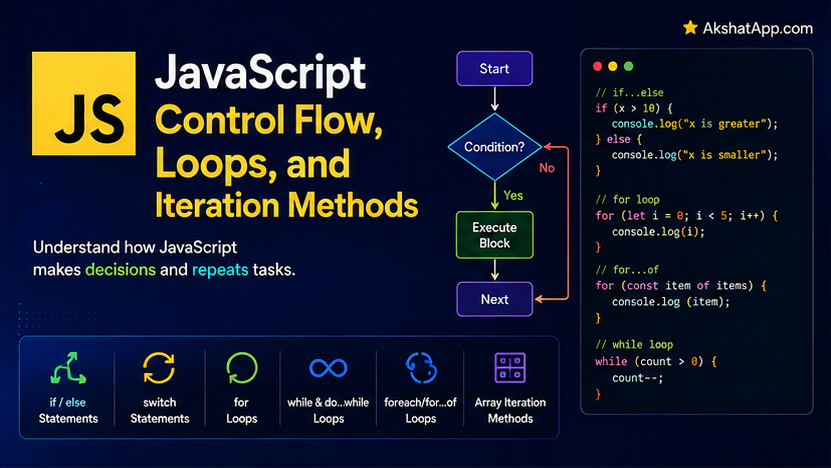
Post #4 covered forEach, map, and filter — array iteration through methods. JavaScript also has four distinct loop statements — for, while, for...in, and for...of — and the overlap between “array methods” and “loop statements” is a genuine, common source of confusion for anyone learning the language, made worse by one specific gotcha: for...in on an array does not give you the array’s values at all. It gives you the indices, as strings.
This post covers every control flow construct precisely — conditionals, the switch statement, all four loop types, and the two newer operators (?? and ?.) that solve real, common problems around missing or nested data. It also gives you a clear decision framework for when to reach for a loop statement versus an array method from Post #4, including the one genuine limitation array methods have that loops do not: they cannot be broken out of early.
Conditionals: if, else if, else
const priority = "high";

if (priority === "high") {
    console.log("Urgent!");
} else if (priority === "medium") {
    console.log("Normal priority");
} else {
    console.log("Low priority");
}
Nothing here differs structurally from conditionals in most mainstream languages. What is worth reinforcing from Post #2: always use === in these comparisons, never ==, for exactly the coercion-avoidance reasons covered there.
Logical Operators, Including Two Newer Ones
const isActive = true;
const hasPermission = true;

if (isActive && hasPermission) { ... }    // AND
if (isActive || hasPermission) { ... }     // OR
if (!isActive) { ... }                       // NOT
// Nullish coalescing (??) — ES2020
const count = 0;
console.log(count || 10); // 10 — WRONG if 0 is a genuinely valid value!
console.log(count ?? 10); // 0 — correct — ?? only falls back for null or undefined specifically
// Optional chaining (?.) — ES2020
const user = { profile: { name: "Alex" } };
console.log(user.profile?.name); // "Alex"
console.log(user.settings?.theme); // undefined — no error, even though 'settings' doesn't exist
console.log(user.settings.theme); // TypeError: Cannot read properties of undefined?? and || look similar but behave meaningfully differently: || falls back whenever the left side is any falsy value (0, "", false, null, undefined — the same truthiness rules covered for JavaScript’s type system in Post #2). ?? falls back only when the left side is specifically null or undefined — meaning a genuinely valid 0 or empty string is preserved rather than incorrectly overridden. This distinction matters directly anywhere a falsy-but-valid value (a count of zero, an empty but intentional string) needs a default only when truly absent, not whenever it happens to be “falsy.”
?. (optional chaining) safely accesses a nested property that might not exist, returning undefined instead of throwing an error — invaluable when working with data (API responses, especially) where a nested object might legitimately be missing.
switch: JavaScript’s Multi-Branch Conditional
function getPriorityColor(priority) {
    switch (priority) {
        case "high":
            return "red";
        case "medium":
            return "yellow";
        case "low":
            return "green";
        default:
            return "gray";
    }
}
switch compares its expression against each case using strict equality (===) internally — exactly the comparison behavior this series has recommended throughout, built directly into the statement.
⚠️ The Fall-Through Bug
function getPriorityColor(priority) {
    switch (priority) {
        case "high":
            console.log("Urgent!");
            // MISSING break — execution falls through to the next case!
        case "medium":
            return "yellow";
        default:
            return "gray";
    }
}

console.log(getPriorityColor("high"));
// Logs "Urgent!" AND returns "yellow" — probably not what was intended
Without an explicit break (or a return, which also exits), execution falls through to the next case regardless of whether its condition matches — a deliberate language feature, occasionally useful for intentionally grouping multiple cases together, but a genuine, common bug source when a break or return is simply forgotten. Every case in a switch should end with break, return, or an explicit comment noting the fall-through is intentional.
The for Loop: Classic, Index-Based
for (let i = 0; i < 5; i++) {
    console.log(i);
}
// 0 1 2 3 4
Structurally identical to the C-style for loop found in most mainstream languages: initialization, condition, increment. Note the use of let for the loop counter — exactly the block-scoping behavior covered in Post #2 that made let replace var for this exact use case.
while and do…while
let count = 0;
while (count < 3) {
    console.log(count);
    count++;
}
// 0 1 2
let attempts = 0;
do {
console.log(`Attempt ${attempts}`);
attempts++;
} while (attempts < 3);
// Attempt 0
// Attempt 1
// Attempt 2do...while guarantees the loop body runs at least once, checking the condition only after the first pass — useful specifically for “try this at least once, then repeat if needed” logic, like a retry loop’s first attempt.
for…in: Iterating Over Object Keys (Not Values!)
const task = { description: "Learn JS", completed: false, priority: "high" };

for (const key in task) {
    console.log(key, task[key]);
}
// description Learn JS
// completed false
// priority high
for...in iterates over an object’s enumerable property keys (as strings), and task[key] retrieves the corresponding value using bracket notation from Post #4. This is for...in’s intended, correct use — objects.
⚠️ The Classic for…in-on-an-Array Bug
const numbers = [10, 20, 30];

for (const index in numbers) {
    console.log(index, typeof index);
}
// "0" string
// "1" string
// "2" string
Because arrays are objects with numeric-looking keys (covered in Post #4’s mental model), for...in technically works on an array — but it gives you the indices, as strings, not the values, and not necessarily in a guaranteed order for all cases. Using for...in on an array when you actually wanted the values is a genuinely common mistake, especially for developers coming from languages where “for…in” or similarly-named constructs mean something closer to what JavaScript’s for...of actually does.
for…of: Iterating Over Values of Any Iterable
const numbers = [10, 20, 30];

for (const value of numbers) {
    console.log(value);
}
// 10 20 30
for...of iterates over the values of any iterable — arrays, strings, Map, Set, and other iterable structures — which is almost always what you actually want when looping over an array’s contents directly.
// Works on strings too
for (const letter of "JS") {
    console.log(letter);
}
// J S
The rule to internalize precisely: for...in is for object keys. for...of is for the values of any iterable, arrays very much included. If you find yourself using for...in on an array, you almost certainly want for...of instead.
break and continue
for (const num of [1, 2, 3, 4, 5]) {
    if (num === 3) break;      // exit the loop entirely
    console.log(num);
}
// 1 2

for (const num of [1, 2, 3, 4, 5]) {
    if (num % 2 === 0) continue; // skip to the next iteration
    console.log(num);
}
// 1 3 5
Both work identically across for, while, do...while, and for...of — but critically, neither works inside array methods like forEach, covered next.
The Real Limitation of Array Methods: They Cannot Be Broken
const numbers = [1, 2, 3, 4, 5];

numbers.forEach((n) => {
    if (n === 3) break; // SyntaxError: Illegal break statement
});
break and continue are statements tied to loop constructs specifically (for, while, for...of, for...in) — they cannot be used inside a callback function passed to forEach, map, or filter, because those callbacks are just regular functions, not loop bodies, regardless of how loop-like their usage feels. This is the deciding factor for choosing between array methods and loop statements: if you need to stop iterating early, or skip an item and continue, reach for for...of (or a classic for loop), not forEach.
// This is where for...of genuinely earns its place over forEach
function processTasksUntilError(tasks, processFn) {
    let processedCount = 0;
    for (const task of tasks) {
        try {
            processFn(task);
            processedCount++;
        } catch (error) {
            console.log(`Stopped at task ${processedCount + 1}: ${error.message}`);
            break; // stop entirely on the first failure — impossible with forEach
        }
    }
    return processedCount;
}
The Decision Framework: Loops vs. Array Methods
Need a NEW array back (transformed or filtered)?
  → map() / filter() (Post #4)

Need to combine everything into ONE value?
  → reduce() (Post #4)

Need the first match, or a yes/no answer?
  → find() / some() / every() (Post #4)

Need to do something for every item, no early exit needed?
  → forEach() or for...of — either works; forEach is slightly more common for pure side effects

Need to break early or skip items with continue?
  → for...of (or classic for) — array methods cannot do this

Iterating over an OBJECT's keys/values?
  → for...in, or better: Object.keys() / Object.values() / Object.entries()
Object.keys, Object.values, Object.entries: Bridging Objects and Array Methods
const task = { description: "Learn JS", completed: false, priority: "high" };

Object.keys(task);     // ["description", "completed", "priority"]
Object.values(task);     // ["Learn JS", false, "high"]
Object.entries(task);     // [["description", "Learn JS"], ["completed", false], ["priority", "high"]]

Object.entries(task).forEach(([key, value]) => {
    console.log(`${key}: ${value}`);
});
Object.entries() converts an object into an array of [key, value] pairs, which unlocks every array method covered in Post #4 for working with object data — in most modern code, this is preferred over for...in specifically because it produces a genuine array you can map, filter, or forEach over, rather than a special-purpose loop construct with its own separate rules.
Real-World Use Cases
Early-exit search or validation: Any time processing needs to stop the moment a specific condition is found — the first invalid item, the first match meeting a complex criterion — for...of with break is the correct tool, exactly as processTasksUntilError demonstrates.
Retry logic: do...while’s guaranteed-first-execution behavior matches “try once, then retry if needed” logic more naturally than a while loop, which would need the first attempt duplicated outside the loop.
Converting object data for display or processing: Object.entries() combined with map or forEach is the standard modern pattern for turning configuration objects, form data, or API response objects into a displayable or further-processable array.
State machines and multi-branch dispatch: switch statements are the idiomatic choice for genuinely multi-branch logic based on a single value’s discrete states — status codes, action types, categorical data — more readable than a long if/else if chain once there are more than three or four branches.
Common Mistakes and Gotchas
⚠️ Mistake 1: Using for…in on an array expecting values
Covered at length above — for...in gives string indices on an array, not values. Use for...of for array values.
⚠️ Mistake 2: Forgetting break in a switch statement
Every case needs an explicit break, return, or a deliberate comment marking intentional fall-through — omitting it silently executes the next case’s code too.
⚠️ Mistake 3: Trying to use break or continue inside forEach
This is a SyntaxError, not a silent bug — but it surprises anyone who assumes forEach’s callback behaves exactly like a loop body. Switch to for...of when early exit is needed.
⚠️ Mistake 4: Using || for defaults when 0, “”, or false are valid values
function setVolume(level) {
    const volume = level || 50; // BUG — setVolume(0) incorrectly becomes 50!
}
Use ?? instead whenever a legitimate falsy value (specifically 0, "", or false) should be preserved rather than treated as “missing.”
⚠️ Mistake 5: Chaining ?. too far and silently masking a genuine bug
const value = someObject?.deeply?.nested?.property?.thatShouldAlwaysExist;Optional chaining is for genuinely optional data — chaining it across a path that should always be present (because your code’s own logic guarantees it) can silently produce undefined instead of surfacing a bug that indicates something has actually gone wrong elsewhere.
Performance Note
Classic for loops are marginally faster than for...of, which is in turn marginally faster than array methods like forEach or map, in raw micro-benchmarks — a real but usually inconsequential difference for typical application code, where clarity and correct behavior (including, critically, the ability to break early when appropriate) matter considerably more than a nanosecond-scale difference per iteration. Post #15’s dedicated performance coverage measures this directly rather than asserting it, exactly the discipline this blog’s Python series applied to its own performance claims.
Quick Reference
// Conditionals
if (condition) { ... } else if (other) { ... } else { ... }

// Logical operators
a && b;    a || b;    !a;
a ?? b;    // fallback only for null/undefined
a?.b;       // safe nested access, returns undefined if a is null/undefined

// switch
switch (value) {
    case "a": ...; break;
    case "b": ...; break;
    default: ...;
}

// Loops
for (let i = 0; i < n; i++) { ... }
while (condition) { ... }
do { ... } while (condition);

for (const key in object) { ... }        // object KEYS
for (const value of iterable) { ... }      // iterable VALUES (arrays, strings, etc.)

break;      // exit loop entirely — NOT usable inside forEach/map/filter callbacks
continue;    // skip to next iteration — same restriction

// Bridging objects and array methods
Object.keys(obj);
Object.values(obj);
Object.entries(obj).forEach(([key, value]) => { ... });
Exercises
Exercise 1 — Direct application
Write a switch statement-based function getStatusEmoji(status) handling at least four distinct status strings (“pending”, “active”, “completed”, “cancelled”), each returning a different emoji, with a sensible default case.
Exercise 2 — Slight variation
Using for...of with break, write a function findFirstOverdueTask(tasks) that stops iterating the moment it finds a task with overdue: true, returning that task immediately rather than checking every remaining task unnecessarily.
Exercise 3 — Real-world combination
Add a processTasksUntilError method (exactly as designed in this post) to taskManager, and test it with a processFn that deliberately throws an error on the second task, confirming it stops there rather than continuing to the third.
Exercise 4 — Open-ended challenge
Deliberately write a for...in loop over an array of numbers, log both the value and typeof the value, and confirm you get string indices rather than the actual numbers — then fix it with for...of and confirm the difference. Explain in a comment exactly why this distinction exists, referencing this post’s explanation of arrays being a specialized kind of object.
FAQ
Q: Is for...of always better than forEach?
A: Not “always better” — they largely overlap in the simplest cases. for...of is the correct choice specifically when you need break or continue; for straightforward “do this for every item” logic with no early exit, either is fine, and forEach is arguably slightly more explicit about intent (pure iteration, not general-purpose looping).
Q: Why does JavaScript have both for...in and for...of — isn’t that confusing?
A: They were introduced at different points for different purposes — for...in predates for...of significantly and was designed for object property enumeration; for...of, added in ES6 alongside much of modern JavaScript, was specifically designed for iterating values across any iterable type. The similar names are a genuine, ongoing source of confusion, which is exactly why this post covers the distinction explicitly and at length.
Q: Should I use ?? everywhere I currently use || for defaults?
A: Specifically wherever 0, empty string, or false could be a legitimate value that should not be overridden — which is common for numeric settings, counts, and boolean flags. For cases where any falsy value genuinely should trigger the fallback, || remains the correct, simpler choice.
Q: Does switch support ranges or complex conditions, like case x > 5?
A: Not directly — switch compares strictly against exact values. For range-based or complex conditional logic, an if/else if chain is the correct tool instead.
Summary and Next Steps
You now have every JavaScript control flow construct precisely covered: conditionals with the modern ?? and ?. operators, switch with its fall-through behavior understood rather than accidentally triggered, all four loop types, and — critically — a clear decision framework for when array methods from Post #4 are the right tool versus when a genuine loop statement is required specifically because of the ability to break early.
Your next step: Complete Exercise 4 — deliberately reproducing the for...in-on-an-array bug — since seeing the string indices directly, rather than just reading about them, is what makes this specific gotcha something you will recognize immediately the next time you encounter it in your own code or someone else’s.
Code tested with Node.js 22 LTS. Last updated: July 2026.
Share This Post

Join our newsletter!
Get the latest developer guides, tutorials, and tips delivered straight to your inbox.



