Twelve posts of code, verified the same way every time: run it, look at the console output, decide by eye whether it looks correct. createTask’s validation, BankAccount’s custom errors, TaskManager’s async loading from a real API — none of it has an automated way to confirm it still works correctly after the next change. This is fine for a learning project. It is not how real applications stay correct as they grow past what one person can manually re-verify by hand.
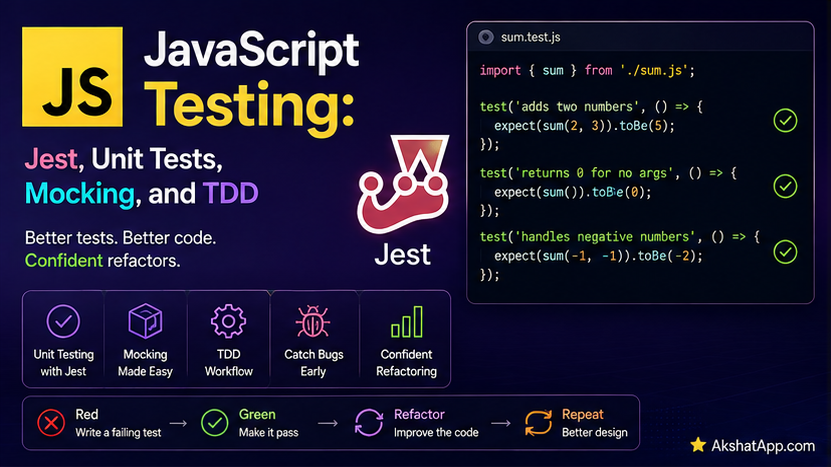
This post covers automated testing properly — Jest, the framework most existing tutorials and codebases use, and Vitest, its modern, faster alternative with more seamless ES module support (directly analogous to the npm-versus-bun relationship covered in Post #1). Both share nearly identical syntax, covered together throughout this post. Most importantly, this post covers mocking fetch — testing Post #11’s real API-calling code without actually hitting the network on every test run, exactly the discipline this series’ earlier content on writing fast, reliable code has built toward.
The Mental Model: Tests Are Code That Checks Code
A test calls a function with known inputs and asserts the result matches what you expect — entirely without a human watching and judging by eye. Run an entire test suite in seconds, get an unambiguous answer: everything still works, or here is exactly what broke, and where.
Installing Jest or Vitest
# Jest — the most common, most widely documented choice
npm install --save-dev jest

# Vitest — modern, fast, more seamless native ES module support
npm install --save-dev vitest
// package.json
{
"type": "module",
"scripts": {
"test": "vitest run"
}
}The practical guidance for this series: syntax between the two is nearly identical (Vitest was deliberately designed to be a near drop-in replacement for Jest’s API), so everything covered below applies to either. Vitest’s more seamless handling of native ES modules — used throughout this series since Post #12 — makes it the smoother choice for new projects specifically; Jest remains essential to recognize since it appears constantly in existing tutorials, company codebases, and Stack Overflow answers.
Your First Test
// taskUtils.test.js
import { describe, test, expect } from "vitest"; // for Jest: import from "@jest/globals"
import { createTask, isValidTask } from "./taskUtils.js";

describe("createTask", () => {
    test("creates a task with the given description", () => {
        const task = createTask("Learn testing");
        expect(task.description).toBe("Learn testing");
        expect(task.completed).toBe(false);
    });

    test("defaults to medium priority when none is given", () => {
        const task = createTask("Learn testing");
        expect(task.priority).toBe("medium");
    });
});
npx vitest rundescribe groups related tests together, purely for organization and readable output. test (or its alias it) defines one individual test case. expect(value).matcher(...) is the actual assertion — if the matcher’s condition is not met, the test fails with a clear, specific message showing exactly what was expected versus what was actually received.
Essential Matchers
expect(value).toBe(exact);              // === comparison — for primitives
expect(value).toEqual(deepValue);          // deep equality — for objects/arrays
expect(value).toBeTruthy();
expect(value).toBeFalsy();
expect(value).toBeNull();
expect(value).toBeUndefined();
expect(array).toContain(item);
expect(array).toHaveLength(3);
expect(number).toBeGreaterThan(5);
expect(fn).toThrow();
expect(fn).toThrow(TypeError);              // check the SPECIFIC error type thrown
⚠️ toBe vs. toEqual: A Genuine, Common Testing Mistake
expect({ description: "Learn testing" }).toBe({ description: "Learn testing" });
// FAILS! These are two different object references, even though their contents look identical

expect({ description: "Learn testing" }).toEqual({ description: "Learn testing" });
// PASSES — toEqual checks deep structural equality, not reference identity
toBe uses === — exactly the strict equality covered in Post #2, meaning two separately-created objects with identical contents are still considered different, since they are different objects in memory. toEqual performs a deep comparison of the actual contents instead. The practical rule: use toBe for primitives (numbers, strings, booleans). Use toEqual for objects and arrays, virtually always — reaching for toBe on an object is one of the most common early testing mistakes, producing a confusing failure on data that looks completely correct when printed.
Testing for Thrown Errors, Building on Post #8
import { InsufficientFundsError } from "./BankAccount.js";

test("withdraw throws InsufficientFundsError when overdrawing", () => {
    const account = new BankAccount(100);
    expect(() => account.withdraw(150)).toThrow(InsufficientFundsError);
});
Note the arrow function wrapper: expect(() => account.withdraw(150)), not expect(account.withdraw(150)). The function must be passed uncalled, so the testing framework can invoke it internally and catch the thrown error itself — calling it directly inside expect(...) would throw immediately, outside the framework’s ability to catch and check it, crashing the test file entirely.
Testing Async Code
test("loadTasks populates the tasks array", async () => {
    const manager = new TaskManager();
    await manager.loadTasks();
    expect(manager.tasks.length).toBeGreaterThan(0);
});
Mark the test function itself async, and await any asynchronous operation inside it — exactly the same async/await syntax from Post #9, applied directly inside a test. Forgetting the async/await here produces a test that appears to pass instantly, without actually waiting for or checking the real result — a genuinely dangerous false-positive, covered further in this post’s mistakes section.
Mocking fetch: Testing Post #11’s Real API Code, Without the Real Network
Post #11’s TaskManager.loadTasks() calls a genuine, live API. Testing it directly has real problems: it requires an internet connection, it is measurably slower than everything else in a test suite, and it depends on an external service’s continued availability and unchanged behavior — none of which should determine whether your own code’s logic is correct.
import { vi, describe, test, expect, afterEach } from "vitest";
import TaskManager from "./TaskManager.js";

describe("TaskManager.loadTasks", () => {
    afterEach(() => {
        vi.restoreAllMocks();
    });

    test("handles a successful response correctly", async () => {
        global.fetch = vi.fn(() =>
            Promise.resolve({
                ok: true,
                json: () =>
                    Promise.resolve([
                        { title: "Mocked task", completed: false },
                    ]),
            })
        );

        const manager = new TaskManager();
        await manager.loadTasks();

        expect(manager.tasks).toHaveLength(1);
        expect(manager.tasks[0].description).toBe("Mocked task");
    });

    test("handles a failed response gracefully", async () => {
        global.fetch = vi.fn(() =>
            Promise.resolve({ ok: false, status: 500 })
        );

        const manager = new TaskManager();
        await manager.loadTasks();

        expect(manager.tasks).toEqual([]); // Post #8/#11's error handling should leave it empty
    });
});
vi.fn(() => ...) (in Jest: jest.fn(() => ...)) creates a mock function — a fully controllable stand-in — assigned directly to global.fetch, temporarily replacing the real network-calling fetch for the duration of these tests. The first test configures the mock to resolve with a fake, successful response; the second configures it to resolve with a response.ok: false result, exactly testing Post #11’s critical “check response.ok explicitly” lesson and Post #8’s graceful-failure-handling logic — all without a single real network request, running in milliseconds, producing the exact same result on every single run regardless of the real API’s current state.
afterEach(() => { vi.restoreAllMocks(); }) ensures each test starts clean — the mock set up in one test does not leak into and affect the next one, exactly the test-independence principle any reliable test suite depends on.
Setup and Teardown: beforeEach and afterEach
describe("TaskManager", () => {
    let manager;

    beforeEach(() => {
        manager = new TaskManager(); // a genuinely fresh instance before EVERY test
    });

    test("starts with no tasks", () => {
        expect(manager.tasks).toEqual([]);
    });

    test("addTask adds exactly one task", () => {
        manager.addTask("Test task");
        expect(manager.tasks).toHaveLength(1);
    });
});
beforeEach runs before every single test in its describe block, guaranteeing each test starts from identical, known state — critical for test independence, exactly the same principle this blog’s Python series applies through fixtures. Without it, tests risk sharing state in ways that make results depend on execution order, a genuinely unreliable and hard-to-debug situation.
Test-Driven Development: A Brief Introduction
TDD inverts the usual order: write the test first, watch it fail (since the code it tests does not exist yet), then write the minimum code needed to make it pass.
// Step 1: Write the test first
test("isValidEmail correctly validates a proper email", () => {
    expect(isValidEmail("alex@example.com")).toBe(true);
    expect(isValidEmail("not-an-email")).toBe(false);
});

// Step 2: Run it — fails immediately, isValidEmail doesn't exist yet
// ReferenceError: isValidEmail is not defined

// Step 3: Write the minimum code to pass
export function isValidEmail(email) {
    return email.includes("@") && email.split("@")[1]?.includes(".");
}

// Step 4: Run again — passes
TDD is not universally practiced for every task by every developer, but it forces a specific, valuable discipline even when applied loosely: deciding exactly what “correct” means for a function before getting absorbed in how to implement it.
Real-World Use Cases
Catching regressions before they ship: The core value of any test suite — running it after a code change immediately reveals whether something that previously worked has broken, before a user discovers it first.
Testing network-dependent code reliably: The fetch-mocking pattern demonstrated in this post is directly applicable to any code making real HTTP requests — the exact technique that keeps a test suite fast, deterministic, and independent of external services actually being available and unchanged.
Documenting expected behavior: A well-named test ("handles a failed response gracefully") doubles as executable documentation — more reliable than a comment, since it is verified to remain accurate every time the suite runs.
Enabling confident refactoring: A solid test suite is what makes restructuring existing code (covered throughout this series’ progression, especially the Post #6-through-#12 evolution of the task tracker) safe, immediately flagging if a “pure refactor” accidentally changed observable behavior.
Common Mistakes and Gotchas
⚠️ Mistake 1: Using toBe for objects and arrays Covered at length above — this is the single most common early JavaScript-testing mistake, producing confusing failures on data that is, in every meaningful sense, correct.
⚠️ Mistake 2: Forgetting async/await in a test, producing a false-positive pass
test("loadTasks works", () => {  // missing 'async'!
    manager.loadTasks(); // missing 'await'!
    expect(manager.tasks.length).toBeGreaterThan(0); // runs immediately, BEFORE loadTasks finishes!
});
Without async/await, the assertion runs before the asynchronous operation has actually completed — this can produce a passing test that verified nothing meaningful at all, a genuinely dangerous silent failure mode.
⚠️ Mistake 3: Not restoring mocks between tests
Forgetting afterEach(() => vi.restoreAllMocks()) (or the Jest equivalent) risks one test’s mock configuration leaking into and silently affecting a later, unrelated test — exactly the kind of test-order-dependent flakiness a reliable suite must avoid.
⚠️ Mistake 4: Testing a real network call directly, without mocking
A test suite that makes genuine fetch calls to a real API on every run is slow, depends on external availability, and can behave differently based on real-world data that changes over time — none of which should determine whether your own code’s logic is correct. Mock anything reaching outside the code actually under test.
⚠️ Mistake 5: Writing tests only after code is “done,” as an afterthought Tests written hastily, well after the actual implementation, under time pressure, tend to verify what the code currently does rather than what it is actually supposed to do — quietly enshrining existing bugs as if they were correct, intended behavior.
Performance Note
A test suite that runs in seconds gets run constantly, on every save, catching problems immediately; a slow one gets run rarely, or skipped entirely under deadline pressure, undermining the entire point of having tests at all. Mocking fetch, exactly as demonstrated in this post, is one of the highest-impact ways to keep a suite fast — a real network request might take hundreds of milliseconds; the equivalent mocked version runs in well under a millisecond, and produces an identical, deterministic result every single time regardless of actual network conditions.
Quick Reference
import { describe, test, expect, beforeEach, afterEach, vi } from "vitest";
// Jest equivalent: import { describe, test, expect, beforeEach, afterEach, jest } from "@jest/globals";

describe("group name", () => {
    beforeEach(() => { /* runs before every test in this block */ });
    afterEach(() => { /* runs after every test in this block */ });

    test("description of what this verifies", () => {
        expect(value).toBe(primitive);
        expect(value).toEqual(objectOrArray);
        expect(() => riskyCall()).toThrow(SpecificError);
    });

    test("async test", async () => {
        const result = await someAsyncFunction();
        expect(result).toBe(expected);
    });
});

// Mocking fetch
global.fetch = vi.fn(() =>
    Promise.resolve({
        ok: true,
        json: () => Promise.resolve(fakeData),
    })
);
npx vitest run # run once
npx vitest # watch mode, reruns on file changes
npx vitest --coverage # with code coverage reportExercises
Exercise 1 — Direct application
Write a complete test suite for createTask from Post #12’s taskUtils.js, covering: correct description and default priority, a custom priority argument, and the TypeError thrown for an empty description.
Exercise 2 — Slight variation
Write tests for BankAccount from Post #8, covering successful deposits and withdrawals, and using toThrow with the specific custom error classes (InsufficientFundsError, InvalidAmountError) for the failure cases.
Exercise 3 — Real-world combination
Write a mocked test for TaskManager.addTaskToAPI from Post #11, mocking fetch to simulate both a successful save (confirm the returned data matches what was mocked) and a failed save (confirm the error is properly thrown, per Post #8’s error-handling discipline).
Exercise 4 — Open-ended challenge
Using TDD, write the test first for a function formatTaskSummary(tasks) that returns a string like "3 of 5 tasks completed" given an array of task objects — covering the empty-array case explicitly — then implement the function afterward to make your tests pass.
FAQ
Q: Should I use Jest or Vitest for a new project? A: Vitest generally offers a smoother experience specifically for projects already using native ES modules (as this entire series has since Post #12) and tends to run noticeably faster. Jest remains the more universally recognized choice, essential to understand since the majority of existing tutorials and codebases still use it — the near-identical API covered in this post transfers directly between them either way.
Q: How much of my code should actually have tests? A: Prioritize anything with genuine logic, branching, or failure modes worth verifying — exactly the functions and methods covered throughout this series (validation logic, custom error paths, API-calling code). Trivial one-line functions with no meaningful logic offer diminishing returns from dedicated tests.
Q: Is mocking fetch “cheating” — am I really testing anything meaningful?
A: You are testing your own code’s logic — how TaskManager handles a successful response, how it handles a failure — independent of whether the real API happens to be available and behaving identically at the exact moment your tests run. This is testing exactly what you actually control; the real API’s own correctness is a separate concern, outside your code’s responsibility.
Q: What does “code coverage” actually measure, and should I aim for 100%? A: Coverage measures what percentage of your code’s lines actually executed during the test run — a useful signal, not a guarantee of correctness (a line can execute without being meaningfully verified). Chasing 100% coverage as an end in itself often produces low-value tests for trivial code; prioritize testing genuine logic and failure modes over the coverage percentage itself.
Summary and Next Steps
You can now write tests with Jest or Vitest’s nearly-identical syntax, use the right matcher for the right situation (specifically toEqual over toBe for objects), test asynchronous code correctly, and — critically — mock fetch so Post #11’s real API-calling code can be tested fast, reliably, and without depending on a live network connection or external service availability. The task tracker’s core logic, error handling, and API interaction now all have genuine, automated verification for the first time in this series.
Your next step: Complete Exercise 3 — the mocked addTaskToAPI tests — since testing both the success and failure paths of real, previously-built network code is the clearest possible demonstration that mocking genuinely lets you verify your own logic thoroughly, without your test suite’s speed or reliability depending on anything outside your own control.
Code tested with Node.js 22 LTS, Vitest 2.x. Last updated: July 2026.
Share This Post

Join our newsletter!
Get the latest developer guides, tutorials, and tips delivered straight to your inbox.



