In the unit converter from Post #1, one line did more work than it looked like it did: float(input(...)). Without that conversion, entering “98.6” would have given you the two-character text "98.6", not the number 98.6 — and the arithmetic on the next line would have failed outright, or worse, produced something that looked plausible but was wrong.
This is the entire reason data types matter in practice. Python will not stop you from mixing types in ways that make no sense — it will let you try, and then either crash with an error or, more dangerously, return a technically-valid but semantically-wrong result. Understanding exactly how Python’s core types behave is not academic. It is the difference between code that works and code that appears to work until the one input you did not anticipate.
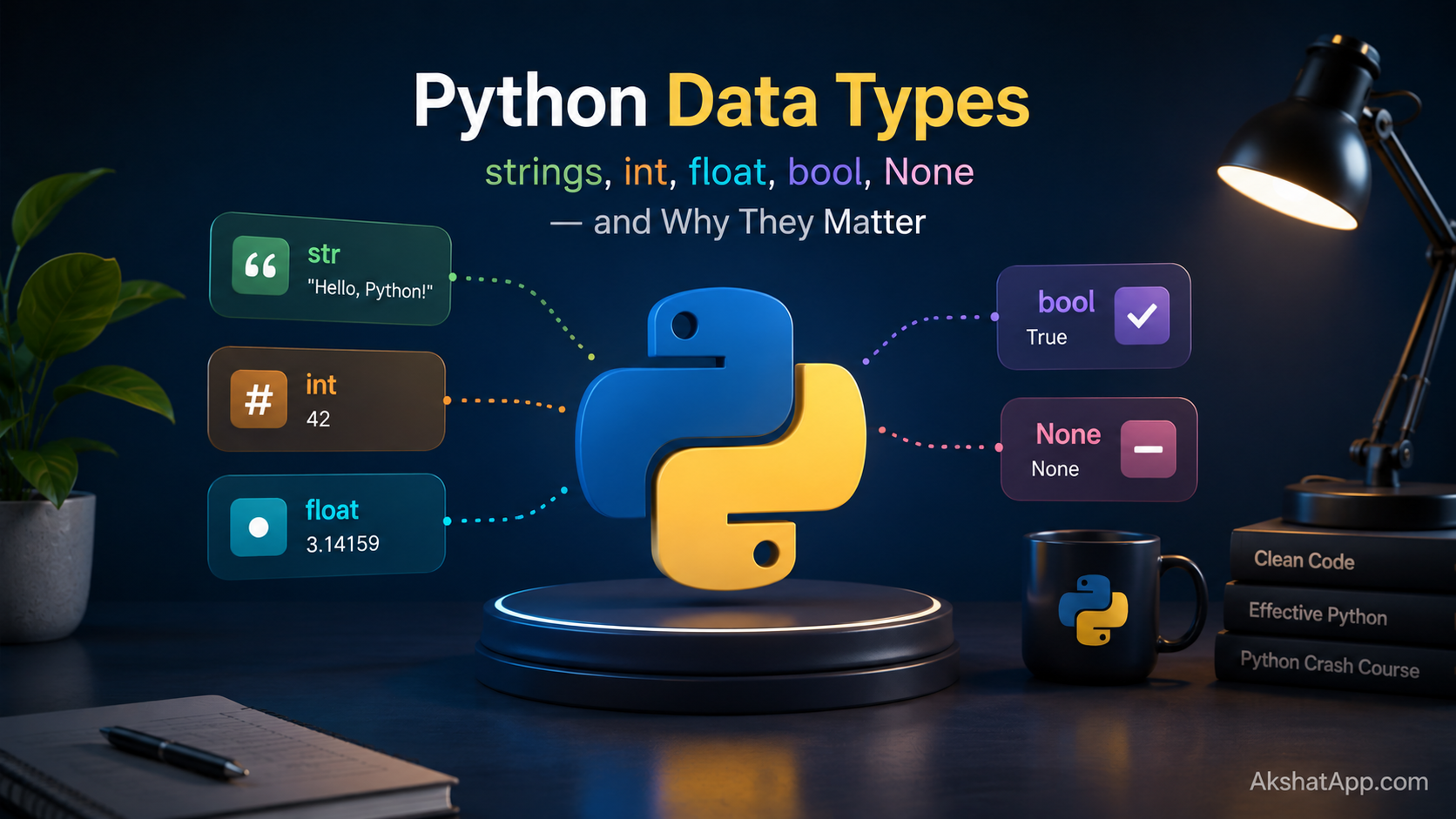
This post covers every core built-in type — int, float, str, bool, and None — with the specific quirks and edge cases that cause real bugs, not just the textbook definition of each.
The Mental Model: Dynamic but Strong
Python’s type system is often described in two words that sound contradictory: dynamically typed and strongly typed. Understanding both halves resolves the contradiction.
Dynamically typed means a variable is not locked to one type for its lifetime. The same name can hold an integer, then a string, then a list, with nothing in the language stopping you:
x = 5
x = "now I'm a string"
x = [1, 2, 3]  # now a list
This is different from languages like Java or C++, where declaring int x means x can only ever hold integers.
Strongly typed means Python will not silently convert between incompatible types to make an operation work. Adding a string to an integer raises an error rather than guessing what you meant:
>>> "5" + 3
TypeError: can only concatenate str (not "int") to str
Compare this to JavaScript, which would silently produce "53" — string concatenation, not addition — no error at all. Python’s refusal to guess is a deliberate design choice: an explicit error today is better than a silent wrong answer discovered next week.
Every type in Python is, under the hood, an object — even a plain integer. This is why type(5) returns <class 'int'>: the number 5 is an instance of the int class. Holding onto this idea — everything is an object, including numbers — will make several things later in this series click faster than trying to treat Python’s types as primitive values the way some other languages do.
int: Whole Numbers Without Limits
age = 34
temperature_delta = -12
population = 8_200_000_000  # underscores for readability, ignored by Python

print(type(age))  # <class 'int'>
Python’s integers have arbitrary precision — they grow as large as your computer’s memory allows, with no overflow. In languages like C or Java, integers have a fixed size and silently wrap around or error when a calculation exceeds it. Python does not have this problem:
>>> 2 ** 100
1267650600228229401496703205376
That is a completely accurate, exact integer with 31 digits — not an approximation, not an overflow, not a special “big number” type you had to opt into. This matters more than it might seem: cryptography, exact financial calculations, and combinatorics all depend on this property.
Integer Division: Two Different Operators
>>> 7 / 2
3.5

>>> 7 // 2
3
/ is true division — always returns a float, even when the numbers divide evenly (10 / 2 gives 5.0, not 5). // is floor division — divides and rounds down to the nearest whole number, discarding the remainder. Confusing these two is a common source of off-by-something bugs, especially when a calculation that should stay in whole numbers (splitting items into groups, calculating page counts) accidentally uses / and produces a float where an int was expected.
>>> 7 % 2   # modulo — the remainder
1
The modulo operator, %, gives you what floor division discards. Together, // and % let you fully decompose a division: 7 // 2 == 3 and 7 % 2 == 1, and 3 * 2 + 1 == 7.
float: Decimal Numbers, With a Catch
price = 19.99
gpa = 3.7
pi_approx = 3.14159
Floats represent decimal numbers using a binary floating-point format (IEEE 754), which every mainstream programming language uses for the same underlying reason: it is fast and handles an enormous range of magnitudes. The catch is that this format cannot represent every decimal value exactly — some numbers that look simple in base 10 have no exact binary equivalent.
>>> 0.1 + 0.2
0.30000000000000004
This is not a Python bug. It happens in every language using IEEE 754 floats, because 0.1 and 0.2 cannot be represented exactly in binary — the same way 1/3 cannot be written exactly in decimal (0.333… forever). The stored values are extremely close approximations, and adding two approximations compounds the tiny error into something visible.
The practical rule: never compare floats with == directly, and never use floats for money.
# Wrong — this will fail unpredictably
if total == 19.99:
    ...

# Right — compare within a small tolerance
if abs(total - 19.99) < 0.0001:
    ...

# Better for money — use integers (cents) or the decimal module
from decimal import Decimal
price = Decimal("19.99")
The Decimal class, part of the standard library, stores numbers exactly as their decimal representation rather than as binary approximations — the correct choice for any calculation involving currency.
str: Text, and It Never Changes in Place
name = "Alex"
greeting = 'Hello there'   # single or double quotes both work
multiline = """This spans
multiple lines"""
Strings are immutable — once created, a string object cannot be changed in place. Every operation that appears to “modify” a string actually creates a brand new string:
>>> s = "hello"
>>> s.upper()
'HELLO'
>>> s
'hello'
Notice that s itself is unchanged after calling .upper() — the method returned a new string, and because we did not assign it back to s, the original was discarded. This trips up almost everyone the first time:
# Wrong — does nothing to greeting
greeting = "hello world"
greeting.upper()
print(greeting)  # still "hello world"

# Right — reassign the result
greeting = greeting.upper()
print(greeting)  # "HELLO WORLD"
Essential String Methods
s = "  Python Programming  "

s.strip()          # "Python Programming" — removes leading/trailing whitespace
s.lower()           # "  python programming  "
s.upper()           # "  PYTHON PROGRAMMING  "
s.replace("P", "J") # "  Jython Jrogramming  "
s.split()           # ['Python', 'Programming'] — splits on whitespace by default
"-".join(["a","b","c"])  # "a-b-c"
s.startswith("  Py")     # True
len(s)              # 23 — includes the spaces
String Slicing
name = "Python"
name[0]      # "P" — indexing starts at 0
name[-1]     # "n" — negative indexes count from the end
name[0:3]    # "Pyt" — slice from index 0 up to (not including) 3
name[3:]     # "hon" — from index 3 to the end
name[:3]     # "Pyt" — from the start up to index 3
Slicing is one of Python’s most distinctive and most-used features — you will see this exact syntax again with lists and other sequences in Post #5.
f-strings, Recapped and Extended
Post #1 introduced f-strings briefly. They support more than simple insertion:
value = 3.14159
name = "temperature"

f"{value:.2f}"          # "3.14" — 2 decimal places
f"{value:.0f}"           # "3" — no decimal places, rounded
f"{name!r}"               # "'temperature'" — repr form, useful for debugging
f"{value=}"               # "value=3.14159" — shows both the expression and its value
That last one, {value=}, is a debugging convenience added in Python 3.8 that many tutorials still miss — it prints the variable name alongside its value, saving you from writing print(f"value: {value}") manually every time you want to inspect something.
bool: True, False, and Everything’s Secret Truthiness
is_valid = True
has_permission = False

print(type(is_valid))  # <class 'bool'>
bool is technically a subtype of int in Python — True behaves as 1 and False behaves as 0 in numeric contexts, a quirk inherited from the language’s design history:
>>> True + True
2
>>> True == 1
True
More important in practice: every value in Python has an implicit boolean interpretation, called truthiness, used automatically in if statements and similar contexts.
# All of these are "falsy" — they evaluate as False in a boolean context
bool(0)          # False
bool(0.0)         # False
bool("")          # False — empty string
bool([])          # False — empty list
bool(None)        # False

# Everything else is "truthy"
bool(1)           # True
bool(-1)          # True — any nonzero number
bool("hello")     # True
bool(" ")         # True — a space is not an empty string!
bool([0])         # True — a list containing something, even a falsy something
This means you can write if user_input: instead of if user_input != "":, and both work identically for strings. It also means a subtle bug is possible: if count: silently treats count = 0 as “no count,” which is usually — but not always — what you want.
None: The Deliberate Absence of a Value
result = NoneNone is Python’s explicit representation of “nothing here” — not zero, not an empty string, not False, but the deliberate absence of any value at all. It is its own type (NoneType) with exactly one possible value.
The most common use: a function that has not yet computed a result, or an optional parameter that was not provided.
def find_user(user_id):
    if user_id in database:
        return database[user_id]
    return None  # explicit: no user was found

user = find_user(999)
if user is None:
    print("User not found")
Always compare None with is, never ==. This is a firm Python convention, not just a style preference:
if user is None:      # Correct, idiomatic
    ...

if user == None:       # Works, but not idiomatic — avoid it
    ...
The reason: is checks whether two names point to the exact same object in memory, which is what you actually mean when checking for None — there is only ever one None object in a running Python program. == checks value equality, which could theoretically be overridden by a custom class to behave unexpectedly. Using is None communicates precise intent and avoids that entire category of surprise.
Checking and Converting Types
type(5)             # <class 'int'>
type("hi")           # <class 'str'>
type(3.14)           # <class 'float'>

isinstance(5, int)   # True — the preferred way to check type in real code
isinstance(5, (int, float))  # True — checks against multiple types at once
isinstance() is preferred over comparing type(x) == int directly, because it correctly handles inheritance — a concept from Post #6 that will matter more once you are working with classes.
Explicit Conversion Functions
int("42")        # 42
int("42.5")      # ValueError! int() cannot parse a decimal string directly
int(42.9)        # 42 — truncates, does not round
float("3.14")    # 3.14
str(42)           # "42"
bool(0)           # False
bool("False")     # True! — a non-empty string is truthy, regardless of its content
That last line is a genuinely common trap: bool("False") is True, because the string "False" is non-empty text, and Python’s truthiness rules do not inspect the content of a string — only whether it has any length at all.
Type Hints: Documenting Intent
Python remains dynamically typed at runtime — type hints do not change how the code executes. But as of 2026, writing type hints on function signatures is the professional standard, not an optional extra:
def calculate_tax(amount: float, rate: float) -> float:
    return amount * rate

def greet(name: str) -> str:
    return f"Hello, {name}"
The : float and : str annotations tell readers — and tools like your editor and type checkers — what types are expected, without enforcing anything at runtime on their own. Tools like mypy or Pyright (bundled with Pylance in VS Code) read these hints and flag mismatches before you ever run the code:
def calculate_tax(amount: float, rate: float) -> float:
    return amount * rate

calculate_tax("100", 0.08)  # Type checker flags this — "100" is a str, not a float
This will not stop the program from running — Python does not enforce type hints at runtime by default — but it catches the mistake in your editor, seconds after you make it, rather than in production. Every function example for the rest of this series includes type hints for exactly this reason.
Real-World Use Cases
Validating user input before processing: Every form, CLI prompt, or API endpoint receives strings first. Converting and validating types explicitly — as the unit converter does — is the first line of defense against bad data.
Working with JSON from APIs: JSON has its own type system (string, number, boolean, null, object, array) that maps closely but not perfectly onto Python’s types. null becomes None; JSON numbers become int or float depending on whether they contain a decimal point.
Financial calculations: Any code touching money should use Decimal, not float, for exactly the precision reasons described above — a lesson usually learned the expensive way if skipped.
Feature flags and configuration: Boolean truthiness lets you write clean conditional logic (if config.get("debug_mode"):) but requires knowing that an empty string or missing key both evaluate the same way as False.
Database null handling: None is Python’s direct counterpart to NULL in SQL — the same “absence of a value” concept, and the same discipline of checking for it explicitly rather than assuming a value is always present.
Common Mistakes and Gotchas
⚠️ Mistake 1: Comparing floats with ==
Already covered above, but it deserves repeating because it is genuinely one of the most common real-world Python bugs, often surfacing only after months in production when a specific calculation produces a value like 10.000000000000002 instead of 10.0.
⚠️ Mistake 2: Using float for money
A shopping cart total computed in floats can be off by fractions of a cent after enough operations — invisible in testing, expensive at scale. Use Decimal, or store amounts as integer cents.
⚠️ Mistake 3: Confusing is and ==
== checks value equality. is checks object identity — whether two names refer to the literal same object in memory.
a = [1, 2, 3]
b = [1, 2, 3]
a == b   # True — same values
a is b   # False — two different list objects that happen to hold equal values
Use == for value comparisons (which is what you want almost all the time) and is specifically for None, True, and False checks.
⚠️ Mistake 4: Forgetting that int() truncates instead of rounds
int(4.9) gives 4, not 5 — it cuts off the decimal part entirely rather than rounding to the nearest whole number. Use the built-in round() function when you actually want rounding: round(4.9) gives 5.
⚠️ Mistake 5: Assuming bool("anything") reflects the text’s meaning
Covered above — bool("false"), bool("0"), and bool("no") are all True, because Python’s truthiness only checks whether a string has length, never its content. If you are parsing user input that represents yes/no or true/false as text, you need explicit comparison logic, not a bare bool() conversion.
Performance Note
Python’s int type has no fixed size limit, which is convenient but not free — very large integers take proportionally more memory and more time to compute with than small ones, unlike languages with fixed-size integers where every operation costs the same regardless of magnitude. For the overwhelming majority of programs this is irrelevant; it becomes relevant specifically in cryptography, scientific computing with enormous numbers, or tight numeric loops processing millions of values — situations covered in Post #17 on performance.
Quick Reference
| Type | Example | Mutable? | Falsy values |
|---|---|---|---|
int |
42, -7, 0 |
No | 0 |
float |
3.14, -0.5 |
No | 0.0 |
str |
"hello" |
No | "" (empty) |
bool |
True, False |
No | False |
NoneType |
None |
No | None itself |
# Conversion functions
int(x)      # to integer (truncates floats, parses whole-number strings)
float(x)    # to decimal number
str(x)      # to string
bool(x)     # to True/False based on truthiness

# Checking types
type(x)              # exact type
isinstance(x, int)   # preferred — handles inheritance correctly

# Comparisons
x == y      # value equality — use for almost everything
x is None   # identity check — use specifically for None
x is True   # avoid — just use `if x:` or `if x is True:` only when distinguishing from truthy values matters
Exercises
Exercise 1 — Direct application Write a small script that asks for a user’s name (string) and birth year (integer), then prints their approximate age. Ensure the birth year input is properly converted before doing arithmetic on it.
Exercise 2 — Slight variation
Modify the unit converter from Post #1 so that if the user enters something that is not a valid number for the value to convert, the program prints a clear message instead of crashing. Hint: you have not learned try/except yet (that’s Post #7) — for now, just identify where the crash would happen and what type mismatch causes it.
Exercise 3 — Real-world combination
Given a price as a string, like "19.99", and a quantity as a string, like "3", write code that correctly calculates and prints the total cost, formatted to exactly two decimal places.
Exercise 4 — Open-ended challenge Predict the output of each line below before running it, then check yourself:
print(bool("0"))
print(0.1 + 0.2 == 0.3)
print(int(9.99))
print("5" * 3)
print(5 * 3)
FAQ
Q: Why doesn’t Python have separate types for small and large integers, like short and long in other languages?
A: Python deliberately unifies all integers into one int type with arbitrary precision, trading a small amount of performance for eliminating an entire category of overflow bugs and mental overhead. You never need to think about which integer type to use — there is only one.
Q: Is there a way to make strings mutable?
A: Not directly — string immutability is fundamental to how Python implements strings for performance and safety reasons. If you need to build up text through many modifications, use a list of pieces and "".join(pieces) at the end, which is both idiomatic and efficient — covered further in Post #5.
Q: Should I always add type hints, even for tiny scripts? A: For a five-line throwaway script, no — the overhead is not worth it. For anything you will look at again in a week, anything another person might read, or anything going into a real project, yes. The habit costs almost nothing once established and pays back the first time it catches a mistake before runtime.
Q: What’s the difference between None and False — don’t they mean the same thing?
A: No, and conflating them is a common source of subtle bugs. False means “a boolean value that is specifically false” — it is a real, meaningful value. None means “there is no value here at all.” A function returning False answered a yes/no question negatively; a function returning None did not answer at all. Treating them the same loses that distinction.
Q: Why did 0.1 + 0.2 not equal 0.3 in my exercise?
A: This is the floating-point precision issue covered in this post’s float section — neither 0.1 nor 0.2 has an exact binary representation, so their stored approximations, when added, produce a result infinitesimally different from the stored approximation of 0.3. It is not a bug in your code or in Python.
Summary and Next Steps
You now understand Python’s core types at a level well beyond the textbook definitions: why int never overflows, why float comparisons need care, why strings are immutable and what that means practically, how truthiness works across every type, and why None deserves its own comparison operator. You have also started using type hints, the professional standard for documenting function signatures in 2026 Python.
Your next step: Complete Exercise 4 by hand before checking your answers by running it — predicting Python’s behavior correctly, before executing code, is one of the fastest ways to build a genuine mental model rather than a pattern-matched one.
The next post moves from data to logic: how Python makes decisions and repeats work, using everything covered here as the foundation.
Code tested with Python 3.13. Last updated: June 2026.
Share This Post

Join our newsletter!
Get the latest developer guides, tutorials, and tips delivered straight to your inbox.



