Look back at the unit converter from Post #3. Each conversion — miles to kilometers, Fahrenheit to Celsius — is a single line of arithmetic, buried inside an elif branch, inaccessible from anywhere else in the program. If you wanted to convert temperatures somewhere else in a larger application, you would have to copy that exact line of math and paste it wherever you needed it. Change the conversion formula later, and now you are hunting down every copy to fix.
This is precisely the problem functions solve. A function is a named, reusable unit of logic — write the calculation once, give it a name, and call that name anywhere you need the result, as many times as you need it, without ever retyping the underlying logic.
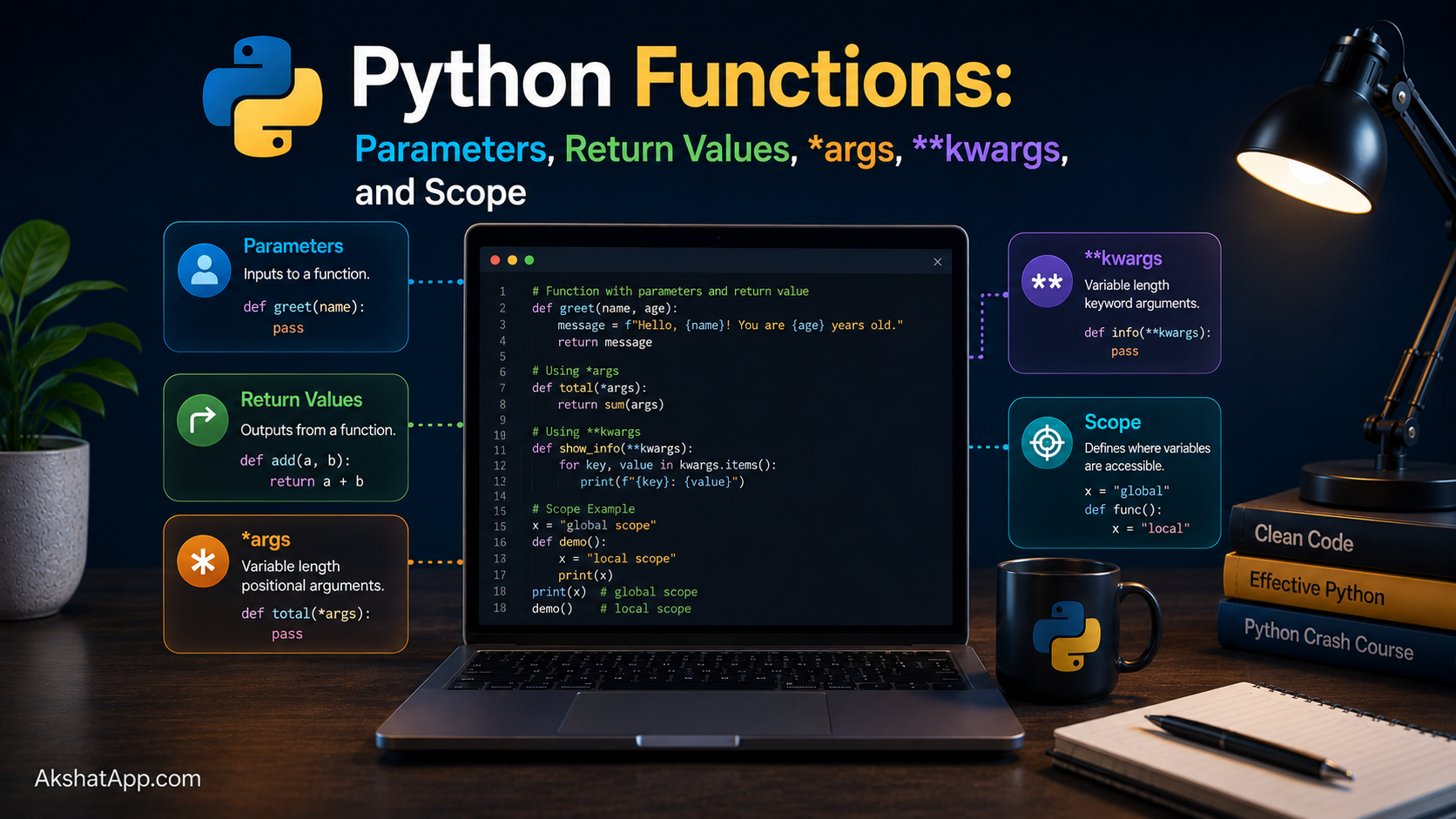
This post covers everything you need to write clean, correct Python functions: parameters, return values, the flexible argument patterns (*args and **kwargs) that Python code leans on constantly, and scope — the rules governing which variables a function can actually see. By the end, the unit converter gets its long-overdue refactor.
The Mental Model: A Named, Reusable Box
Think of a function the way you would think of a mathematical function: f(x) = x * 2 takes an input, does something defined and consistent with it, and produces an output. Python functions generalize this idea far beyond arithmetic — a function can take any number of inputs (including none), do anything at all with them, and return any kind of value (including nothing).
The two questions every function answers are: what does it need to do its job (its parameters), and what does it hand back when it’s done (its return value). Getting clear on both, before writing the body of a function, is the difference between functions that compose cleanly together and functions that become tangled and hard to reuse.
Defining and Calling a Function
def greet(name: str) -> str:
    return f"Hello, {name}!"

message = greet("Alex")
print(message)  # Hello, Alex!
def starts a function definition. greet is the function’s name. (name: str) declares one parameter called name, type-hinted as a string. -> str declares that this function returns a string. The body — indented below the def line, exactly like the blocks from Post #3 — runs when the function is called, not when it is defined.
This distinction matters: writing the def greet(...): block does not print or return anything by itself. Only calling greet("Alex") actually executes the body.
def calculate_area(length: float, width: float) -> float:
    return length * width

area = calculate_area(5, 3)
print(area)  # 15
Multiple parameters are separated by commas, in both the definition and the call. Python matches arguments to parameters by position here — 5 becomes length, 3 becomes width, in the order given.
Return Values
def is_even(n: int) -> bool:
    return n % 2 == 0

print(is_even(4))   # True
print(is_even(7))   # False
return immediately exits the function and hands the given value back to whatever called it. A function can have multiple return statements in different branches, but execution stops at whichever one actually runs.
def check_age(age: int) -> str:
    if age < 0:
        return "Invalid age"
    if age < 18:
        return "Minor"
    if age < 65:
        return "Adult"
    return "Senior"
Functions That Return Nothing
def log_message(message: str) -> None:
    print(f"[LOG] {message}")

result = log_message("Server started")
print(result)  # None
If a function has no return statement — or a bare return with no value — calling it produces None. This is why -> None is the correct type hint for a function whose entire purpose is a side effect (printing, writing a file, modifying something) rather than computing a value to hand back.
Returning Multiple Values
def min_and_max(numbers: list[int]) -> tuple[int, int]:
    return min(numbers), max(numbers)

lowest, highest = min_and_max([4, 7, 1, 9, 3])
print(lowest, highest)  # 1 9
Python does not truly return “multiple” values — return min(numbers), max(numbers) actually returns a single tuple (Post #5 covers tuples properly), which is then automatically unpacked into lowest and highest on the receiving end. This pattern is used constantly in real Python code and is worth recognizing immediately.
Default Parameter Values
def greet(name: str, greeting: str = "Hello") -> str:
    return f"{greeting}, {name}!"

print(greet("Alex"))               # Hello, Alex!
print(greet("Sam", "Welcome"))     # Welcome, Sam!
print(greet("Jo", greeting="Hi"))  # Hi, Jo!
A parameter with = value in the definition becomes optional — callers can omit it, and the default is used. Parameters with defaults must come after parameters without defaults in the definition; Python will raise a SyntaxError otherwise, because there would be no unambiguous way to match arguments to parameters.
⚠️ The Mutable Default Argument Trap
This is the single most infamous gotcha in the entire language — experienced developers get bitten by it too.
# DANGEROUS — do not do this
def add_item(item, items=[]):
    items.append(item)
    return items

print(add_item("apple"))    # ['apple']
print(add_item("banana"))   # ['apple', 'banana'] — wait, what?
The default value [] is created exactly once, when the function is defined — not fresh on every call. Every call that relies on the default is silently sharing and mutating the same list object across calls. The fix is a well-known idiom:
# Correct
def add_item(item, items=None):
    if items is None:
        items = []
    items.append(item)
    return items
Using None as the default and creating the actual empty list inside the function body guarantees a fresh list every time. This exact pattern — param=None followed by if param is None: param = [] — appears so often in real Python code that recognizing it on sight is worth the effort now.
Positional vs. Keyword Arguments
def describe_pet(name: str, animal: str, age: int) -> str:
    return f"{name} is a {age}-year-old {animal}"

# Positional — matched by order
describe_pet("Rex", "dog", 3)

# Keyword — matched by name, order doesn't matter
describe_pet(animal="dog", age=3, name="Rex")

# Mixed — positional arguments must come first
describe_pet("Rex", animal="dog", age=3)
Keyword arguments make function calls self-documenting, especially valuable once a function has more than two or three parameters — describe_pet("Rex", "dog", 3) requires you to remember the order; describe_pet(name="Rex", animal="dog", age=3) is unambiguous even out of context.
*args: Accepting Any Number of Positional Arguments
def total(*numbers: float) -> float:
    return sum(numbers)

print(total(1, 2, 3))          # 6
print(total(10, 20, 30, 40))   # 100
print(total())                  # 0
*numbers collects any number of positional arguments into a tuple named numbers inside the function. The name args is a convention, not a keyword — *numbers works exactly the same way as *args; using a descriptive name is generally better style than the generic convention once the parameter has a clear purpose.
def log_all(*messages: str) -> None:
    for msg in messages:
        print(f"[LOG] {msg}")

log_all("Starting up", "Loading config", "Ready")
**kwargs: Accepting Any Number of Keyword Arguments
def build_profile(**details: str) -> dict:
    return details

profile = build_profile(name="Alex", role="Engineer", location="Remote")
print(profile)
# {'name': 'Alex', 'role': 'Engineer', 'location': 'Remote'}
**details collects any number of keyword arguments into a dictionary. This is what allows some functions you have already used — like print() internally, or Django/FastAPI functions you will encounter later in this series — to accept an open-ended, unpredictable set of named options without their signature needing to list every possible one in advance.
def create_user(username: str, **extra_fields) -> dict:
    user = {"username": username}
    user.update(extra_fields)
    return user

user = create_user("alexj", email="alex@example.com", age=29, active=True)
print(user)
# {'username': 'alexj', 'email': 'alex@example.com', 'age': 29, 'active': True}
Combining Everything
def full_example(required, *args, default="fallback", **kwargs):
    print(f"required: {required}")
    print(f"args: {args}")
    print(f"default: {default}")
    print(f"kwargs: {kwargs}")

full_example(1, 2, 3, default="custom", extra="value")
# required: 1
# args: (2, 3)
# default: custom
# kwargs: {'extra': 'value'}
The order in a function signature is fixed: standard positional/keyword parameters first, then *args, then any keyword-only parameters with defaults, then **kwargs last.
Scope: Which Variables a Function Can See
def calculate():
    result = 42  # local variable — only exists inside calculate()
    return result

value = calculate()
print(value)       # 42 — this works, it's the returned value
print(result)       # NameError! — result only exists inside the function
A variable created inside a function is local to that function — it does not exist anywhere else, and it disappears entirely once the function finishes running. This is a deliberate safety feature: functions cannot accidentally interfere with each other’s internal variables just because they happen to share a name.
counter = 0  # global variable, defined outside any function

def increment():
    counter += 1  # UnboundLocalError!
This fails, and the error message confuses almost everyone the first time. Python sees the assignment counter += 1 inside the function and — because you are assigning to counter anywhere inside the function body — treats counter as a local variable for the entire function, even on the line where you are trying to read its current value before that assignment. To modify a global variable from inside a function, you must say so explicitly:
counter = 0

def increment():
    global counter
    counter += 1

increment()
increment()
print(counter)  # 2
In practice, reaching for global is usually a sign to reconsider the design. Functions that read and modify global state are harder to test, harder to reason about, and harder to reuse than functions that take what they need as parameters and return what they compute. The idiomatic alternative:
counter = 0

def increment(current: int) -> int:
    return current + 1

counter = increment(counter)
counter = increment(counter)
print(counter)  # 2
Both versions reach the same result. The second version is a function that could be tested, reused, and reasoned about entirely on its own — it has no dependency on anything outside its own parameters. This idea, keeping functions free of hidden dependencies on external state, is one of the most valuable habits this entire series will build.
Docstrings: Documenting What a Function Does
def calculate_bmi(weight_kg: float, height_m: float) -> float:
    """
    Calculate Body Mass Index.

    Args:
        weight_kg: Weight in kilograms.
        height_m: Height in meters.

    Returns:
        BMI as a float, rounded to one decimal place.
    """
    bmi = weight_kg / (height_m ** 2)
    return round(bmi, 1)
A docstring — a triple-quoted string immediately following the def line — documents what a function does, its parameters, and its return value. Unlike a regular comment, a docstring is accessible programmatically:
print(calculate_bmi.__doc__)
help(calculate_bmi)
Editors and tools like Pylance display docstrings automatically when you hover over a function call elsewhere in your code — the payoff for writing one is immediate, not theoretical.
Refactoring the Unit Converter
Every conversion is now its own small, testable, reusable function:
def miles_to_km(miles: float) -> float:
    """Convert miles to kilometers."""
    return miles * 1.60934


def km_to_miles(km: float) -> float:
    """Convert kilometers to miles."""
    return km / 1.60934


def fahrenheit_to_celsius(f: float) -> float:
    """Convert Fahrenheit to Celsius."""
    return (f - 32) * 5 / 9


def celsius_to_fahrenheit(c: float) -> float:
    """Convert Celsius to Fahrenheit."""
    return (c * 9 / 5) + 32


def main():
    conversions_done = 0

    while True:
        print("\n=== Unit Converter ===")
        print("1. Miles to Kilometers")
        print("2. Kilometers to Miles")
        print("3. Fahrenheit to Celsius")
        print("4. Celsius to Fahrenheit")
        print("5. Quit")

        choice = input("Choose an option (1-5): ")

        if choice == "5":
            print(f"Goodbye! You performed {conversions_done} conversions.")
            break

        value = float(input("Enter the value to convert: "))

        if choice == "1":
            result = miles_to_km(value)
            print(f"{value} miles = {result:.2f} kilometers")
        elif choice == "2":
            result = km_to_miles(value)
            print(f"{value} kilometers = {result:.2f} miles")
        elif choice == "3":
            result = fahrenheit_to_celsius(value)
            print(f"{value}°F = {result:.2f}°C")
        elif choice == "4":
            result = celsius_to_fahrenheit(value)
            print(f"{value}°C = {result:.2f}°F")
        else:
            print("Invalid choice. Please choose 1-5.")
            continue

        conversions_done += 1


if __name__ == "__main__":
    main()
Notice what changed in quality, not just structure: each conversion formula is now written once, has a clear name, has a docstring, and — critically — can be tested and reused independently of the menu system entirely. Post #11 on testing will write automated tests directly against miles_to_km() and the other conversion functions, something that was not possible when the same logic was buried inside an elif branch.
Real-World Use Cases
Eliminating duplicated logic: Any calculation, validation check, or formatting rule used in more than one place belongs in a function — the moment you find yourself copy-pasting a line of logic, that is the signal to extract a function instead.
Building testable units: Automated testing (Post #11) fundamentally works by calling functions with known inputs and checking their outputs. Code that is not organized into functions with clear inputs and outputs is difficult or impossible to test properly.
API and library design: Every library you will import in Post #8 and beyond is, at its core, a collection of functions someone else wrote, documented, and packaged for reuse — understanding function design well prepares you to both use and eventually write libraries like this.
Flexible configuration with kwargs: Functions accepting **kwargs — like many real-world functions for creating database records, HTTP requests, or UI components — let callers specify only the options they care about, with sensible defaults for everything else.
Common Mistakes and Gotchas
⚠️ Mistake 1: The mutable default argument trap
Covered in depth above — use None as the default and create the actual mutable object inside the function body.
⚠️ Mistake 2: Forgetting return
def add(a, b):
    a + b  # calculates but never returns it!

result = add(2, 3)
print(result)  # None — not 5!
Python does not implicitly return the last expression evaluated in a function, unlike some other languages. Forgetting the return keyword is an easy, silent mistake — the function runs without error, it simply hands back None.
⚠️ Mistake 3: Confusing print() with return
def add(a, b):
    print(a + b)  # displays the value, doesn't hand it back

result = add(2, 3)  # prints "5" as a side effect
print(result)        # None — result never actually received the sum
print() displays something to the terminal; return hands a value back to the caller so it can be used elsewhere. A function that prints its result but does not return it cannot have that result used in any further calculation.
⚠️ Mistake 4: Trying to modify a global variable without the global keyword
Covered above with the UnboundLocalError example — and immediately followed by the better fix: avoid needing global at all by passing values in and returning values out.
⚠️ Mistake 5: Functions that do too much
A function named process_order that validates input, calculates tax, charges a payment, and sends an email is doing four jobs under one name. This makes it hard to test, hard to reuse pieces of, and hard to understand at a glance. Prefer several small, clearly-named functions over one large one — a principle Post #18 on design patterns returns to directly.
Performance Note
Function calls in Python have a small but real overhead compared to inlining the same code directly — each call involves creating a new local scope, matching arguments to parameters, and managing the call stack. For the vast majority of programs, this overhead is utterly negligible next to the readability and maintainability gains functions provide. It becomes a genuine consideration only in extremely tight loops calling a trivial function millions of times — a scenario Post #17 covers with actual profiling data rather than guesswork.
Quick Reference
# Basic function
def function_name(param1: type, param2: type) -> return_type:
    """Docstring describing what this does."""
    return some_value

# Default parameter
def greet(name, greeting="Hello"):
    ...

# *args — any number of positional arguments (becomes a tuple)
def total(*numbers):
    return sum(numbers)

# **kwargs — any number of keyword arguments (becomes a dict)
def build(**fields):
    return fields

# Returning multiple values (actually a tuple, auto-unpacked)
def min_max(nums):
    return min(nums), max(nums)
lo, hi = min_max([3, 1, 4, 1, 5])

# Scope
x = 10             # global
def f():
    y = 5          # local — only exists inside f()
    global x
    x += 1          # explicitly modifies the global

# Docstring access
help(function_name)
function_name.__doc__
Exercises
Exercise 1 — Direct application
Write a function is_prime(n: int) -> bool that returns whether a number is prime. Test it against several known primes and non-primes.
Exercise 2 — Slight variation
Write a function average(*numbers: float) -> float that accepts any number of arguments and returns their average. Handle the case of zero arguments without crashing (what should it return — 0? Raise an error? Decide and justify it in a comment).
Exercise 3 — Real-world combination
Write a function build_report(title: str, **sections: str) -> str that takes a title and any number of named sections (e.g., summary="...", details="..."), and returns a formatted multi-line string with the title followed by each section’s name and content.
Exercise 4 — Open-ended challenge Take the running-total program from Post #3’s Exercise 3 (accumulate numbers until the user types “done”) and refactor it so the accumulation logic lives in its own function, separate from the input-gathering loop. What does the function need as a parameter, and what does it need to return, for this separation to work cleanly?
FAQ
Q: Do I always need type hints on function parameters? A: For learning and for any code you intend to keep, yes — the convention established in this series. They cost little and give you, your editor, and anyone reading your code immediate clarity about what a function expects and returns.
Q: What’s the actual difference between a parameter and an argument?
A: A parameter is the name in the function’s definition (def greet(name): — name is the parameter). An argument is the actual value supplied when calling it (greet("Alex") — "Alex" is the argument). The terms are often used loosely interchangeably in conversation, but the distinction matters when reading Python documentation precisely.
Q: Can a function call itself? A: Yes — this is called recursion, and it is a powerful technique for certain problems (particularly ones with a natural “smaller version of the same problem” structure). It is covered in depth in Post #11 of the CS Fundamentals series; for now, know that it is possible and that every recursive function needs a clear stopping condition to avoid running forever.
Q: Why did my function return None when I expected a number?
A: The two most common causes, both covered in this post: you forgot the return keyword entirely, or you used print() instead of return — printing displays a value but does not hand it back to be used elsewhere.
Q: Is it bad practice to use *args and **kwargs in my own functions?
A: Not inherently — they are essential for functions that genuinely need to accept a flexible, unpredictable number of inputs. But if you know exactly what parameters a function needs, naming them explicitly is more readable and self-documenting than hiding them behind *args/**kwargs unnecessarily.
Summary and Next Steps
You can now write functions with required and optional parameters, use *args and **kwargs for flexible argument handling, understand exactly how Python scope works (and why the UnboundLocalError happens), and document your functions properly with docstrings. The unit converter’s core logic is now organized into small, independently testable functions instead of being buried inside conditional branches.
Your next step: Complete Exercise 4 — refactoring the running-total accumulator into its own function — since it forces you to think precisely about what a function needs as input versus what it should hand back as output, the exact judgment call this entire post has been building toward.
The next post moves from functions to the data they operate on: lists, dictionaries, sets, and tuples — the structures that will replace the unit converter’s entire elif chain with something dramatically shorter.
Code tested with Python 3.13. Last updated: June 2026.
Share This Post

Join our newsletter!
Get the latest developer guides, tutorials, and tips delivered straight to your inbox.



