Post #9 explained the event loop precisely — asynchronous operations hand waiting off to the browser’s underlying system, avoiding blocking the single JavaScript thread. What that post did not fully address: genuinely CPU-intensive computation — not waiting, actual sustained calculation — still runs entirely on that same single main thread, and nothing about async/await changes that. A large enough computation still freezes the interface, exactly as if it were fully synchronous, because it is.
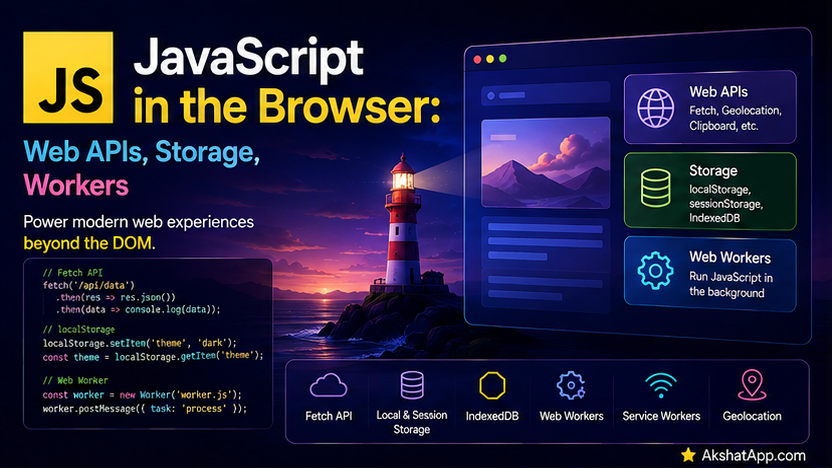
This post covers the browser’s answer to that specific problem — Web Workers, genuine separate threads for real parallel JavaScript execution — alongside localStorage, giving the task tracker permanent, zero-server persistence for the first time in this series, and a brief survey of other notable browser-provided APIs beyond the DOM covered in Post #10.
localStorage: Permanent, Zero-Server Persistence
localStorage.setItem("username", "Alex");
const username = localStorage.getItem("username"); // "Alex"
localStorage.removeItem("username");
localStorage.clear(); // removes EVERYTHING stored by your site
localStorage persists key-value data in the browser, surviving page reloads and even the browser closing entirely — data remains until explicitly removed or the user clears their browser data. It is scoped per-origin (protocol + domain + port) — one site cannot read another site’s localStorage.
⚠️ The JSON Requirement
localStorage.setItem("tasks", tasks); // BUG — stores the literal string "[object Object]"!localStorage can only store strings — passing anything else silently coerces it via String(), which for an array of objects produces exactly the unhelpful "[object Object]" shown above. Exactly the JSON handling covered earlier in this series applies directly here:
localStorage.setItem("tasks", JSON.stringify(tasks)); // correct
const tasks = JSON.parse(localStorage.getItem("tasks")); // correct — parse it back out
A Safe Storage Wrapper
function saveToStorage(key, value) {
    try {
        localStorage.setItem(key, JSON.stringify(value));
    } catch (error) {
        console.log("Failed to save:", error.message); // could be a quota limit
    }
}

function loadFromStorage(key, defaultValue) {
    try {
        const item = localStorage.getItem(key);
        return item ? JSON.parse(item) : defaultValue;
    } catch (error) {
        console.log("Failed to load:", error.message);
        return defaultValue;
    }
}
⚠️ Storage Has a Quota
try {
    localStorage.setItem("hugeData", enormousString);
} catch (error) {
    if (error.name === "QuotaExceededError") {
        console.log("Storage limit exceeded — cannot save any more data.");
    }
}
Most browsers limit localStorage to somewhere around 5–10MB per origin — a real, genuine constraint worth wrapping storage operations in try/catch for, exactly as shown, rather than assuming a setItem call will always succeed.
localStorage vs. sessionStorage
sessionStorage shares the identical API entirely (setItem, getItem, removeItem, clear) but with different persistence: it is cleared the moment the specific browser tab closes, rather than persisting indefinitely like localStorage. Use sessionStorage for data that should genuinely not outlive the current tab session; use localStorage for anything meant to persist across visits, exactly as the task tracker’s saved tasks should.
Giving the Task Tracker Permanent Storage
const STORAGE_KEY = "task-tracker-tasks";

function saveTasks(tasks) {
    try {
        localStorage.setItem(STORAGE_KEY, JSON.stringify(tasks));
    } catch (error) {
        console.log("Failed to save tasks:", error.message);
    }
}

function loadTasks() {
    try {
        const stored = localStorage.getItem(STORAGE_KEY);
        return stored ? JSON.parse(stored) : [];
    } catch (error) {
        console.log("Failed to load tasks:", error.message);
        return [];
    }
}

let tasks = loadTasks(); // instantly available on page load, no network request needed

function addTask(description) {
    tasks.push({ description, completed: false });
    saveTasks(tasks); // persist immediately on every change
}
This is meaningfully different from Post #9 and Post #11’s server-based persistence: no network request, no latency, no server to keep running, and the data survives closing the browser entirely. The tradeoff, worth being explicit about: localStorage is genuinely local to one specific browser on one specific device — it does not sync across devices or browsers the way the real API-backed persistence from Post #11 does. Many real applications use both together: localStorage for instant, offline-capable local state, and a real backend (Post #11) for data that needs to sync across devices or be shared with other users.
Web Workers: Genuine Parallel JavaScript Execution
Post #9 established that JavaScript’s single thread handles waiting without blocking — but a computationally heavy task (sorting an enormous dataset, complex calculations, image processing) still runs entirely on that one thread, and while it runs, absolutely nothing else can — no UI updates, no responding to clicks, nothing — because there is only one thread available to do any of it.
Web Workers run JavaScript on a genuinely separate thread, in parallel with your main thread — real concurrency, not the cooperative, single-threaded illusion async/await provides for I/O waiting.
// main.js
const worker = new Worker("taskWorker.js");

worker.postMessage({ command: "sort", tasks: largeTasks, sortBy: "priority" });

worker.onmessage = (event) => {
    console.log("Sorted result from worker:", event.data);
};

worker.onerror = (error) => {
    console.log("Worker error:", error.message);
};
// taskWorker.js — runs on a completely separate thread
self.onmessage = (event) => {
const { command, tasks, sortBy } = event.data;
if (command === "sort") {
const priorityOrder = { high: 0, medium: 1, low: 2 };
const sorted = tasks.toSorted((a, b) => {
if (sortBy === "priority") {
return priorityOrder[a.priority] - priorityOrder[b.priority];
}
return a.description.localeCompare(b.description);
});
self.postMessage(sorted);
}
};new Worker("taskWorker.js") loads and starts a separate JavaScript execution context, running entirely independently of the main thread. Communication happens exclusively through postMessage (sending data in) and onmessage (receiving data back) — data passed this way is copied (via the “structured clone” algorithm), not shared directly, meaning the worker cannot directly reach into or corrupt the main thread’s variables, and vice versa. While taskWorker.js sorts a large dataset, the main thread — and therefore the entire user interface — remains fully responsive, something a synchronous sort of the same size would not allow.
Wrapping a Worker in a Promise
Combining Post #9’s Promise coverage with Workers directly:
function sortTasksInBackground(tasks, sortBy) {
    return new Promise((resolve, reject) => {
        const worker = new Worker("taskWorker.js");
        worker.postMessage({ command: "sort", tasks, sortBy });
        worker.onmessage = (event) => {
            resolve(event.data);
            worker.terminate(); // clean up the worker once its job is done
        };
        worker.onerror = (error) => {
            reject(error);
            worker.terminate();
        };
    });
}

const sorted = await sortTasksInBackground(largeTasks, "priority");
This gives Worker-based background computation the exact same async/await-friendly interface as any other asynchronous operation covered throughout this series, hiding the postMessage/onmessage mechanics behind a familiar Promise-returning function.
Workers’ Real Limitations
Workers cannot directly access the DOM (covered in Post #10) — no document, no window — since they run in a genuinely separate execution context entirely. This is a deliberate constraint, not an oversight: it is precisely what makes true thread-safety possible, since the DOM is not designed to be safely modified from multiple threads simultaneously. Workers are the correct tool specifically for computation that does not need direct DOM access — data processing, calculations, parsing — with results sent back to the main thread (which does have DOM access) to actually update what the user sees.
A Brief Survey of Other Notable Web APIs
// Clipboard API — programmatically copy text
await navigator.clipboard.writeText("Task description copied!");
// Notification API — native OS-level notifications (requires user permission first)
if (Notification.permission === "granted") {
new Notification("Task completed!", { body: "Great work." });
} else {
await Notification.requestPermission();
}// Geolocation API — the user's current location (requires permission)
navigator.geolocation.getCurrentPosition((position) => {
console.log(position.coords.latitude, position.coords.longitude);
});Each of these follows a broadly similar pattern to what this series has already covered: an asynchronous, Promise-or-callback-based API, frequently requiring explicit user permission, provided by the browser rather than by JavaScript itself — precisely the “environment provides the capability, JavaScript provides the syntax to use it” relationship established since setTimeout in Post #9.
IndexedDB: When localStorage Isn’t Enough
For genuinely large amounts of structured, queryable data — beyond localStorage’s size limits and simple key-value shape — IndexedDB is the browser’s built-in database, supporting complex queries, indexes, and considerably larger storage capacity. Its native API is verbose enough that most real projects use a wrapper library (such as idb) rather than the raw API directly — worth knowing it exists as the answer to “what if I need more than localStorage provides,” without full coverage in this post, since it is a meaningfully larger topic on its own.
Real-World Use Cases
Offline-capable applications: localStorage (or IndexedDB, for larger data) is the foundation of any application that needs to function, at least partially, without a network connection — data persists locally regardless of connectivity.
Heavy client-side computation: Web Workers are the standard solution for genuinely CPU-intensive browser tasks — parsing large files, complex data transformations, image or video processing — that would otherwise freeze the interface if run directly on the main thread.
User preferences and settings: Theme choices, layout preferences, and similar lightweight, non-sensitive settings are commonly stored in localStorage, persisting across sessions without requiring a backend account system at all.
Progressive enhancement with permission-based APIs: Notifications, geolocation, and clipboard access all follow the pattern of gracefully degrading when permission is denied — real applications check for and request permission explicitly, rather than assuming access.
Common Mistakes and Gotchas
⚠️ Mistake 1: Storing objects/arrays without JSON.stringify
Covered at length above — this is the single most common localStorage mistake, silently producing "[object Object]" instead of usable data.
⚠️ Mistake 2: Not handling storage quota errors
localStorage.setItem can throw when the storage quota is exceeded — code that assumes it always succeeds will crash unexpectedly the moment a user’s stored data grows large enough, exactly the scenario this post’s safe wrapper functions are designed to handle gracefully.
⚠️ Mistake 3: Assuming localStorage syncs across devices or browsers It is strictly local to one specific browser, on one specific device — a genuine limitation worth being explicit with users about, or addressing by combining local storage with real backend persistence (Post #11) when cross-device sync genuinely matters.
⚠️ Mistake 4: Trying to access the DOM from inside a Web Worker
// Inside a worker file:
document.querySelector("#something"); // ReferenceError — document doesn't exist in a Worker's context
Workers run in a genuinely separate context with no DOM access at all — any UI update resulting from a worker’s computation must happen on the main thread, after receiving the result via onmessage.
⚠️ Mistake 5: Creating a new Worker for every small task instead of reusing one
Creating a Worker instance carries genuine overhead (starting a new thread, loading and parsing the worker script) — for applications making frequent use of background computation, creating and reusing one persistent worker (sending multiple messages to it over time) is considerably more efficient than creating and terminating a fresh worker for every single task.
Performance Note
localStorage’s API is synchronous — every getItem/setItem call blocks the main thread until it completes, briefly but genuinely, exactly the blocking behavior Post #9 warned against for async code done wrong. For small amounts of data (the task tracker’s typical use case), this is imperceptible; for very large amounts of data read or written frequently, this synchronous blocking becomes a real, measurable concern — IndexedDB’s genuinely asynchronous API is the correct alternative at that scale, one more reason it exists as a separate, more capable tool rather than simply “a bigger localStorage.”
Quick Reference
// localStorage / sessionStorage — identical API, different persistence
localStorage.setItem(key, JSON.stringify(value));
const value = JSON.parse(localStorage.getItem(key));
localStorage.removeItem(key);
localStorage.clear();

// Web Workers
const worker = new Worker("worker.js");
worker.postMessage(data);
worker.onmessage = (event) => { /* event.data */ };
worker.onerror = (error) => { ... };
worker.terminate(); // clean up when done

// Inside the worker file:
self.onmessage = (event) => {
    // do computation with event.data
    self.postMessage(result);
};

// Other notable APIs
navigator.clipboard.writeText(text);
new Notification(title, { body });
navigator.geolocation.getCurrentPosition(callback);
Exercises
Exercise 1 — Direct application
Add a “theme preference” ("light" or "dark") saved to localStorage, loaded on page start with a sensible default if none is stored yet, using the safe wrapper functions from this post.
Exercise 2 — Slight variation
Extend the task tracker’s addTask/completeTask functions so every mutation automatically calls saveTasks, confirming that reloading the page (in a real browser) correctly restores the exact task list from before the reload.
Exercise 3 — Real-world combination
Write a Web Worker that takes a large array of numbers and calculates their sum, average, min, and max, wrapped in a Promise-returning function exactly following this post’s sortTasksInBackground pattern, and confirm it correctly returns results without blocking the main thread.
Exercise 4 — Open-ended challenge
Deliberately fill localStorage close to its quota limit (writing a very large string repeatedly) and observe the actual QuotaExceededError your safe wrapper function catches — then explain, in a comment, what a real application should do when this occurs (beyond simply logging it) to handle the situation gracefully for an actual user.
FAQ
Q: Is localStorage secure enough for storing sensitive data, like authentication tokens?
A: Generally not recommended for genuinely sensitive data — localStorage is accessible to any JavaScript running on the page, including, in the event of an XSS vulnerability (covered in Post #10), malicious injected code. More sensitive data typically belongs in an HTTP-only cookie or is handled through other, more restricted mechanisms beyond this post’s scope.
Q: Can a Web Worker make its own fetch requests?
A: Yes — Workers have access to fetch and most other non-DOM browser APIs, making them suitable for background data fetching and processing combined, not purely local computation.
Q: How many Web Workers can I create at once? A: Technically limited only by browser and system resources, but practically, creating far more workers than your device has CPU cores provides no additional parallelism benefit and adds overhead — a small, deliberate pool of workers reused across tasks is the standard, efficient pattern for applications with sustained background computation needs.
Q: Does everything covered in this post work in Node.js too, or only in browsers?
A: localStorage, Web Workers (in this specific browser-native form), and the other APIs covered in this post are browser-specific — Node.js has its own separate mechanisms for analogous needs (the fs module for persistent storage, worker_threads for genuine parallel execution), covered in the next post specifically.
Summary and Next Steps
You can now persist data permanently in the browser with localStorage, understand and correctly handle its JSON-serialization requirement and quota limits, and — critically — understand precisely why Web Workers exist: genuine parallel JavaScript execution for CPU-intensive work that async/await alone cannot provide, since it only ever addresses waiting, never actual sustained computation on the single main thread. The task tracker now persists across page reloads with zero server dependency for the first time in this series.
Your next step: Complete Exercise 2 — wiring up automatic localStorage persistence on every task mutation — since actually reloading a real browser page and watching your tasks reappear instantly, with no network request at all, is a genuinely satisfying, concrete confirmation of everything this post covers.
The next post moves from the browser to the server side of JavaScript: Node.js fundamentals, including the genuinely parallel worker_threads module — Node’s own answer to the same CPU-bound computation problem Web Workers solve in the browser.
Code tested in current versions of Chrome, Firefox, and Safari. Last updated: July 2026.
Share This Post

Join our newsletter!
Get the latest developer guides, tutorials, and tips delivered straight to your inbox.



