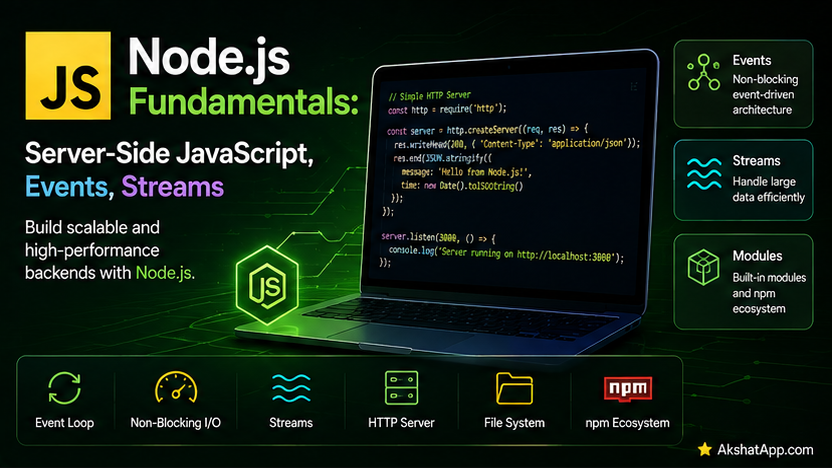
Node.js has been running every single code example since Post #1’s very first node script.js, treated the entire time as simply “where JavaScript happens to run.” That framing was correct but incomplete — Node.js is not just a place to execute JavaScript; it is a runtime providing an entire set of server-side capabilities the browser deliberately does not: direct file system access, operating system integration, and a networking stack capable of serving actual HTTP requests.
This post covers those Node-specific capabilities properly: the fs module (finally giving the task tracker genuine server-side file persistence), EventEmitter — Node’s own event system, conceptually related to Post #10’s DOM events but a distinct mechanism — streams for processing data too large to hold in memory at once, and worker_threads, Node’s direct answer to Post #17’s browser-based Web Workers.
The Mental Model: Node.js Provides What Browsers Deliberately Don’t
Browsers deliberately restrict JavaScript from touching the file system directly, opening arbitrary network connections, or accessing operating system internals — genuine security boundaries, since browser JavaScript runs code from websites you may not fully trust. Node.js, running JavaScript you have deliberately chosen to execute on your own machine or server, has no such restriction — it provides direct file system access, raw networking, and OS-level integration specifically because that trust boundary does not apply the same way. This is the precise, deliberate tradeoff: the DOM, localStorage, and Web Workers from Posts #10 and #17 exist only in browsers; the fs module, EventEmitter, streams, and worker_threads covered in this post exist only in Node.js.
The fs Module: Real File System Access
import fs from "node:fs/promises"; // the modern, Promise-based API — matches Post #9's async/await throughout

await fs.writeFile("tasks.json", JSON.stringify(tasks, null, 2));

const data = await fs.readFile("tasks.json", "utf-8");
const loadedTasks = JSON.parse(data);
node:fs/promises gives every file operation the same async/await interface used consistently throughout this series since Post #9 — directly preferred over the older callback-based fs API for exactly the readability reasons covered there.
⚠️ Synchronous fs Methods Block the Entire Event Loop
import fsSync from "node:fs";

// BLOCKS the entire single JavaScript thread until the read completes!
const data = fsSync.readFileSync("tasks.json", "utf-8");
fs also provides synchronous versions of every operation (readFileSync, writeFileSync) — these genuinely block Node’s single thread for the entire duration of the file operation, exactly the blocking behavior Post #9’s event loop coverage warned against. The practical rule: use the fs/promises async versions in essentially all application code; the synchronous versions are appropriate specifically for one-off scripts or a program’s very earliest startup sequence, before anything else is depending on the thread remaining responsive.
path: Cross-Platform File Paths
import path from "node:path";

const filePath = path.join("data", "tasks.json"); // "data/tasks.json" or "data\tasks.json" — OS-appropriate
const absolutePath = path.resolve("data", "tasks.json");
console.log(path.extname("tasks.json")); // ".json"
console.log(path.basename("/some/path/tasks.json")); // "tasks.json"
console.log(path.dirname("/some/path/tasks.json")); // "/some/path"
path.join handles the difference between forward slashes (macOS/Linux) and backslashes (Windows) automatically — always preferred over manually concatenating path strings with hardcoded slashes, which breaks silently on whichever operating system you did not test on.
Giving the Task Tracker Server-Side File Persistence
import fs from "node:fs/promises";
import path from "node:path";

const TASKS_FILE = path.join("data", "tasks.json");

async function saveTasksToFile(tasks) {
    await fs.mkdir(path.dirname(TASKS_FILE), { recursive: true });
    await fs.writeFile(TASKS_FILE, JSON.stringify(tasks, null, 2));
}

async function loadTasksFromFile() {
    try {
        const data = await fs.readFile(TASKS_FILE, "utf-8");
        return JSON.parse(data);
    } catch (error) {
        if (error.code === "ENOENT") {
            return []; // the file simply doesn't exist yet — not a genuine error
        }
        throw error; // any other error IS genuinely unexpected — let it propagate
    }
}
error.code === "ENOENT" checks for Node’s specific “file/directory does not exist” error code, distinguishing the entirely normal “first run, no saved data yet” case from a genuine, unexpected failure — exactly the specific-error-type discipline covered throughout this series’ error-handling posts, applied to a Node-specific error code. fs.mkdir(..., { recursive: true }) ensures the containing directory exists before writing, creating it if necessary without erroring if it already does.
EventEmitter: Node’s Own Event System
Post #10 covered addEventListener for DOM events specifically. EventEmitter, from Node’s built-in events module, provides a conceptually similar pattern — subscribe to named events, react when they occur — for entirely custom, application-defined events with no relationship to the DOM at all.
import { EventEmitter } from "node:events";

class TaskTracker extends EventEmitter {
    #tasks = [];

    addTask(description) {
        const task = { description, completed: false };
        this.#tasks.push(task);
        this.emit("taskAdded", task); // fire a custom event, with data
    }

    completeTask(index) {
        this.#tasks[index].completed = true;
        this.emit("taskCompleted", this.#tasks[index]);
    }

    get tasks() {
        return [...this.#tasks];
    }
}

const tracker = new TaskTracker();

tracker.on("taskAdded", (task) => {
    console.log(`New task added: ${task.description}`);
});

tracker.on("taskCompleted", (task) => {
    console.log(`Completed: ${task.description}`);
});

tracker.addTask("Learn EventEmitter");
// New task added: Learn EventEmitter
class TaskTracker extends EventEmitter — directly using Post #7’s inheritance — gives TaskTracker the .on() (subscribe) and .emit() (fire an event) methods automatically. This decouples “a task was added” from “what should happen as a result,” exactly the same decoupling value Post #10’s event delegation provided for DOM events, now available for any custom application logic, not just user interface interactions.
⚠️ Too Many Listeners Warning
tracker.setMaxListeners(20); // default is 10 — raise it deliberately if you genuinely need moreEventEmitter warns by default if more than 10 listeners are attached to a single event name, specifically because this pattern often indicates an accidental memory leak — the same underlying concern covered for forgotten event listeners in Post #15, now with Node providing an explicit built-in warning for it.
Streams: Processing Data Too Large for Memory
import fs from "node:fs";

const readStream = fs.createReadStream("huge-log-file.txt", { encoding: "utf-8" });

readStream.on("data", (chunk) => {
    console.log(`Received a chunk: ${chunk.length} characters`);
});

readStream.on("end", () => {
    console.log("Finished reading the entire file");
});

readStream.on("error", (error) => {
    console.log("Error reading file:", error.message);
});
A stream reads (or writes) data in small, manageable chunks over time, rather than requiring the entire file to be loaded into memory simultaneously — directly solving the same “too large to hold entirely in memory at once” problem covered from a different angle in this series’ Python content, applied here to Node’s file handling specifically. A multi-gigabyte log file can be processed this way using only a small, constant amount of memory for whichever chunk is currently being handled.
const writeStream = fs.createWriteStream("output.txt");
writeStream.write("First line\n");
writeStream.write("Second line\n");
writeStream.end();
Piping Streams Together
const readStream = fs.createReadStream("input.txt");
const writeStream = fs.createWriteStream("output.txt");

readStream.pipe(writeStream); // reads from input, writes to output, one chunk at a time
.pipe() connects a readable stream directly to a writable one, automatically managing the flow of chunks from one to the other — including handling the case where the write destination is temporarily slower than the read source, without you needing to manage that coordination manually.
worker_threads: Node’s Answer to Post #17’s Web Workers
Post #17 promised this specifically — Node’s direct equivalent to browser Web Workers, genuine parallel execution across multiple threads for CPU-intensive work.
// sumWorker.js
import { Worker, isMainThread, parentPort, workerData } from "node:worker_threads";

if (isMainThread) {
    // This block runs on the MAIN thread
    const worker = new Worker(new URL(import.meta.url), {
        workerData: { numbers: [1, 2, 3, 4, 5, /* ... imagine millions more */] },
    });

    worker.on("message", (result) => {
        console.log("Sum calculated by worker thread:", result);
    });

    worker.on("error", (error) => {
        console.log("Worker error:", error.message);
    });
} else {
    // This block runs on the WORKER thread — same file, different execution context
    const sum = workerData.numbers.reduce((total, n) => total + n, 0);
    parentPort.postMessage(sum);
}
A genuinely notable Node-specific convenience worth pointing out directly: unlike browser Web Workers, which require a separate file, Node’s worker_threads can live in the same file as the main-thread code, using isMainThread to branch between “this is the orchestrating main thread” and “this is the worker doing the actual computation.” workerData passes initial data into the worker at creation time; parentPort.postMessage/worker.on("message", ...) handle ongoing communication back to the main thread, directly analogous to postMessage/onmessage from Post #17’s browser Workers.
A Minimal HTTP Server
Real Node.js web applications almost always use a framework built on top of this, but understanding the underlying primitive clarifies what those frameworks are actually doing:
import http from "node:http";

const server = http.createServer((req, res) => {
    if (req.url === "/tasks" && req.method === "GET") {
        res.writeHead(200, { "Content-Type": "application/json" });
        res.end(JSON.stringify(tasks));
    } else {
        res.writeHead(404, { "Content-Type": "text/plain" });
        res.end("Not found");
    }
});

server.listen(3000, () => {
    console.log("Server running on http://localhost:3000");
});
http.createServer takes a callback invoked for every incoming request, receiving a request object (req, with the URL, method, and headers) and a response object (res, used to send data back) — the exact primitive that the Fetch API’s requests from Post #11 arrive at, from the server side, and the foundation every Node.js web framework builds its more convenient routing and middleware systems on top of.
Real-World Use Cases
Server-side data persistence: File-based storage (or, more commonly in production, a real database) for applications that need data to genuinely persist server-side, complementing or replacing the browser-based localStorage from Post #17.
Decoupled application architecture: EventEmitter-based design, exactly as TaskTracker demonstrates, is a common pattern in Node.js backends for keeping business logic (a task was added) separate from side effects (logging, notifications, cache invalidation) that should happen as a result.
Processing large files or data streams efficiently: Log processing, large file uploads/downloads, and data transformation pipelines all rely on Node’s streaming capabilities specifically to avoid the memory exhaustion that loading enormous files entirely into memory would cause.
CPU-intensive server-side computation: Image processing, complex data analysis, or cryptographic operations performed server-side benefit from worker_threads for exactly the same reason browser-based heavy computation benefits from Web Workers — keeping the main thread free to continue handling other incoming requests.
Common Mistakes and Gotchas
⚠️ Mistake 1: Using synchronous fs methods in request-handling code
A single readFileSync call inside an HTTP server’s request handler blocks that server from handling any other request for the duration of that file read — a genuinely serious problem for anything beyond a personal script, exactly why fs/promises’ async methods are the correct default for application code.
⚠️ Mistake 2: Not handling stream errors
readStream.pipe(writeStream); // if readStream errors, this can leave writeStream in an inconsistent state!Streams can fail partway through — a source file disappearing mid-read, a disk running out of space mid-write — and code that does not listen for "error" events on both sides of a pipe risks silent data corruption or an unhandled exception crashing the entire process.
⚠️ Mistake 3: Creating too many EventEmitter listeners without cleanup
Exactly the memory leak pattern covered in Post #15, applied specifically to EventEmitter — listeners attached and never removed (via .off() or .removeListener()) accumulate over a long-running process’s lifetime, one more concrete instance of the “forgotten listener” leak pattern.
⚠️ Mistake 4: Assuming worker_threads communication is instant or free
Exactly like browser Web Workers, data passed via postMessage is copied (via structured clone), not shared directly — for very large data, this copying itself carries real cost, worth measuring (Post #15’s techniques apply directly) before assuming a worker thread is unconditionally faster than doing the work directly on the main thread for genuinely small workloads.
⚠️ Mistake 5: Building a production web server directly on the raw http module without a framework
The raw http.createServer example in this post is genuinely instructive for understanding the underlying primitive, but real applications almost universally use a framework (handling routing, middleware, request parsing, and dozens of other concerns this bare example does not address) rather than building everything from scratch on top of the raw module.
Performance Note
Node’s asynchronous, non-blocking I/O model (the fs/promises API, streams, the underlying event loop from Post #9) is specifically what allows a single Node.js process to handle a large number of concurrent connections efficiently — while one request is waiting on a file read or database query, the same single thread can continue processing other requests, exactly the I/O-bound concurrency advantage covered conceptually since Post #9, now grounded in Node’s actual server-side use case rather than the browser-focused examples used to originally teach it.
Quick Reference
// fs/promises — async file operations
import fs from "node:fs/promises";
await fs.writeFile(path, content);
await fs.readFile(path, "utf-8");
await fs.mkdir(dir, { recursive: true });

// path — cross-platform path handling
import path from "node:path";
path.join(...); path.resolve(...); path.extname(f); path.basename(f); path.dirname(f);

// EventEmitter
import { EventEmitter } from "node:events";
class MyClass extends EventEmitter {
    doSomething() { this.emit("eventName", data); }
}
instance.on("eventName", (data) => { ... });

// Streams
const readStream = fs.createReadStream(path);
readStream.on("data", (chunk) => { ... });
readStream.on("end", () => { ... });
readStream.on("error", (err) => { ... });
readStream.pipe(writeStream);

// worker_threads
import { Worker, isMainThread, parentPort, workerData } from "node:worker_threads";
if (isMainThread) {
    const worker = new Worker(new URL(import.meta.url), { workerData });
    worker.on("message", (result) => { ... });
} else {
    parentPort.postMessage(result);
}

// Minimal HTTP server
import http from "node:http";
http.createServer((req, res) => { ... }).listen(3000);
Exercises
Exercise 1 — Direct application
Write saveTasksToFile/loadTasksFromFile exactly as shown in this post, then write a small script that loads tasks, adds one, saves again, and confirms — by reading the file a second time — that the change genuinely persisted to disk.
Exercise 2 — Slight variation
Convert TaskManager from Post #12 to extend EventEmitter, emitting a "tasksLoaded" event after loadTasks() completes successfully, and subscribe to it to log a confirmation message.
Exercise 3 — Real-world combination
Write a script using createReadStream to count the total number of lines in a large text file, processing it in chunks rather than loading the entire file into memory with readFile — compare the approach’s memory characteristics conceptually to Post #9’s generator-based lazy processing philosophy.
Exercise 4 — Open-ended challenge
Using worker_threads, offload a genuinely CPU-intensive calculation (checking primality for every number up to 1,000,000, for instance) to a worker thread, and confirm — using console.log timestamps on both the main thread and inside the worker — that the main thread remains free to log other output while the worker is still computing.
FAQ
Q: Should I always use fs/promises instead of the synchronous fs methods? A: For application code handling any concurrent work (a web server, anything with an event loop that needs to stay responsive), yes, without exception. For simple, one-off scripts where nothing else needs the thread to stay responsive during a brief file read, the synchronous versions remain acceptable, mostly for their simpler, non-async syntax.
Q: What’s the actual difference between EventEmitter and DOM events from Post #10?
A: They serve a conceptually similar purpose (subscribe to named events, react when they fire) but are entirely separate mechanisms — EventEmitter is Node’s own, general-purpose implementation, usable for any custom application event, with no relationship to a browser or the DOM at all. DOM events are specifically tied to browser page elements and user interactions.
Q: Do I need worker_threads for every Node.js application?
A: No — the large majority of typical Node.js server code is I/O-bound (database queries, file reads, network requests), which Node’s async, non-blocking model already handles efficiently without needing separate threads at all. worker_threads earns its place specifically for genuinely CPU-bound work, exactly the same distinction Post #17 established for browser Web Workers.
Q: Is streaming always better than reading a whole file at once?
A: For files small enough to comfortably fit in memory, readFile is simpler and entirely adequate — streaming’s real advantage appears specifically with large files, where loading everything into memory at once would be wasteful or outright impossible given available system memory.
Summary and Next Steps
You now understand what genuinely distinguishes Node.js from browser JavaScript — direct file system access via fs, Node’s own EventEmitter event system, streams for handling data too large to hold in memory at once, and worker_threads as the direct server-side equivalent to Post #17’s Web Workers. The task tracker now has genuine server-side file persistence, and you understand the raw HTTP primitive that every Node.js web framework is ultimately built on top of.
Your next step: Complete Exercise 4 — offloading a genuinely CPU-intensive calculation to a worker thread and confirming the main thread stays responsive — since watching real, concurrent execution happen, with your own timestamped log output as proof, is the clearest possible demonstration that this is genuine parallelism, not simulated asynchronous waiting.
The next post covers the modern build tooling ecosystem — Vite, esbuild, and the bundlers that take the multi-file, module-based JavaScript this series has built since Post #12 and prepare it for efficient delivery to real users’ browsers.
Code tested with Node.js 22 LTS. Last updated: July 2026.
Share This Post

Join our newsletter!
Get the latest developer guides, tutorials, and tips delivered straight to your inbox.



