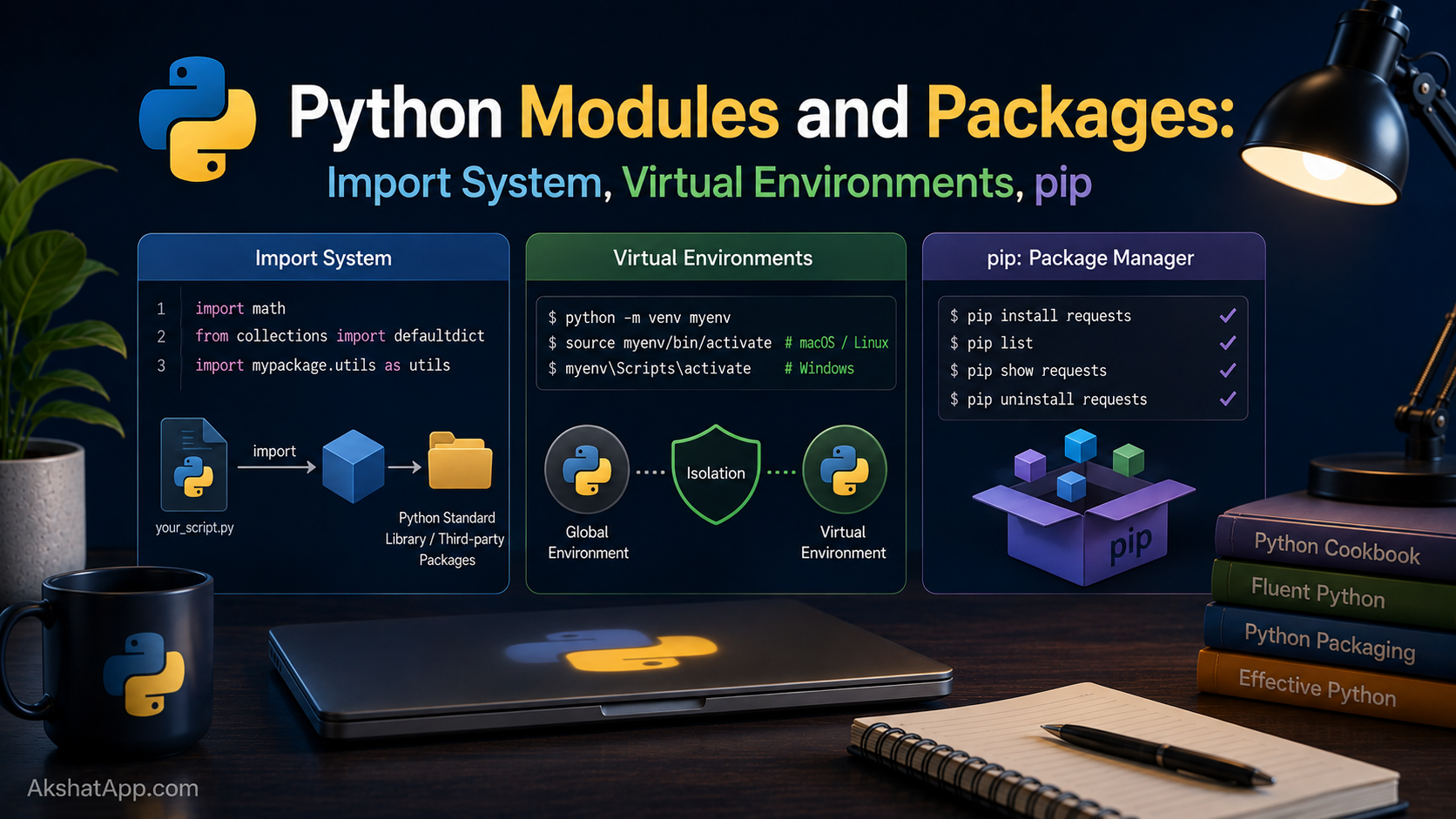
Every version of the unit converter so far has lived in a single file. That has been fine for a program with four conversion functions and a menu loop — it stops being fine the moment a real project grows to dozens of functions, several classes, and logic that genuinely belongs in separate, independently understandable pieces. Real Python projects are almost never one file; they are organized into modules and packages, imported into each other as needed.
This post also settles something deliberately deferred back in Post #1: uv is the modern tool this series has used throughout, but the traditional pip and venv workflow it replaces is not going away from the ecosystem any time soon. You will hit requirements.txt files, pip install instructions, and manually-activated virtual environments in tutorials, company codebases, and open-source projects for years to come. Understanding both is not optional if you intend to work with other people’s Python code.
The Mental Model: Files, Modules, and Packages
A module is simply a .py file — the moment you write any Python file, you have created a module, whether or not you ever intend to import it elsewhere. A package is a folder containing multiple modules, organized together because they belong to the same broader piece of functionality. import is the mechanism that lets one file use code defined in another.
This is not a new concept introduced for the first time here — every time you have written import ollama or a similar line elsewhere in this blog’s other series, you have been using exactly this system. This post explains what is actually happening underneath that familiar keyword.
Splitting the Unit Converter Into Multiple Files
Here is the entire project reorganized into two files instead of one:
# conversions.py

def miles_to_km(miles: float) -> float:
    """Convert miles to kilometers."""
    return miles * 1.60934


def km_to_miles(km: float) -> float:
    """Convert kilometers to miles."""
    return km / 1.60934


def fahrenheit_to_celsius(f: float) -> float:
    """Convert Fahrenheit to Celsius."""
    return (f - 32) * 5 / 9


def celsius_to_fahrenheit(c: float) -> float:
    """Convert Celsius to Fahrenheit."""
    return (c * 9 / 5) + 32
# main.py
from conversions import (
miles_to_km,
km_to_miles,
fahrenheit_to_celsius,
celsius_to_fahrenheit,
)
CONVERSIONS = {
"1": ("Miles to Kilometers", miles_to_km),
"2": ("Kilometers to Miles", km_to_miles),
"3": ("Fahrenheit to Celsius", fahrenheit_to_celsius),
"4": ("Celsius to Fahrenheit", celsius_to_fahrenheit),
}
def get_float(prompt: str) -> float:
while True:
try:
return float(input(prompt))
except ValueError:
print("Please enter a valid number.")
def main():
while True:
print("\n=== Unit Converter ===")
for key, (label, _) in CONVERSIONS.items():
print(f"{key}. {label}")
print("5. Quit")
choice = input("Choose an option: ")
if choice == "5":
print("Goodbye!")
break
if choice not in CONVERSIONS:
print("Invalid choice.")
continue
value = get_float("Enter the value to convert: ")
label, convert = CONVERSIONS[choice]
result = convert(value)
print(f"{value} → {result:.2f} ({label})")
if __name__ == "__main__":
main()Run it exactly as before: uv run main.py (or python3 main.py). The behavior is identical to the single-file version from Post #7 — what changed is organization, not functionality. conversions.py now contains only pure calculation logic, independently readable, independently testable (a direct setup for Post #11), and reusable from any other file in the project without touching the menu or input-handling code at all.
The import Statement, In Depth
Basic Import
import conversions

result = conversions.miles_to_km(10)
This imports the entire module, and you access anything inside it through the module name as a prefix — conversions.miles_to_km, not just miles_to_km.
from … import — Bringing Names Directly Into Scope
from conversions import miles_to_km

result = miles_to_km(10)  # no prefix needed
This is what main.py above actually does — importing specific names directly, so they can be used without the conversions. prefix. Use this when you know exactly which pieces you need and want to reference them concisely.
Importing Everything (Generally Avoid This)
from conversions import * # imports everything — avoid in real codeThis pulls every public name from conversions directly into your file’s namespace. It is convenient for quick experiments in the REPL and actively discouraged in real code, because it makes it impossible to tell, just by reading a file, where any given name actually came from — a serious readability and maintainability cost as a project grows.
Aliasing With as
import numpy as np
from conversions import miles_to_km as m2k

result = m2k(10)
Aliasing shortens long or awkward names. import numpy as np is such a universal convention in the Python data ecosystem that writing import numpy without the alias would look unusual to anyone reading your code — some conventions become expected practice across the entire community.
The __name__ == "__main__" Guard, Revisited
Post #1 introduced this pattern without fully explaining why it matters until now. Consider what happens without it:
# conversions.py — WITHOUT the guard
def miles_to_km(miles):
    return miles * 1.60934

print("Conversions module loaded!")  # runs on import, not just on direct execution
# main.py
from conversions import miles_to_km
# Output: "Conversions module loaded!" prints immediately, even though
# main.py never asked for that message — it happened as a side effect of importingAny code sitting at the top level of a module — not inside a function or protected by the __name__ guard — runs the moment that module is imported, not just when it is run directly. This is exactly why main() in every version of the unit converter has been called only inside if __name__ == "__main__": — it ensures main() runs when you execute python3 main.py directly, but does not run automatically if some other file simply imports functions from it for reuse.
# main.py
def main():
    ...

if __name__ == "__main__":
    main()  # only runs when this file is executed directly
If another file writes from main import get_float, it gets the function without accidentally triggering the entire interactive menu loop — precisely the behavior you want from a properly organized module.
Packages: Folders of Modules
As a project grows further, related modules get grouped into a package — a folder containing multiple .py files, treated by Python as a single importable unit:
unit_converter/
├── __init__.py
├── length.py
├── temperature.py
└── main.py
# unit_converter/length.py
def miles_to_km(miles: float) -> float:
return miles * 1.60934
def km_to_miles(km: float) -> float:
return km / 1.60934# unit_converter/temperature.py
def fahrenheit_to_celsius(f: float) -> float:
return (f - 32) * 5 / 9
def celsius_to_fahrenheit(c: float) -> float:
return (c * 9 / 5) + 32# unit_converter/main.py
from unit_converter.length import miles_to_km, km_to_miles
from unit_converter.temperature import fahrenheit_to_celsius, celsius_to_fahrenheitThe __init__.py file — which can be completely empty — is what historically told Python “this folder is a package, not just a random directory.” Since Python 3.3, technically Python can treat a folder without __init__.py as an implicit “namespace package,” but including an explicit (even empty) __init__.py remains the clearer, more conventional choice for ordinary packages, and it is where you often place code that should run once when the package as a whole is first imported.
The Traditional Workflow: venv and pip
This series has used uv from Post #1 onward, and for new projects, that remains the right recommendation. But you will encounter — and need to understand — the traditional approach constantly, because most existing tutorials, company codebases, and deployment documentation still reference it directly.
Creating and Activating a Virtual Environment
# Create a virtual environment (creates a "venv" folder)
python3 -m venv venv

# Activate it
# macOS/Linux:
source venv/bin/activate

# Windows:
venv\Scripts\activate

# Your terminal prompt now shows (venv) — you are inside the isolated environment
A virtual environment is an isolated copy of Python, with its own separate package installations, so that installing something for one project never affects any other project — or your system’s global Python installation. This is the entire reason virtual environments exist: without one, installing requests version 2.0 for Project A and requests version 3.0 for Project B on the same system would directly conflict.
Installing Packages With pip
# Install a single package (while the venv is activated)
pip install requests

# Install a specific version
pip install requests==2.31.0

# Uninstall
pip uninstall requests
requirements.txt: Recording Your Dependencies
# Save everything currently installed, with exact versions
pip freeze > requirements.txt
# requirements.txt (example contents)
requests==2.31.0
python-dateutil==2.8.2# On another machine, or after cloning a project: recreate the exact same environment
pip install -r requirements.txtrequirements.txt is how a Python project’s dependencies travel with the codebase — anyone cloning the repository runs one command and gets the exact same package versions the original developer used, rather than guessing.
Deactivating
deactivate # returns your terminal to the system PythonWhy uv Replaces This Workflow for New Projects
Everything above — creating a venv, activating it, running pip, freezing requirements — is four separate manual steps, each with its own way to forget or get wrong (forgetting to activate before installing is an extremely common real-world mistake). uv run and uv add, covered in Post #1, collapse this into one coherent, fast tool. Understanding the traditional workflow matters for reading and working with existing projects; using uv remains the better choice for anything you build from scratch in 2026.
PyPI: Where Packages Actually Come From
pip install requests and uv add requests both, by default, download from PyPI — the Python Package Index (pypi.org) — the central public repository hosting the vast majority of installable Python packages. Anyone can publish a package there; this is both PyPI’s greatest strength (an enormous ecosystem of reusable code) and a reason to exercise ordinary caution about which packages you trust with production code, the same way you would evaluate any third-party dependency in any language.
Real-World Use Cases
Organizing growing codebases: The moment a single file starts mixing several genuinely distinct responsibilities — data models, business logic, a command-line interface — splitting them into separate modules keeps each piece independently understandable.
Reusing code across multiple projects: A well-organized module of utility functions can be imported into several different projects without copy-pasting the same logic repeatedly — exactly the problem functions solved for repeated code within one file, now solved across files and projects.
Managing project dependencies reliably: requirements.txt (traditional) or pyproject.toml (uv’s approach) ensure that a project’s exact dependency versions are documented and reproducible — critical the moment more than one person, or more than one machine, is involved.
Reading and contributing to open-source projects: Nearly every real-world Python codebase you will encounter — on GitHub, at a job, in this blog’s Ollama-related Python examples — is organized into modules and packages using exactly the system covered in this post.
Common Mistakes and Gotchas
⚠️ Mistake 1: Circular imports
# a.py
from b import function_b

# b.py
from a import function_a  # circular! a needs b, b needs a
Two modules that import from each other directly create a circular dependency that often raises an ImportError at runtime. The fix is usually a design issue, not a syntax fix — extract the shared logic both modules need into a third module they can both import from independently, rather than importing from each other.
⚠️ Mistake 2: Forgetting to activate the virtual environment before installing
Installing a package with plain pip install while a venv is not active installs it globally (or fails with a permissions error on some systems) — not into your project’s isolated environment. Always confirm your terminal prompt shows (venv) before running pip install in the traditional workflow.
⚠️ Mistake 3: ModuleNotFoundError from running a script in the wrong directory
ModuleNotFoundError: No module named 'conversions'This nearly always means Python was not run from the directory where conversions.py actually lives, or the package structure does not match how you are trying to import it. Check your current working directory and the actual file layout before assuming the code itself is broken.
⚠️ Mistake 4: Confusing relative and absolute imports inside a package
# Inside unit_converter/main.py
from length import miles_to_km        # may fail depending on how the script is run
from unit_converter.length import miles_to_km  # absolute import — more reliable
from .length import miles_to_km        # relative import — works differently when run as a script vs. as part of a package
Relative imports (with a leading dot) behave differently depending on whether a file is executed directly or imported as part of a package — a genuine source of confusion even for experienced developers. Absolute imports (spelling out the full package path) are more predictable and are generally the safer default while these concepts are still settling in.
⚠️ Mistake 5: Not adding a project’s dependencies to any tracked file
Installing packages ad hoc without ever running pip freeze > requirements.txt (or letting uv add update pyproject.toml automatically) means the project’s exact dependencies exist only on your own machine, in your own memory — a serious problem the moment anyone else, including future you on a new machine, needs to run the project.
Performance Note
Python caches every module the first time it is imported within a running program — importing the same module again from a different file in the same execution does not re-run its top-level code or re-read it from disk; Python simply reuses the already-loaded module object. This is why placing expensive setup code at a module’s top level (rather than inside a function called only when needed) is generally safe from a repeated-cost perspective, though it does mean that setup cost is paid once, upfront, the first time anything in your program imports that module — worth being aware of for genuinely slow imports (some data science libraries are notably slow to import specifically because of substantial module-level initialization work).
Quick Reference
# Basic imports
import module_name
from module_name import specific_thing
from module_name import thing_a, thing_b
import module_name as alias
from module_name import thing as alias

# The main guard — always use this in runnable scripts
if __name__ == "__main__":
    main()

# Package structure
my_package/
    __init__.py
    module_a.py
    module_b.py

from my_package.module_a import something
# Traditional pip/venv workflow
python3 -m venv venv
source venv/bin/activate # macOS/Linux
venv\Scripts\activate # Windows
pip install package_name
pip freeze > requirements.txt
pip install -r requirements.txt
deactivate
# Modern uv workflow (this series' default)
uv init project-name
uv add package_name
uv run script.pyExercises
Exercise 1 — Direct application
Take the Employee/Manager classes from Post #6 and move them into their own file, employees.py. Write a separate main.py that imports and uses them, verifying everything still works identically.
Exercise 2 — Slight variation
Turn employees.py into a small package instead of a single file: employees/__init__.py, employees/base.py (containing Employee), and employees/manager.py (containing Manager, importing Employee from base.py).
Exercise 3 — Real-world combination
Create a fresh project with uv init, add the requests package with uv add requests, and write a three-line script that fetches any public webpage and prints its status code. Hint: requests.get(url).status_code — full HTTP request coverage arrives in Post #10.
Exercise 4 — Open-ended challenge Deliberately create a circular import between two small files to see the actual error message Python produces, then fix it by extracting the shared piece both files need into a third module.
FAQ
Q: Do I need __init__.py in every package folder in modern Python?
A: Not strictly — Python 3.3+ supports “namespace packages” without one. In practice, including an explicit __init__.py (even empty) remains the clearer, more conventional choice for ordinary packages, and many tools and older codebases still expect it.
Q: Why does from module import * get discouraged so strongly?
A: It makes it impossible to tell, just by reading code, where any given name came from — was calculate_total defined in this file, or imported from somewhere else entirely? Explicit imports (from module import specific_thing) keep that traceable, which matters enormously as a codebase grows past what one person can hold in their head at once.
Q: Should I commit my venv folder to version control?
A: No — virtual environments are meant to be recreated from requirements.txt (or pyproject.toml with uv) on any machine, not stored directly in your repository. Add venv/ to your .gitignore file, covered in the upcoming Git series on this blog.
Q: What’s the difference between a library and a package? A: In everyday conversation these terms are used almost interchangeably. Technically, “package” describes the specific folder-of-modules structure covered in this post; “library” is a more general term for any reusable body of code someone else has written and published, which may itself be organized as one or more packages.
Summary and Next Steps
You can now split a single-file program into multiple organized modules, understand exactly what import, from...import, and the __main__ guard actually do, structure related modules into a proper package, and work confidently with both the modern uv workflow and the traditional pip/venv approach you will encounter in existing codebases everywhere.
Your next step: Complete Exercise 1 — moving Employee/Manager into their own file — since separating data models from the code that uses them is one of the most common and most valuable organizational patterns in real Python projects, and you will use this exact separation again once classes reappear in later, larger examples.
Code tested with Python 3.13. Last updated: June 2026.
Share This Post

Join our newsletter!
Get the latest developer guides, tutorials, and tips delivered straight to your inbox.



