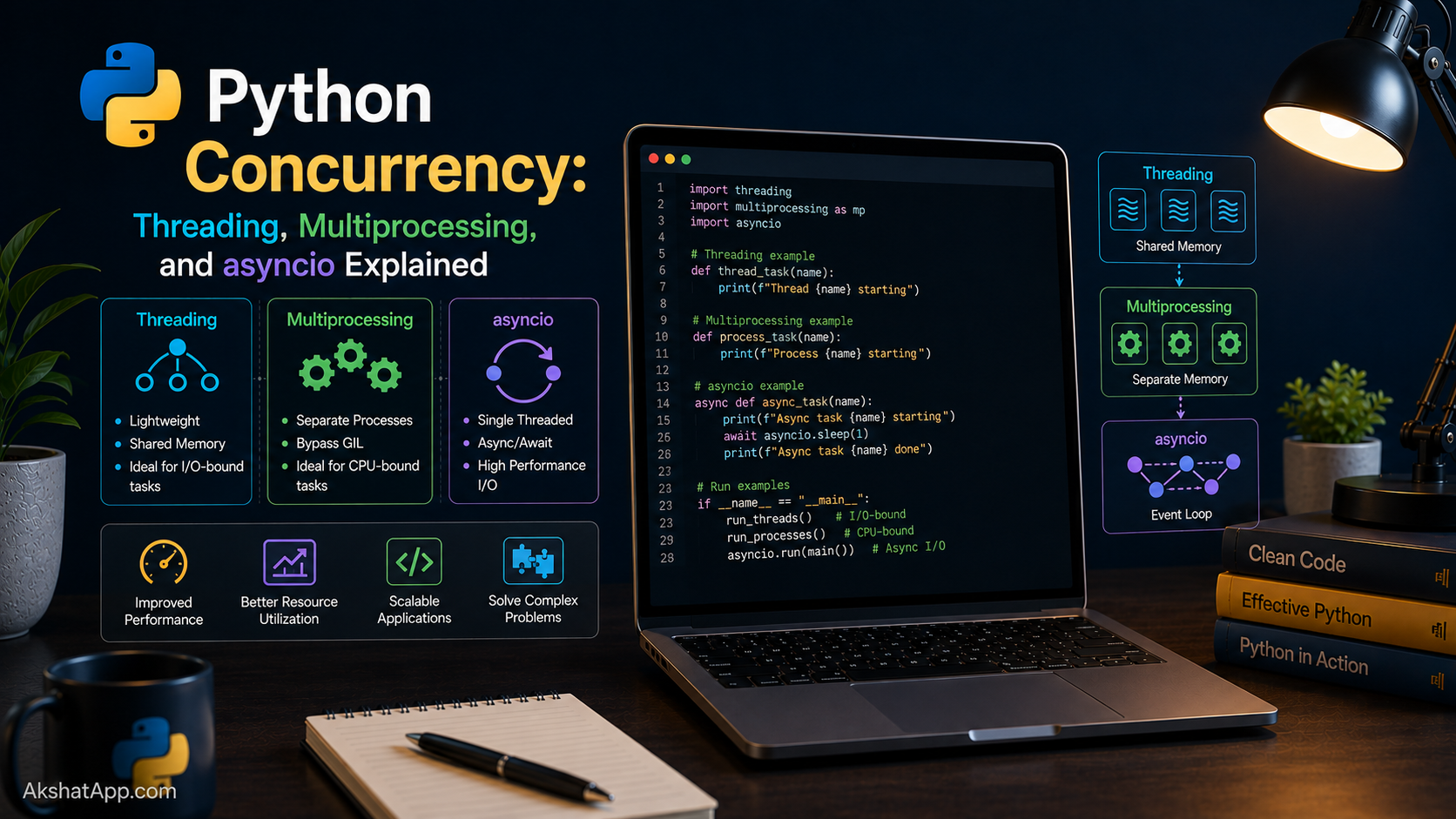
Post #10 flagged a real problem and deliberately left it unsolved: a loop making many sequential API calls accumulates latency, one request’s wait time stacked directly on top of the next. Fetching exchange rates for ten currency pairs, one after another, takes roughly ten times as long as fetching just one — even though your computer is sitting almost entirely idle for nearly the whole duration, simply waiting for each response to arrive.
Concurrency is how you fix this: starting the next request before the previous one has finished, so the waiting overlaps instead of stacking. This post covers Python’s three main approaches — threading, multiprocessing, and asyncio — what each is actually good for, why Python’s Global Interpreter Lock makes this genuinely more nuanced than in some other languages, and, directly, how to make the currency converter fetch multiple exchange rates at once instead of one at a time.
The Mental Model: I/O-Bound vs. CPU-Bound
Before choosing a concurrency tool, answer one question about the task at hand: is it spending most of its time waiting for something external, or spending most of its time computing?
I/O-bound work spends most of its time waiting — for a network response, a disk read, a database query — during which the CPU itself is essentially idle, just sitting there until the external thing finishes. Fetching exchange rates from an API is I/O-bound: the actual computation (parsing a small JSON response) takes microseconds; the network round-trip takes hundreds of milliseconds.
CPU-bound work spends most of its time genuinely computing — number crunching, image processing, complex calculations — where the CPU itself is the actual bottleneck, working continuously rather than waiting for anything.
This distinction determines everything else in this post. The right concurrency tool for I/O-bound work is different from the right tool for CPU-bound work, and using the wrong one produces confusing results — code that looks like it should be faster but isn’t.
The GIL: Why This Isn’t as Simple as “Just Use Threads”
CPython — the standard Python implementation this entire series has used — has a Global Interpreter Lock (GIL): at any given moment, only one thread can be executing Python bytecode, even on a machine with many CPU cores. This means Python threads do not give you genuine parallel computation the way threads do in some other languages.
Here is the crucial nuance that makes threading still useful despite the GIL: a thread that is waiting for something external — a network response, a file read — releases the GIL while it waits, allowing a different thread to run during that idle time. So threading does not help CPU-bound work (every thread is competing for the same single lock to actually execute Python code), but it genuinely does help I/O-bound work (threads spend most of their time waiting, not computing, and that waiting can overlap).
For genuine CPU-bound parallelism across multiple cores, you need multiprocessing instead — separate operating system processes, each with its own Python interpreter and its own GIL, genuinely running at the same time on different cores.
The Baseline: Sequential Currency Lookups (Slow)
import time

def fetch_rates_sequential(currency_pairs: list[tuple[str, str]]) -> dict:
    results = {}
    start = time.perf_counter()

    for from_curr, to_curr in currency_pairs:
        results[(from_curr, to_curr)] = get_exchange_rate(from_curr, to_curr)

    elapsed = time.perf_counter() - start
    print(f"Sequential: {elapsed:.2f}s for {len(currency_pairs)} requests")
    return results


pairs = [("USD", "EUR"), ("USD", "GBP"), ("USD", "JPY"), ("USD", "CAD"), ("USD", "AUD")]
fetch_rates_sequential(pairs)
# Sequential: 2.31s for 5 requests
Each request waits for the previous one to fully complete before starting — five requests at roughly 450ms each stack up to nearly two and a half seconds, even though the actual computer is doing almost nothing but waiting for most of that time.
Threading: The Straightforward Fix for I/O-Bound Work
concurrent.futures.ThreadPoolExecutor is the modern, high-level way to use threading — it manages a pool of worker threads for you, rather than requiring manual thread creation and coordination.
from concurrent.futures import ThreadPoolExecutor
import time


def fetch_rates_threaded(currency_pairs: list[tuple[str, str]]) -> dict:
    results = {}
    start = time.perf_counter()

    with ThreadPoolExecutor(max_workers=5) as executor:
        future_to_pair = {
            executor.submit(get_exchange_rate, from_c, to_c): (from_c, to_c)
            for from_c, to_c in currency_pairs
        }
        for future in future_to_pair:
            pair = future_to_pair[future]
            results[pair] = future.result()

    elapsed = time.perf_counter() - start
    print(f"Threaded: {elapsed:.2f}s for {len(currency_pairs)} requests")
    return results


fetch_rates_threaded(pairs)
# Threaded: 0.51s for 5 requests
executor.submit(func, *args) schedules a function to run on one of the pool’s worker threads and immediately returns a Future — a placeholder representing the result, which is not yet available. future.result() blocks until that specific future’s result is actually ready, but because all five requests were submitted before any of them was waited on, they run concurrently — their waiting time overlaps almost entirely, rather than stacking sequentially. Five requests that took 2.31 seconds one at a time complete in roughly half a second when their waiting overlaps.
Multiprocessing: True Parallelism for CPU-Bound Work
Threading would not meaningfully help a genuinely CPU-bound task — the GIL ensures only one thread computes Python bytecode at a time, regardless of how many threads exist. For real parallel computation, ProcessPoolExecutor runs work across separate processes, each with its own interpreter and GIL, genuinely executing on multiple CPU cores simultaneously.
from concurrent.futures import ProcessPoolExecutor
import time


def count_primes_in_range(bounds: tuple[int, int]) -> int:
    """Count primes in [start, end) — genuinely CPU-bound work."""
    start, end = bounds
    return sum(1 for n in range(start, end) if is_prime(n))


def count_primes_sequential(total: int, chunks: int) -> int:
    chunk_size = total // chunks
    ranges = [(i * chunk_size, (i + 1) * chunk_size) for i in range(chunks)]
    start_time = time.perf_counter()
    result = sum(count_primes_in_range(r) for r in ranges)
    print(f"Sequential: {time.perf_counter() - start_time:.2f}s")
    return result


def count_primes_parallel(total: int, chunks: int) -> int:
    chunk_size = total // chunks
    ranges = [(i * chunk_size, (i + 1) * chunk_size) for i in range(chunks)]
    start_time = time.perf_counter()
    with ProcessPoolExecutor() as executor:
        results = list(executor.map(count_primes_in_range, ranges))
    print(f"Parallel: {time.perf_counter() - start_time:.2f}s")
    return sum(results)


count_primes_sequential(2_000_000, 4)   # Sequential: 3.42s
count_primes_parallel(2_000_000, 4)      # Parallel: 0.98s — genuine speedup, using multiple cores
ProcessPoolExecutor splits the work across separate OS processes — on a four-core machine, this genuinely runs up to four chunks of computation simultaneously, producing real speedup for CPU-bound work in a way ThreadPoolExecutor never could, because each process has its own GIL rather than all competing for one shared lock.
The key tradeoff: processes are heavier than threads — more memory overhead, and data must be explicitly passed between processes (usually automatically handled for simple arguments and return values, as shown above) rather than freely shared the way threads can share memory directly. Reach for multiprocessing specifically when the work is genuinely CPU-bound; using it for I/O-bound work like the currency lookups adds this overhead without the payoff threading already provides more simply.
asyncio: The Modern Approach for Many Concurrent I/O Operations
asyncio is Python’s built-in framework for writing concurrent I/O-bound code using async/await syntax, without threads at all — a single thread that efficiently switches between many pending operations, particularly well-suited to situations with a very large number of concurrent operations, where creating that many actual threads would itself become expensive.
requests, used throughout Post #10, is a synchronous library — requests.get() blocks the entire program until it completes, which is incompatible with asyncio’s model. Async HTTP calls require an async-native library like httpx or aiohttp.
uv add httpximport asyncio
import httpx
async def get_exchange_rate_async(client: httpx.AsyncClient, from_currency: str, to_currency: str) -> float:
url = "https://api.frankfurter.dev/v1/latest"
params = {"base": from_currency, "symbols": to_currency}
response = await client.get(url, params=params, timeout=10)
response.raise_for_status()
data = response.json()
return data["rates"][to_currency]
async def fetch_rates_async(currency_pairs: list[tuple[str, str]]) -> list[float]:
async with httpx.AsyncClient() as client:
tasks = [
get_exchange_rate_async(client, from_c, to_c)
for from_c, to_c in currency_pairs
]
return await asyncio.gather(*tasks)
results = asyncio.run(fetch_rates_async(pairs))async def marks a function as a coroutine function — calling it does not run the body immediately (much like a generator from Post #15), it produces a coroutine object that must be awaited or scheduled to actually execute. await pauses the current coroutine at that specific line until the awaited operation completes — critically, without blocking the entire program, because control returns to the event loop, which can run other pending coroutines during that wait. asyncio.gather(*tasks) runs multiple coroutines concurrently and waits for all of them to complete, directly analogous to submitting several tasks to ThreadPoolExecutor at once. asyncio.run(...) is the top-level entry point that actually starts the event loop and runs everything.
Choosing the Right Tool: A Direct Decision Framework
Is the task I/O-bound (waiting on network, disk, database)
or CPU-bound (heavy computation)?

CPU-BOUND
  → multiprocessing.ProcessPoolExecutor
     (the only option that gives genuine parallel execution across cores)

I/O-BOUND, moderate number of operations (dozens), simpler code preferred
  → threading.ThreadPoolExecutor
     (straightforward, works with existing synchronous libraries like requests)

I/O-BOUND, very large number of concurrent operations (hundreds/thousands),
maximum efficiency matters, willing to use async-native libraries
  → asyncio
     (more efficient at scale, requires async-compatible libraries throughout)
For the currency converter specifically: ThreadPoolExecutor is the pragmatic choice for fetching a handful of exchange rates — simple, works directly with the existing requests-based get_exchange_rate() function from Post #10 with no changes needed. asyncio would be the better choice specifically if the converter needed to fetch hundreds of rates simultaneously, at the cost of rewriting the underlying request logic with an async-native library.
Real-World Use Cases
Fetching data from multiple APIs simultaneously: Exactly the currency conversion scenario in this post — any situation calling several independent external services benefits directly from overlapping their wait times.
Web servers handling many simultaneous requests: Modern async Python web frameworks handle thousands of concurrent connections efficiently precisely because most of each request’s time is spent waiting on a database or another service, not computing — the exact I/O-bound profile asyncio is built for.
CPU-intensive data processing: Image resizing, video encoding, large-scale numerical computation, or the prime-counting example above are all genuinely CPU-bound, and multiprocessing is the tool that actually uses multiple cores to speed them up.
Batch processing pipelines: A pipeline reading many files, calling an API for each, and writing results is a common real-world case combining I/O-bound network calls with potentially CPU-bound processing steps — sometimes warranting threading for the network portion and multiprocessing for a genuinely CPU-heavy processing stage within the same pipeline.
Common Mistakes and Gotchas
⚠️ Mistake 1: Using threading for CPU-bound work and being confused it isn’t faster The GIL prevents genuine parallel Python execution across threads — threading only helps when threads spend most of their time waiting, not computing. CPU-bound work needs multiprocessing to see real speedup.
⚠️ Mistake 2: Forgetting await on a coroutine
async def main():
    get_exchange_rate_async(client, "USD", "EUR")  # BUG — missing await!
    # This creates a coroutine object but never actually runs it — silently does nothing
Calling an async def function without awaiting it (or otherwise scheduling it) produces a coroutine object that simply sits there, unexecuted — Python typically issues a RuntimeWarning about this, but the actual bug (the operation silently never happening) is easy to miss if that warning goes unnoticed.
⚠️ Mistake 3: Race conditions from multiple threads modifying shared state
counter = 0
def increment():
    global counter
    counter += 1  # NOT atomic — multiple threads can interfere with each other here

with ThreadPoolExecutor(max_workers=10) as executor:
    executor.map(lambda _: increment(), range(1000))

print(counter)  # frequently NOT 1000 — some increments get lost
Multiple threads modifying the same shared variable without coordination can lose updates — counter += 1 is not a single atomic operation, and two threads can both read the same value before either writes back the incremented result. Proper synchronization (a threading.Lock, or better, avoiding shared mutable state between threads entirely) is required for genuinely safe concurrent modification — a topic covered more fully in the CS Fundamentals series’ operating systems post.
⚠️ Mistake 4: Mixing synchronous, blocking calls inside async code
async def bad_async_function():
    time.sleep(5)  # BLOCKS the entire event loop — defeats the purpose of asyncio entirely
A blocking call like time.sleep() or a synchronous requests.get() inside an async def function freezes the entire event loop, not just the current coroutine — no other coroutine can run during that block, eliminating exactly the concurrency asyncio exists to provide. Use await asyncio.sleep() instead of time.sleep(), and async-native libraries (httpx, not requests) for I/O inside async code.
⚠️ Mistake 5: Reaching for concurrency when the task doesn’t actually benefit A single API call, or a genuinely fast computation, gains nothing from threading, multiprocessing, or asyncio — the overhead of setting up threads, processes, or an event loop can even make trivial tasks slower. Concurrency earns its complexity specifically when there is real waiting or real heavy computation to overlap or parallelize.
Performance Note
The speedups demonstrated in this post — roughly 4-5x for threaded I/O, and roughly 3-4x for multiprocessed CPU work on a four-core machine — are directly bounded by the nature of the work and the hardware available. Threaded I/O speedup scales with how much of the total time was genuinely spent waiting rather than computing; multiprocessing speedup scales with the number of CPU cores actually available, with diminishing returns past that point due to coordination overhead between processes. Always measure the actual before-and-after timing on your specific task, as shown throughout this post, rather than assuming concurrency will help by a fixed, predictable amount — Post #17’s profiling techniques are the right tool for confirming a concurrency change actually delivered the improvement it was expected to.
Quick Reference
# Threading — for I/O-bound work
from concurrent.futures import ThreadPoolExecutor

with ThreadPoolExecutor(max_workers=5) as executor:
    future = executor.submit(some_function, arg1, arg2)
    result = future.result()
    # or, for many at once:
    results = list(executor.map(some_function, list_of_args))

# Multiprocessing — for CPU-bound work
from concurrent.futures import ProcessPoolExecutor

with ProcessPoolExecutor() as executor:
    results = list(executor.map(cpu_heavy_function, list_of_args))

# asyncio — for many concurrent I/O operations
import asyncio

async def my_coroutine():
    result = await some_async_operation()
    return result

async def main():
    results = await asyncio.gather(
        my_coroutine(), my_coroutine(), my_coroutine()
    )

asyncio.run(main())
Decision:
CPU-bound → multiprocessing
I/O-bound, few ops → threading
I/O-bound, many ops → asyncioExercises
Exercise 1 — Direct application
Use ThreadPoolExecutor to fetch data from three different public, no-authentication APIs simultaneously (any three you like), and measure the total time compared to fetching them sequentially, one after another.
Exercise 2 — Slight variation
Take word_frequency() from Post #5 and use ProcessPoolExecutor to count word frequencies across four large text files in parallel, then combine the four separate dictionaries into one final combined count.
Exercise 3 — Real-world combination
Rewrite this post’s threaded fetch_rates_threaded() using asyncio and httpx instead, and compare the total time for fetching the same five currency pairs using both approaches.
Exercise 4 — Open-ended challenge
The race condition example in this post’s mistakes section loses increments when ten threads all modify counter without synchronization. Fix it using threading.Lock() (look up its basic usage — with lock: around the critical section), and verify the final count is now reliably correct across multiple runs.
FAQ
Q: Does the GIL mean Python is bad for concurrent programming? A: No — it specifically limits genuine parallel computation across threads within a single process. I/O-bound concurrency (threading, asyncio) works well despite the GIL, precisely because waiting releases it. For CPU-bound parallelism, multiprocessing sidesteps the GIL entirely by using separate processes, each with their own interpreter.
Q: Will Python ever remove the GIL? A: Recent CPython versions have introduced an experimental “free-threaded” build option without the GIL, an active area of ongoing development in the language’s core implementation. As of this series, the GIL remains present in the standard, default CPython build most developers use — worth being aware the landscape is evolving, without needing to track it closely for the fundamentals covered here.
Q: Should I default to asyncio for everything, since it seems the most modern? A: No — asyncio requires async-compatible libraries throughout your I/O code, and it adds real complexity for smaller-scale tasks where threading solves the same problem more simply. Use the decision framework in this post: asyncio genuinely earns its complexity specifically at larger scale (many concurrent operations), not as a universal default.
Q: Can I combine multiprocessing and threading in the same program? A: Yes — a common real-world pattern uses multiprocessing to parallelize genuinely CPU-heavy work across cores, with each process internally using threading for any I/O-bound work it also needs to do, matching each tool to the specific kind of work it actually addresses.
Summary and Next Steps
You now understand the I/O-bound versus CPU-bound distinction that determines which concurrency tool actually helps, why the GIL means threading and multiprocessing solve genuinely different problems, and how to use ThreadPoolExecutor, ProcessPoolExecutor, and asyncio for their respective use cases. The currency converter’s exchange rate lookups, sequential since Post #10, now run concurrently — five requests completing in roughly the time one used to take.
Your next step: Complete Exercise 1 — timing sequential versus threaded API calls to three different services — since directly measuring the speedup on your own machine, with your own network conditions, is far more convincing than any number quoted in this post, and it builds the habit of measuring rather than assuming that Post #17 formalizes properly.
The next post turns fully to performance: profiling code systematically, understanding where time actually goes (not where intuition guesses it goes), and optimizing only what the data actually shows is worth optimizing.
Code tested with Python 3.13. Last updated: June 2026.
Share This Post

Join our newsletter!
Get the latest developer guides, tutorials, and tips delivered straight to your inbox.



