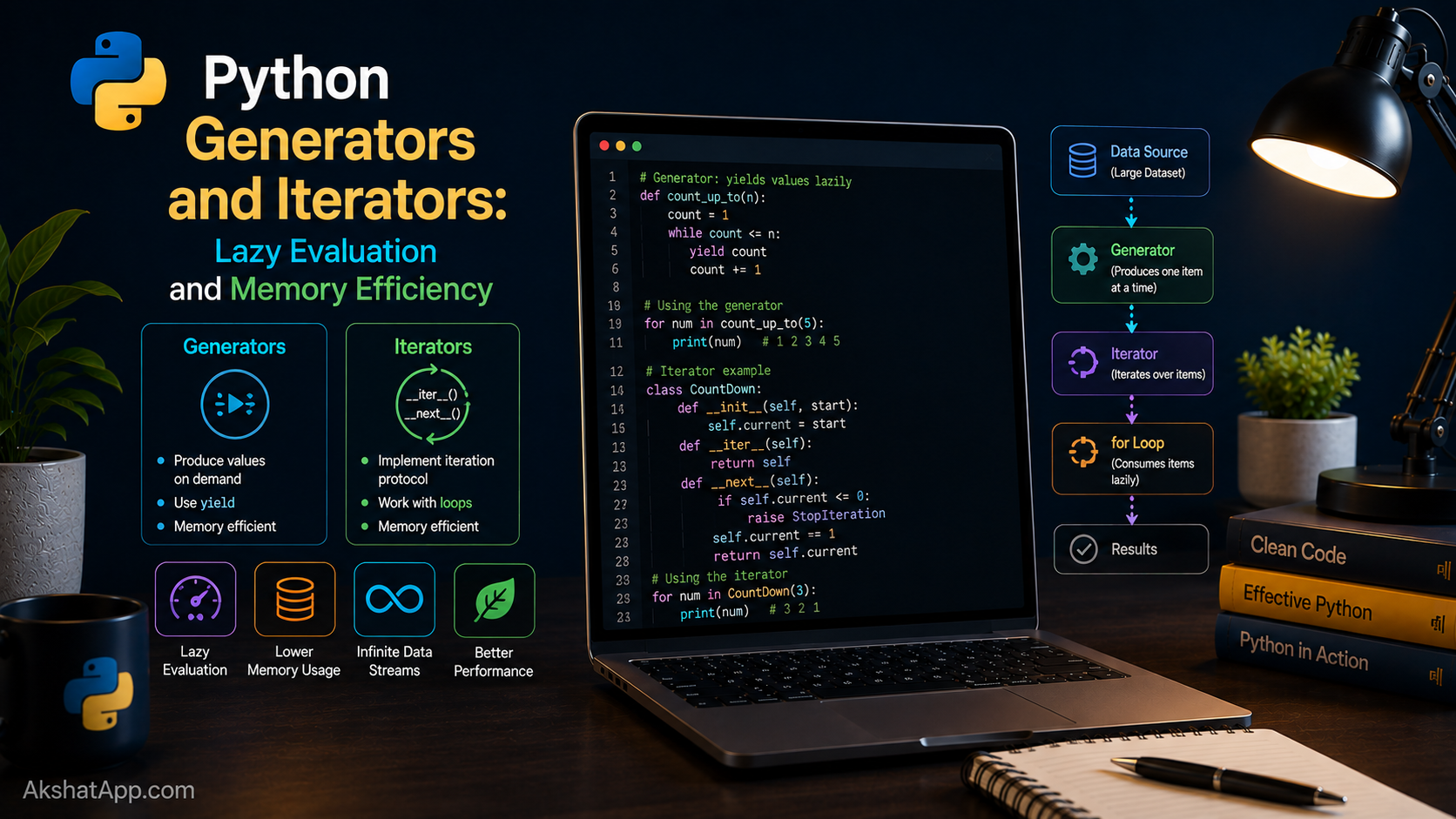
Two things covered earlier in this series were quietly doing the same clever trick without it ever being named. Post #13 noted, almost in passing, that map() and filter() return “lazy iterators” — nothing is computed until you actually ask for it. Post #9 recommended iterating over a file with for line in f: specifically because it processes one line at a time, “memory-efficient for large files,” without explaining exactly why that works. Both rely on the exact same underlying mechanism: generators.
A generator produces values one at a time, on demand, rather than computing an entire sequence upfront and holding it all in memory simultaneously. This post explains the mechanism fully — the yield keyword, the difference between a generator function and a generator expression, and cases where a generator is not just more efficient than a list but genuinely the only option, because the full sequence would be infinite or simply too large to ever fit in memory at once.
The Mental Model: Having the Data vs. Knowing How to Get It
A list holds every one of its values in memory, all at once, right now. A generator holds none of them — instead, it holds a recipe for producing the next value whenever it is asked, and remembers exactly where it left off between requests. This is the entire distinction: a list has its data; a generator knows how to make its data, one piece at a time.
This matters enormously the moment the full sequence would be too large to hold in memory at once — or, more strikingly, the moment the sequence has no natural end at all.
Your First Generator: yield
def count_up_to(n: int):
    i = 1
    while i <= n:
        yield i
        i += 1


for number in count_up_to(5):
    print(number)
# 1 2 3 4 5
The presence of yield anywhere inside a function’s body fundamentally changes what that function is. Calling count_up_to(5) does not run the function’s code immediately the way calling a normal function does — it returns a generator object, a paused, ready-to-resume version of the function, without a single line of the body having executed yet.
gen = count_up_to(3)
print(gen)  # <generator object count_up_to at 0x104f...>

print(next(gen))  # 1 — runs the function until the first yield, then pauses
print(next(gen))  # 2 — resumes exactly where it left off, runs until the next yield
print(next(gen))  # 3
print(next(gen))  # StopIteration! — the function's while loop condition finally became False
Each call to next() resumes execution exactly where the previous yield paused it — including the current values of every local variable (i in this case) — runs until the next yield (or the function ends), and returns that yielded value. A for loop does this automatically, calling next() repeatedly under the hood until the generator signals it has nothing left to give, at which point the loop ends cleanly.
Generator Expressions: The () Version of a Comprehension
squares_list = [x ** 2 for x in range(10)]   # list comprehension — eager, built entirely upfront
squares_gen = (x ** 2 for x in range(10))     # generator expression — lazy, computed on demand

print(type(squares_list))  # <class 'list'>
print(type(squares_gen))    # <class 'generator'>
The syntax difference is exactly one character — square brackets versus parentheses — but the behavioral difference is significant. squares_list computes and stores all ten values immediately. squares_gen computes nothing until you actually iterate over it:
for value in squares_gen:
    print(value)
# Computes and yields each square, one at a time, as the loop asks for it
For small, one-time-use sequences, the difference is invisible in practice. It becomes concrete and important the moment the sequence is very large, or is only partially needed.
The Concrete Memory Difference
import sys

number_list = [x for x in range(1_000_000)]
number_gen = (x for x in range(1_000_000))

print(sys.getsizeof(number_list))  # roughly 8,000,000+ bytes — the full list, in memory
print(sys.getsizeof(number_gen))    # roughly 200 bytes — regardless of the range size
number_list genuinely holds one million integers in memory simultaneously. number_gen holds almost nothing — just enough state to know how to produce the next value when asked — and that tiny footprint does not change whether the range covers a thousand numbers or a billion. This is not a marginal optimization; it is the difference between a program that can process an enormous or unbounded sequence and one that cannot, no matter how much memory is available.
Infinite Generators: Something a List Genuinely Cannot Do
This is where the distinction stops being about efficiency and becomes about possibility:
def infinite_counter():
    i = 0
    while True:  # deliberately infinite — from Post #3
        yield i
        i += 1


counter = infinite_counter()
print(next(counter))  # 0
print(next(counter))  # 1
print(next(counter))  # 2
# ... this could continue being called forever without ever running out
There is no way to write list(infinite_counter()) and get a sensible result — Python would attempt to build a list with infinitely many elements, consuming all available memory and eventually crashing, without ever finishing. A generator has no such problem, because it never tries to hold more than the current single value at once. Combined with itertools.islice, this lets you work with conceptually infinite sequences and take exactly as much as you need:
from itertools import islice

counter = infinite_counter()
first_five = list(islice(counter, 5))
print(first_five)  # [0, 1, 2, 3, 4]
islice takes a specific slice from any iterator — including an infinite one — without ever attempting to materialize the whole thing first.
What Post #9’s for line in f: Was Actually Doing
Post #9 recommended for line in f: over f.readlines() for large files, noting it was “memory-efficient,” without fully explaining the mechanism. Now the explanation is direct: a file object is itself an iterator. Each iteration of the loop reads exactly one line from disk, hands it to the loop body, and discards it before reading the next — the entire file’s contents are never held in memory simultaneously, regardless of whether the file is a few kilobytes or many gigabytes. This is precisely the same lazy, one-at-a-time behavior count_up_to demonstrates explicitly, just implemented for you already, built into how Python’s file objects work.
Building Your Own Generator on Top of File Iteration
def read_matching_lines(filepath: str, keyword: str):
    """Yield only lines containing a keyword, reading the file lazily, one line at a time."""
    with open(filepath, encoding="utf-8") as f:
        for line in f:
            if keyword in line:
                yield line.strip()


for error_line in read_matching_lines("server.log", "ERROR"):
    print(error_line)
Even if server.log is several gigabytes, this function never holds more than one line in memory at a time — the file’s own line-by-line iteration is wrapped with a filtering condition, and the result is handed out lazily, one matching line at a time, exactly as the caller’s for loop asks for it. This is generators solving a genuinely practical problem: filtering an enormous file without ever needing enough memory to hold it all at once.
Real-World Use Cases
Processing files too large for memory: Server logs, large datasets, and data exports frequently exceed what comfortably fits in RAM — generators, as shown above, are the standard solution.
Data pipelines with multiple stages: Chaining several generator functions — one reading raw data, one filtering it, one transforming it — processes each item through the entire pipeline one at a time, rather than building a complete intermediate list at every single stage.
Representing infinite or unbounded sequences: Anything genuinely without a natural endpoint — an infinite counter, a stream of sensor readings, an endless sequence of API pages — has no sensible list equivalent, only a generator one.
Reducing memory pressure in long-running programs: Any function returning a large, one-time-use collection that the caller only intends to iterate over once is often a strong candidate to become a generator instead, trading a small amount of clarity for genuine memory savings at scale.
Common Mistakes and Gotchas
⚠️ Mistake 1: Trying to iterate over a generator twice
gen = (x for x in range(5))
print(list(gen))  # [0, 1, 2, 3, 4]
print(list(gen))  # [] — empty! The generator is already exhausted
Unlike a list, a generator can only be iterated over once. Once every value has been produced, it is genuinely exhausted — there is no data left inside it to iterate over a second time. If you need to iterate multiple times, either convert to a list (accepting the memory cost) or create a fresh generator each time you need one.
⚠️ Mistake 2: Trying to call len() on a generator
gen = (x for x in range(1000))
len(gen)  # TypeError: object of type 'generator' has no len()
A generator does not know, in advance, how many values it will ultimately produce — some generators (like infinite_counter) never stop at all. len() fundamentally requires knowing the total count upfront, which contradicts what makes a generator lazy in the first place.
⚠️ Mistake 3: Accidentally converting an infinite generator to a list
list(infinite_counter()) # hangs forever, eventually crashes from memory exhaustionAlways use itertools.islice or an explicit stopping condition inside your own generator function when working with anything that could produce values indefinitely — never call list() directly on something you are not certain terminates.
⚠️ Mistake 4: Using a generator when you genuinely need to access items multiple times or by index
gen = (x ** 2 for x in range(10))
gen[3]  # TypeError — generators don't support indexing at all
Generators only support forward, one-at-a-time iteration — no indexing, no slicing, no going backward. If your code needs random access to specific elements, or needs to iterate the same data more than once, a list is the right structure, not a generator.
⚠️ Mistake 5: Assuming a generator function’s body runs immediately when called
def loud_generator():
    print("Starting!")
    yield 1
    yield 2

gen = loud_generator()  # nothing printed yet — the function body hasn't run at all
print(next(gen))          # NOW "Starting!" prints, followed by 1
Calling a generator function only creates the generator object — it does not execute any of the function’s code until the first next() call (or the first iteration of a for loop) actually requests a value.
Performance Note
This entire post is the performance note, in a real sense — the concrete memory measurement earlier in this post (roughly 8MB for a materialized list of a million integers versus roughly 200 bytes for the equivalent generator, regardless of size) is not a micro-optimization; it is frequently the difference between a program that can process a given dataset at all and one that runs out of memory attempting to. The tradeoff worth understanding clearly: generators trade the ability to access items multiple times, by index, or out of order, for genuinely bounded memory usage — the right choice specifically when a sequence is processed once, in order, and might be large or unbounded; the wrong choice when you need to revisit, index into, or iterate the same data repeatedly.
Quick Reference
# Generator function
def my_generator():
    yield 1
    yield 2
    yield 3

gen = my_generator()
next(gen)   # 1
next(gen)   # 2
for x in my_generator():  # fresh generator, full iteration
    print(x)

# Generator expression
gen = (x ** 2 for x in range(10))   # lazy — note the parentheses
lst = [x ** 2 for x in range(10)]    # eager — note the square brackets

# Infinite generator, safely consumed
from itertools import islice
def infinite():
    i = 0
    while True:
        yield i
        i += 1

first_ten = list(islice(infinite(), 10))

# Checking memory footprint
import sys
sys.getsizeof(some_list)
sys.getsizeof(some_generator)

# Common mistakes to avoid
len(some_generator)          # TypeError — generators have no length
list(infinite_generator())    # hangs forever — never do this
gen_used_twice = (x for x in range(5))
list(gen_used_twice); list(gen_used_twice)  # second call returns []
Exercises
Exercise 1 — Direct application
Write a generator function fibonacci() that yields the Fibonacci sequence indefinitely (0, 1, 1, 2, 3, 5, 8, …), and use itertools.islice to print the first 10 values.
Exercise 2 — Slight variation
Rewrite word_frequency() from Post #5 as a generator function word_frequency_stream(text) that yields (word, running_count) tuples one at a time as it processes the text, rather than returning a completed dictionary all at once.
Exercise 3 — Real-world combination
Using the read_matching_lines() pattern from this post, write a generator that reads the unit converter’s conversion_history.json (from Post #9) — note that JSON is not naturally line-by-line, so this exercise specifically asks you to load it once, then yield entries one at a time matching a minimum value, demonstrating generators as a clean interface even over data that was not read lazily itself.
Exercise 4 — Open-ended challenge
sys.getsizeof() on a generator reports its own small footprint but does not account for objects it might reference internally. Using the memory-measurement pattern from this post, compare sys.getsizeof() for a list comprehension and a generator expression both built from range(10_000_000) — a range ten times larger than the example in this post — and confirm the size difference scales the way this post’s explanation predicts.
FAQ
Q: Is a generator the same thing as an iterator?
A: Every generator is an iterator, but not every iterator is a generator — “iterator” is the more general concept (anything supporting next() and remembering its position), while “generator” specifically refers to the yield-based (or generator-expression-based) mechanism for creating one easily. In everyday Python usage, the terms are frequently used loosely and interchangeably, but generators are specifically the tool this post has been teaching you to build.
Q: When should I use a generator instead of a list, if I’m not sure the data will actually be huge? A: If you are only going to iterate over the result once, in order, a generator is a reasonable default — the memory savings cost nothing when the data happens to be small, and they matter enormously the moment it is not. If you need to index into it, iterate multiple times, or check its length, a list remains the right choice regardless of size.
Q: Can a generator function have a return statement as well as yield?
A: Yes — a return (with no value, or return alone) inside a generator function simply stops the generator, raising StopIteration at that point, exactly as if the function had naturally run out of yield statements to reach.
Q: Do generator expressions inside function calls need extra parentheses?
A: Generally no — sum(x**2 for x in range(10)) works directly, without needing sum((x**2 for x in range(10))), when the generator expression is the sole argument to the function call. Extra parentheses are only required when passing a generator expression alongside other arguments.
Summary and Next Steps
You now understand exactly what map() and filter()’s laziness meant back in Post #13, and precisely why for line in f: from Post #9 never loaded an entire file into memory. You can write your own generator functions with yield, build generator expressions for lazy transformations, safely work with infinite sequences using itertools.islice, and recognize the specific tradeoff — one-time, in-order access in exchange for genuinely bounded memory — that determines when a generator is the right tool over a list.
Your next step: Complete Exercise 1 — the infinite Fibonacci generator — since building something genuinely unbounded, and safely extracting just what you need from it with islice, is the clearest possible demonstration that generators solve problems lists structurally cannot, not merely problems lists solve less efficiently.
The next post covers concurrency — running multiple things at once, or appearing to — using threading, multiprocessing, and asyncio, directly addressing the network-latency concern flagged back in Post #10 about making many API calls efficiently rather than one at a time.
Code tested with Python 3.13. Last updated: June 2026.
Share This Post

Join our newsletter!
Get the latest developer guides, tutorials, and tips delivered straight to your inbox.



